// countries covered
박싱 위크 특별 할인
최대 40% 할인
200개 이상의 국가 크루즈 무제한 데이터 요금제
적격 Visa Infinite 카드 소지자를 위한 추가 할인 혜택
⏰ 마지막 기회 - BOGOGO 40% 할인 행사가 종료되기까지…
계획이 종료됩니다:
0
0
일수
:
0
0
시간
:
0
0
MinS
:
0
0
00
⏰ 마지막 기회 - BOGOGO 40% 할인
...에서 끝남
0
0
일수
:
0
0
시간
:
0
0
MinS
:
0
0
00

Stay Connected For Your
Entire Ferry Ride

Fast, reliable mobile data that travels with you, from the moment you board to wherever you go next. Now available!
A convenient and faster alternative to Ferry Wi-Fi
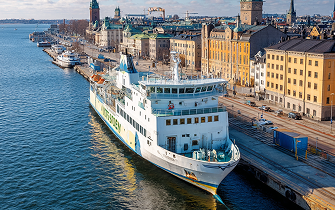
Enjoy dependable data whether you’re exploring the ferry, relaxing on deck, or stepping into a new destination. Want to check if your ferry is covered? See the full list.
4.6/5
수천 건의 리뷰 중에서
100만 명 이상의 사용자가 신뢰하는 서비스

The First eSIM Designed for Ferry Routes

Cruise with the confidence that your connection goes wherever you go: on deck, offshore, in port, and on land.
Onboard Ferry WiFi
Shared among all passengers
Can slow during heavy usage
Depends on ship systems and
bandwidth
Works best near access points
Great for basic browsing
eSIM
Your own personal data connection
Performance not affected by other passengers
Uses offshore mobile networks across the route
Automatically switches to the strongest available network
Reliable for messaging, browsing, streaming, even work calls

Where Your Ferry eSIM Works

ON DECK
Stay connected as you travel offshore, perfect for messaging, maps for arrival plans, entertainment, or getting things done during the crossing.
WHILE DOCKED
Ferries are busiest during boarding and arrival. Your eSIM ensures you stay connected without depending solely on port networks during peak times.
ONCE YOU DISEMBARK
Add land coverage to any plan to stay connected after leaving the ferry. No switching apps, no SIM swaps, no searching for local connectivity, your plan continues seamlessly on land.
ON DECK
Stay connected as you travel offshore, perfect for messaging, maps for arrival plans, entertainment, or getting things done during the crossing.
WHILE DOCKED
Ferries are busiest during boarding and arrival. Your eSIM ensures you stay connected without depending solely on port networks during peak times.
ONCE YOU DISEMBARK
Add land coverage to any plan to stay connected after leaving the ferry. No switching apps, no SIM swaps, no searching for local connectivity, your plan continues seamlessly on land.

Select Your eSIM Ferry Plan

미국용 데이터 요금제는 일시적으로 구매할 수 없습니다.
고정 데이터 요금제
무제한 데이터 요금제
데이터는 한도가 없지만 하루 2.5GB를 초과하면 속도가 느려집니다. 고속 데이터는 매일 다시 시작됩니다. 전체 보기 약관 여기
No plans available for this section
고정 데이터 요금제
무제한 데이터 요금제
데이터는 한도가 없지만 하루 2.5GB를 초과하면 속도가 느려집니다. 고속 데이터는 매일 다시 시작됩니다. 전체 보기 약관 여기
No plans available for this section
Simple Setup. Seamless Connectivity.
Your entire journey, covered in three simple steps:
1
요금제 선택
Available on popular ferry routes. Pick the data plan that fits your travel style.
2
eSIM 설치
Download GigSky before you sail, activation takes under a minute.
3
Stay Connected Automatically
Your eSIM ensures you have stable connectivity as you move between ports, routes, and destinations.
Use it anytime you need your own connection during the trip. Our support
team is available 24/7, 365 days a year to help with setup or questions.

운항하는 페리 노선

GigSky는 주요 유럽 페리 운영사를 통해 이용 가능합니다. 포함되는 업체는 다음과 같습니다:
크루즈 라인
크루즈 이름 1

Popular Ferry Operators

Check out some of the European ferry operators where GigSky offers mobile eSIM data as a simple alternative to onboard Wi-Fi.

Apple 호환성

최상의 사용자 환경을 위해 항상 최신 버전의 iOS와 이동통신사 설정을 사용하세요. 또한 현재 사용 중인 이동 통신사에 의해 디바이스가 잠기지 않았는지 확인하세요. 이는 선불 약정을 맺은 할부 휴대폰에서 가장 흔하게 발생합니다.
iPhone
  • iPhone XS, iPhone XS Max, iPhone XR 및 이후 버전

참고: iPhone의 eSIM은 중국 본토에서는 제공되지 않습니다. 홍콩 및 마카오에서는 일부 iPhone 모델에 eSIM이 제공됩니다. 설정 > 셀룰러 화면에서 'eSIM 추가' 옵션이 표시되면 iPhone이 eSIM을 지원하는 것입니다.

참고: 설정 > 일반 > 정보 화면의 '이동 통신사 잠금' 섹션에 "SIM 제한 없음"이라고 표시되면 iPhone의 잠금이 해제된 것입니다.

iPad
  • iPad Pro 13인치(M4) Wi-Fi + 셀룰러*
  • iPad Pro 12.9인치(3~6세대) Wi-Fi + 셀룰러
  • iPad Pro 11인치(M4) Wi-Fi + 셀룰러*
  • iPad Pro 11인치(1~4세대) Wi-Fi + 셀룰러
  • iPad Air 13인치(M2) Wi-Fi + 셀룰러*
  • iPad Air 11인치(M2) Wi-Fi + 셀룰러*
  • iPad Air(3~5세대) Wi-Fi + 셀룰러
  • iPad mini(5세대 및 6세대) Wi-Fi + 셀룰러
  • iPad(7~10세대) Wi-Fi + 셀룰러

* iPad Pro(M4) Wi-Fi + 셀룰러 및 iPad Air(M2) Wi-Fi + 셀룰러 모델은 eSIM으로 활성화되며 실제 SIM 카드가 없습니다.

삼성 호환성

현재 사용 중인 이동 통신사에 의해 디바이스가 잠기지 않았는지 확인하세요. 이는 선불 약정을 맺은 할부 휴대폰에서 가장 흔하게 발생합니다.

설정 > 연결 > SIM 관리자↪f_200D↩
↪f_200D↩에서 "eSIM 추가"가 표시되면 기기가 eSIM을 지원하는 것입니다.

  • 갤럭시 S25/S25+/S25 울트라, 갤럭시 S24/S24+/S24 울트라, 갤럭시 S23, S23FE/S23+/S23 울트라, 갤럭시 S22/S22+/S22 울트라, 갤럭시 S21/S21+/S21 울트라, 갤럭시 S20/S20+/S20 울트라, 갤럭시 S20/S20+/S20 울트라
  • 갤럭시 Z 폴드7 / 플립7, 갤럭시 Z 폴드6 / 플립6, 갤럭시 Z 폴드5 / Z 플립5, 갤럭시 Z 폴드4 / 플립4, 갤럭시 Z 폴드3 / 플립3, 갤럭시 Z 폴드2, 갤럭시 Z 플립 5G, 갤럭시 Z 플립, 갤럭시 폴드, 갤럭시 폴드
  • 갤럭시 A56 5G, A55(모든 지역), A54(유럽, 북미, 한국, 일본만 해당), A36 5G, A35(유럽, 북미, 한국만 해당), Xcover7(모든 지역)
  • 갤럭시 노트20 / 노트20 울트라
  • 갤럭시 탭 S10+/S10 울트라, 갤럭시 탭 S9/S9+/S9 울트라, 갤럭시 탭 S9 FE/S9 FE+, 갤럭시 탭 액티브5

참고: 배송 국가에 따라 위에 나열된 단말기라도 eSIM이 지원되지 않을 수 있습니다. 사용 중인 디바이스가 해당 지역에서 이 기능을 지원하는지 제조업체에 문의하세요.

구글 픽셀 호환성

현재 사용 중인 이동 통신사에 의해 디바이스가 잠기지 않았는지 확인하세요. 이는 선불 약정을 맺은 할부 휴대폰에서 가장 흔하게 발생합니다.

"Download a SIM instead?"라는 메시지가 표시되면 Google Pixel은 eSIM을 사용할 수 있는 기기입니다. 설정 > 네트워크 및 인터넷 > SIM +를 탭한 후 옵션을 선택하세요.

  • 픽셀 10, 10 프로, 10 프로 XL, 10 프로 폴드
  • Pixel 9, 9a, 9 Pro, 9 Pro XL, 9 Pro Fold
  • Pixel 8, 8a, 8 Pro
  • Pixel 7, 7a, 7 Pro
  • Pixel Fold
  • Pixel 6, 6a, 6 Pro
  • Pixel 5, 5a
  • Pixel 4, 4a, 4 XL
  • Pixel 3a, 3a XL(동남아시아, 일본 및 미국 Verizon의 Pixel 3a는 eSIM과 호환되지 않습니다.)
  • Pixel 3, Pixel 3 XL(호주, 일본, 대만에서 구입했거나 미국 또는 캐나다 이동통신사(Sprint 및 Google Fi 제외)에서 구입한 Pixel 3는 eSIM과 호환되지 않음).
  • Pixel 2, Pixel 2 XL(Google Fi 서비스로 구매한 휴대전화에 한함)

참고: 호주, 일본, 대만에서 구입했거나 미국 또는 캐나다 이동통신사(Sprint 및 Google Fi 제외)에서 구입한 Pixel 3는 eSIM과 함께 작동하지 않습니다.

참고: 동남아시아, 일본 및 미국 Verizon의 Pixel 3a는 eSIM과 호환되지 않습니다.

기타 장치 호환성

현재 사용 중인 이동 통신사에 의해 디바이스가 잠기지 않았는지 확인하세요. 이는 선불 약정을 맺은 할부 휴대폰에서 가장 흔하게 발생합니다.

DOOGEE V30 지원 ESIM
Fairphone 4
Honor Magic 4 Pro
‍Microsoft
Surface Pro X
Motorola Razr 2019, Razr 5G
Planet Astro Slide
Planet Cosmo Communicator
Planet Gemini PDA - 4G+WiFi
Rakuten Mini, 빅, 빅-S, 핸드, 핸드 5G
Sharp Aquos Sense6s, Aquos Wish
Sony Xperia 1 IV, Xperia 10 III Lite, Xperia 10 IV
‍샤오미
MI 12T 프로

장치 확인

대부분의 최신 스마트폰과 태블릿은 eSIM을 지원합니다. 하지만 항상 다시 한 번 확인하는 것이 좋습니다. 시작하기 전에 아래 목록에서 기기가 지원되는지 확인하세요.
Apple
삼성
Google Pixel
기타

자주 묻는 질문 (FAQ)

Can I use my eSIM to stream or stay entertained?

Many passengers stream onboard. Quality depends on your plan and the offshore network. For video or heavy apps choose 5 GB - 15 GB.

Do I need Internet to activate the eSIM?

You only need the Internet for the initial download. You can activate before boarding no Ferry Wi-Fi required.

Will my connection continue on land?

Absolutely. Your plan transitions smoothly from ferry to port to inland travel.

Is this faster than ferry Wi-Fi?

In most situations yes. Ferry Wi-Fi relies on shared satellite bandwidth. With GigSky you're not sharing a single connection with hundreds of passengers which means more stable speeds.

Does the Ferry eSIM work offshore?

Yes your plan uses networks available along major ferry routes helping you stay connected even when your regular mobile service becomes unavailable.

What if I need more data?

You can top up instantly inside the GigSky app. No need to reinstall an eSIM or change plans.

Is this suitable for remote work?

Many remote workers rely on it during ferry crossings. For video calls or heavier data use choose 5 GB or 15 GB plans.

긱스카이 모바일 앱에서 최고의 경험을 선사합니다. 스캔하여 다운로드하세요.