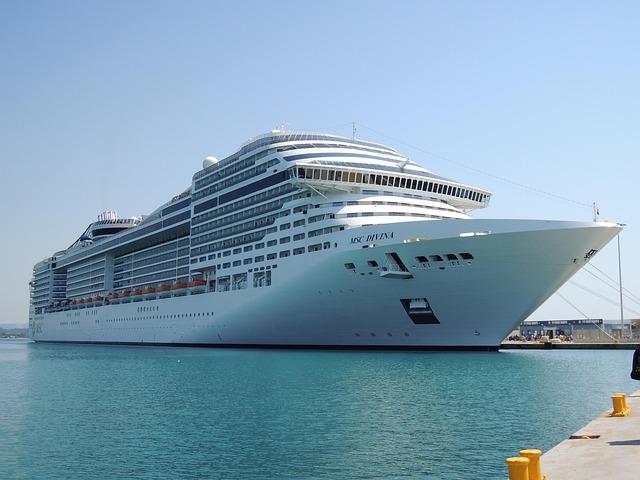



Best WiFi Tips for MSC Cruise Ships: Match Packages, eSIMs & Starlink to Your Needs
Sailing with MSC soon? Here's how to handle WiFi onboard, in port, and at Ocean Cay, plus what each package covers before you buy.
 by Amira Bula
The best tips for using WiFi on MSC Cruises start with one question: what do you need data for? Your answer decides whether a ship package, a cruise eSIM, or port roaming makes more sense for your sailing.
Choose one before you board, because packages are priced lower in advance and don't drop once the ship leaves. Most MSC cruise ships now run Starlink, which has changed what's realistic to do at sea.
Which connection matches how you'll use your phone?
Match the option to your day, not to the price tag. Here's how the 3 usually break down on an MSC sailing.
| Option | Best for | What it covers | Where it works |
|---|---|---|---|
| Cruise eSIM | Messaging, social media, email, maps in port | A fixed amount of data or a messaging plan on your own phone | At sea and in every port on one regional plan |
| Ship internet package | Video calls, streaming, full work days | Browse tier for websites and email, higher tier for streaming | Anywhere onboard, including Ocean Cay |
| Carrier roaming | Quick check-ins while you're ashore | Whatever your home plan includes abroad | In port only, and not while the ship is at sea |
| Free ship network | Menus, daily planner, messaging your travel party | The MSC for Me app, no internet access | Fleetwide, no purchase needed |
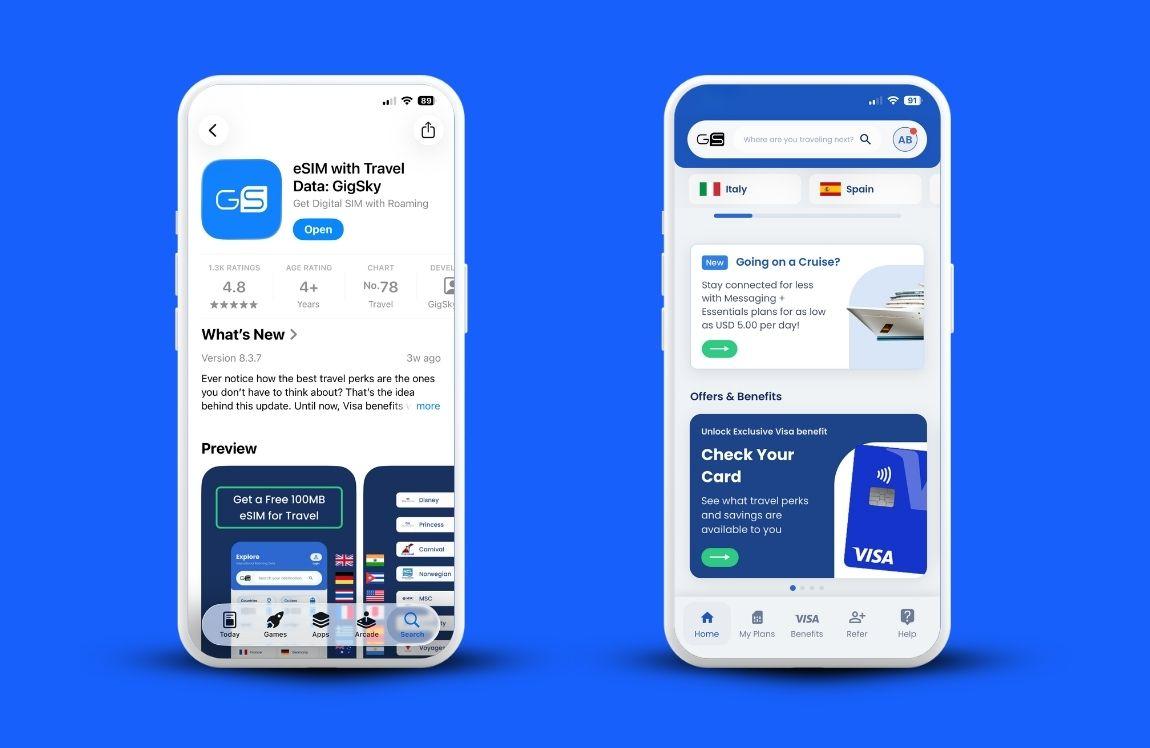
Download the app, type MSC in the search bar, and try 100MB free before you sail.
What are the best tips for using WiFi on MSC Cruises?
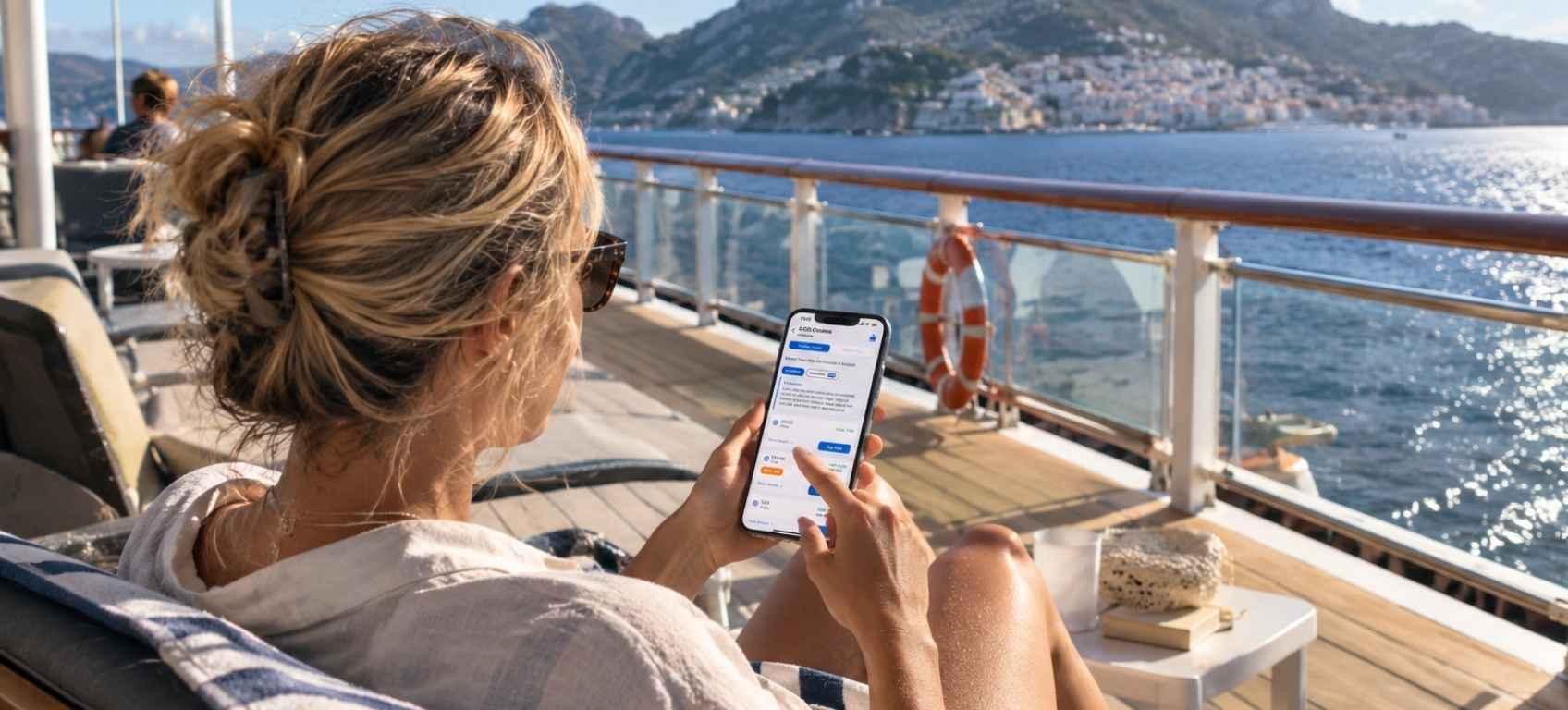
The best tips for using WiFi on MSC Cruises are to match the package to how you'll use it, buy before you board, and test your connection before you commit to a full plan.
Each one either saves you money or saves you a headache. Sometimes both.
- Start with what you'll be doing onboard
Work sessions, video meetings, and streaming pull the most data by a wide margin. If your days include any of those, buy a ship package, because the satellite connection onboard is built to carry them.
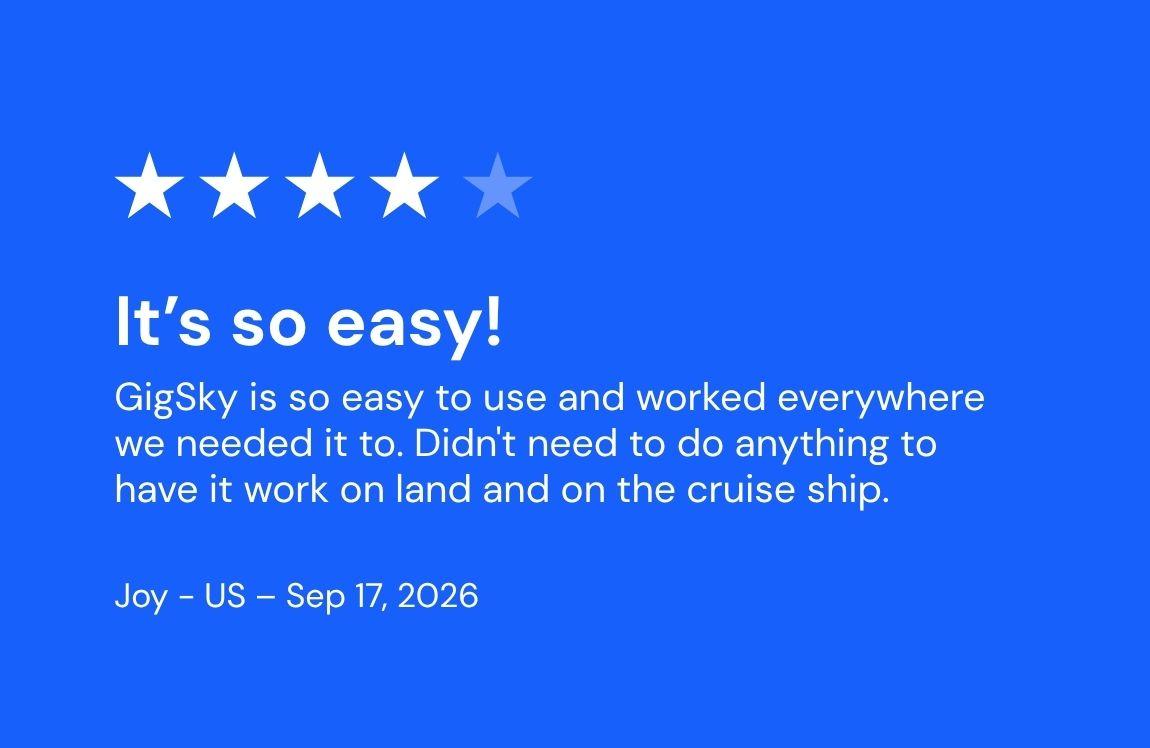
If your list looks more like WhatsApp, Instagram DMs, email, and maps when you step off at a port, a cruise eSIM with a messaging plan will cover you on far less data than you'd expect.
And if you want a set amount of data for photos, voice notes, and a bit of scrolling, a fixed data plan handles it.
2. Buy before you board
Ship Wi-Fi packages are priced lower in advance, and they don't come down once you're aboard.
MSC runs promotions ahead of sailings that have gone as deep as 40 to 45% off, so it's worth watching your booking portal in the weeks before departure.
If you'd rather decide later, you still have room to move: single-day passes are sold onboard, and packages for the remaining days of your sailing are prorated from the day you buy them.
3. Check whether your ship has Starlink
Not all MSC Cruises ships were upgraded at the same time, though most of the fleet runs Starlink now.
A quick search for your ship name before you sail is worth the two minutes, because the satellite system onboard is what decides whether a video call holds steady on a sea day.
On the newer builds, access points sit roughly every 20 yards on each deck, which makes a noticeable difference in interior corridors, dining rooms, and theaters.
4. Test your connection before you pay for anything
A free eSIM trial lets you confirm the setup works on your phone before any money changes hands.
A few providers include a small amount of data, enough to send messages and load a map, which is all you need to prove the eSIM installed properly and connected.
Install it a few hours before departure rather than days ahead, and leave it switched off until you board so it doesn't quietly run on land networks first.
5. Know which tier unblocks what
MSC sells internet by tier. The browse tier loads websites, email, and most cloud-based work tools without trouble.
Streaming sites sit behind the higher tier, and travelers who have used both report the underlying speed is the same, with the real difference being which sites are open.
So if you plan to watch anything in your cabin, buy the streaming tier from the start rather than upgrading mid-cruise.
6. One package, one device
Once you activate a cruise Wi-Fi package on a phone or a laptop, it stays with that device for the rest of the sailing. It can't be moved to another device later, and sharing it by hotspot isn't supported.
Look at your booking portal before you buy, because a second device is sometimes only a few dollars more per day than a single one.
If you need a hotspot with a cruise eSIM, you can share your phone’s data with other devices, like your laptop or tablet. You can also share your data with your travel companions.
7. Download everything before you leave home
Movies, shows, playlists, offline maps, boarding documents, your reading list.
Sea days pass more easily with a downloaded library, and it takes the pressure off whatever connection you end up using.
How can I connect to MSC Cruises WiFi easily?
Connecting takes about a minute, and the process is the same across MSC cruise ships. Join the ship's network, open the login portal, and sign in with your booking details.
- Turn on airplane mode, then switch WiFi back on.
- Select the ship's network from your list of available networks.
- Open your browser. The login portal usually loads on its own. If it doesn't, type the address printed on your cabin card.
- Sign in with your cabin number and booking reference.
- Choose your package, or stay on the free network to reach the MSC for Me app.
Worth knowing before you board: MSC WiFi and MSC internet are two separate layers. The free network runs fleetwide and loads the MSC for Me app, where you'll find daily planners, dining menus, and messaging with the people in your travel party.
Internet access is the paid layer that sits on top of it. One catch with the in-app messaging: it doesn't always push a notification when a message lands, so open it yourself if you're coordinating a meeting time at the pool bar.
Are MSC Cruises internet packages worth the cost?
MSC Cruises internet packages are worth it if you need to stay reachable for work, if you're traveling apart from your kids or an elderly parent, or if you plan to stream in your cabin.
If your sailing is mostly beach days, dinners, and early nights, a cruise eSIM plan will usually cover what you need.
Travelers who work through their cruise tend to be the clearest on this. Teams and Zoom meetings with video run smoothly on the standard tier at sea, and guests even run payrolls mid-sailing without issue.
On most MSC cruise ships, the browse tier handles email and cloud software comfortably, and the streaming tier is what you want if video is part of the job.
Guests who left family at home make the same call for a different reason: being reachable in an emergency is worth the package on its own.
The other side is just as valid. Plenty of guests skip the package entirely, download a few films before they leave, use their eSIMs for messaging only, and treat the sea days as time away from a screen.
Both choices are reasonable. The mistake is deciding at the gangway instead of at home.
MSC internet package prices
MSC internet package prices depend on the tier you choose, how many devices you cover, the length of your sailing, and how early you buy.
Recent sailings have put a full-week package for one device in the $140 to $150 range, with single-day passes bought onboard running roughly $25 to $35 per device.
MSC cruise internet packages are sold by tier and by device, so the same sailing can produce very different totals depending on whether you need one phone covered or three.
Prices also differ across MSC Cruises ships and itineraries, so treat these numbers as a reference point and confirm the figure for your own sailing in your booking portal.
The Internet is bundled into some fare and drink package combinations too, which is worth checking before you buy anything separately.
Where a cruise eSIM fits into your trip
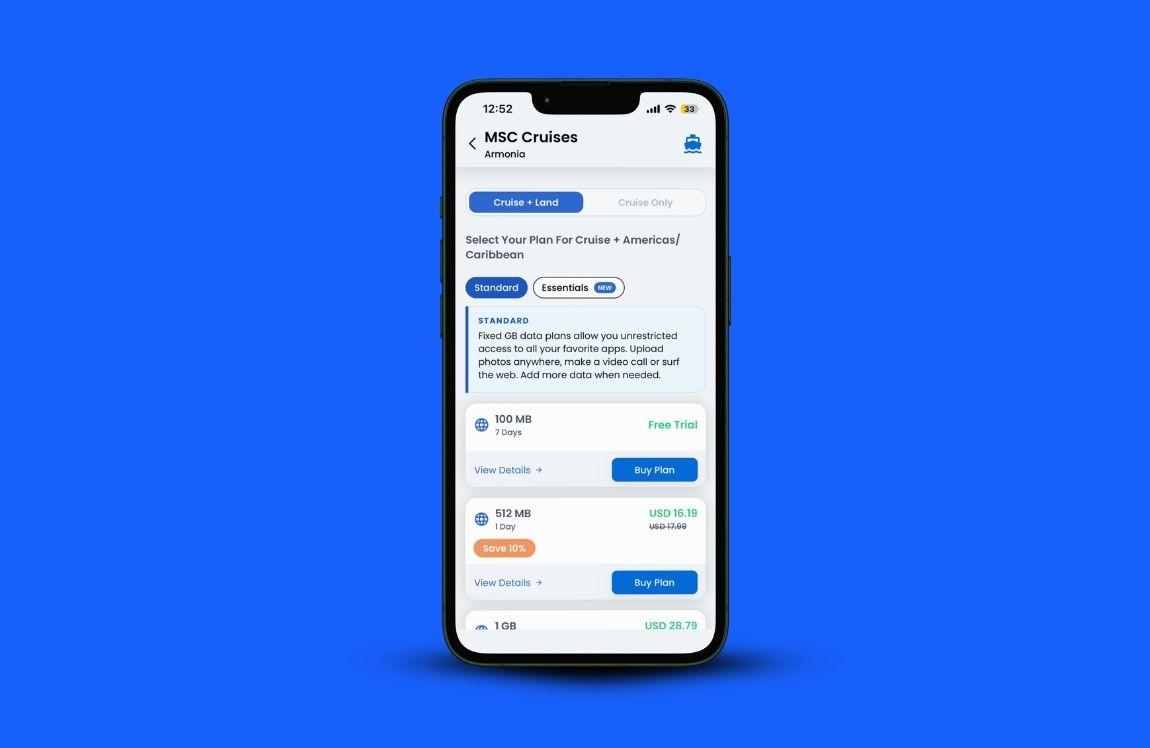
A cruise eSIM gives you your own data on your own phone, at sea and in port, without changing plans at every stop.
It's built for light to medium use: messaging, social media, email, calls, and maps.
The practical gain is on port days. One regional plan covers the countries on your itinerary, so a Caribbean plan reaches 48 destinations rather than asking you to buy a separate plan in each one.
When you step off the ship, it connects to the strongest local network on its own. No profile switching, no QR codes at the terminal, no standing in a phone shop while your group heads to the beach.
Coverage runs across 290+ vessels worldwide, including 24 MSC cruise ships, and plans start at $6.29.
Being straight about the limits: a cruise eSIM isn't built for work video meetings or a weekend of streaming.
If your job travels with you, the ship's streaming package is the better fit. Download your shows before you leave home, and know that hotspotting to a travel companion works but will move through your data faster than you'd like.
Here's how to set one up.
- Download the GigSky app from the App Store or Google Play.
- Type MSC in the search bar.
- Choose the ship you're sailing on.
- Pick your region, then your plan: a free 100MB trial, a fixed data plan from 512MB to 10GB, or messaging and essentials for 1 to 30 days.
- Install the eSIM a few hours before departure and keep it switched off until you're aboard.
Full connectivity begins about an hour after the ship leaves port. You'll get a notification once you've used 80% of your data, and you can top up in the app whenever you need more.
FAQs
Can I use an MSC WiFi hotspot to share my package?
No. Hotspot sharing isn't supported, and a package locks to the first device that signs in with it. If two of you need access, check the second-device rate in your booking portal before you sail, since on some packages it's only a few dollars more per day.
What is the MSC cruise wifi cost per day?
Single-day passes bought onboard have run roughly $25 to $35 per device on recent sailings, and the daily rate inside a full-cruise package works out lower. Your booking portal shows the current figure for your ship and sailing date.
Does the WiFi work at Ocean Cay?
Yes. Guests sailing on MSC Cruises ships that call at Ocean Cay report the signal reaches the island, so a package bought for the sailing keeps working on your beach day.
Will iMessage work without buying a package?
Sometimes. iMessage and RCS occasionally get through on the free network, though it varies by ship and even by sailing, and photos or videos usually won't be sent. It's a nice surprise when it happens, not something to plan around.
Can I just use my phone in port instead?
Yes, and many travelers do. Every port has cellular service, and several eSIM providers include Caribbean and Mexican destinations in their international plans. Shops, cafes, and terminals near the pier often have free WiFi as well. Check what your eSIM provider covers before you leave.
Can I pause a day when I'm not using it?
Yes. A 24-hour pass can be stopped and restarted through the MSC for Me app, which helps if you bought it for one afternoon of catching up and want the rest of the hours later.
Download the app, type MSC in the search bar, choose your ship, and start with the free 100MB trial.
Recap: WiFi on MSC Cruises
- Decide what you need data for before you compare packages. Streaming and video meetings belong on a ship package. Messaging, maps, and social media sit comfortably on a cruise eSIM.
- Buy in advance. Prices are lower before boarding and don't come down at sea, though day passes and prorated remaining-days packages are available onboard.
- Check whether your ship has Starlink. Most MSC cruise ships do now, and it changes what's realistic on a sea day.
- Remember the one-device rule. Ship packages can't be transferred or shared by hotspot once activated unless you’re using a cruise eSIM.
- Test a cruise eSIM with free data first, install it a few hours before departure, and leave it off until you board.
- Download your films, playlists, and offline maps at home.
Do those six before you get to the terminal and the connectivity question is settled for the whole sailing.
Download the GigSky app, type MSC in the search bar, pick your ship, and you're set for both sea days and port days.
%2520(53).jpg&w=3840&q=75)
%2520-%25202026-07-23T121143.484.jpg&w=3840&q=75)