


Czym jest eSIM w iPhonie? Prosty przewodnik dla podróżujących za granicę w 2026 roku
Nie wiesz, czym jest eSIM ani czy Twój telefon ją obsługuje? Oto proste wyjaśnienie, które warto przeczytać przed kolejną podróżą.
 by Unknown Author
Czym zatem jest karta eSIM? eSIM, czyli wbudowana karta SIM, to cyfrowa karta SIM zintegrowana z telefonem, dzięki czemu nie ma fizycznego chipa, który można zgubić lub który trzeba wkładać.
Na iPhonie instaluje się ją za pomocą aplikacji eSIM, a telefon łączy się z internetem, gdziekolwiek podróżujesz.
To po prostu cyfrowa wersja karty SIM, z której Twój telefon od zawsze korzystał, aby łączyć się z internetem.eSIM pełni tę samą funkcję — łączy telefon z siecią komórkową, ale nie ma fizycznej karty, którą trzeba znaleźć, włożyć lub można zgubić.Pobierasz aplikację, instalujesz za jej pomocą kartę eSIM, a Twój telefon łączy się z internetem w miejscu docelowym.W dalszej części tego przewodnika dowiesz się, jak sprawdzić, czy Twój iPhone obsługuje eSIM, oraz kiedy ją skonfigurować.
eSIM a fizyczna karta SIM
Aby wyjaśnić w praktyce, czym jest karta eSIM: Twój telefon zawsze potrzebował karty SIM, aby korzystać z internetu mobilnego. Przez lata oznaczało to mały chip od operatora lub kupiony w kiosku na lotnisku.
Wbudowana wersja zastępuje fizyczną kartę cyfrowym profilem, który można zainstalować kilkoma dotknięciami.
Podczas podróży nie musisz też wyjmować swojej obecnej karty SIM. Twój domowy numer pozostaje aktywny na fizycznej karcie SIM, a jednocześnie na eSIM działa osobny pakiet internetu na podróż.
Większość obecnych modeli iPhone’a obsługuje w ten sposób dwie aktywne linie, dzięki czemu połączenia przychodzą na Twój zwykły numer, a karta eSIM odpowiada za transmisję danych.
Większość podróżnych kart eSIM oferuje wyłącznie transmisję danych. Sama karta eSIM nie zapewnia lokalnego numeru do połączeń ani wiadomości tekstowych.
Dla większości podróżnych nie stanowi to większego problemu, ponieważ WhatsApp, FaceTime i podobne aplikacje i tak korzystają z transmisji danych.
Czy Twój iPhone obsługuje eSIM?

Skoro już wiesz, na czym polega technologia eSIM w iPhonie, kolejnym praktycznym pytaniem jest to, czy Twoje urządzenie ją obsługuje.
Każda karta eSIM do iPhone’a działa na modelach od iPhone’a XS wzwyż, a iPhone 14 w USA nie ma już nawet tacki na fizyczną kartę SIM.
Jeśli konfigurujesz kartę eSIM na iPhonie, najszybszym sposobem na sprawdzenie zgodności konkretnego modelu jest skorzystanie z narzędzia do weryfikacji kompatybilności: gigsky.com/device-compatibility
Przed podróżą warto sprawdzić, czy Twój telefon ma blokadę operatora. Jeśli nadal spłacasz go w ratach, może być zablokowany do użytku wyłącznie w sieci tego operatora.
Po spłaceniu urządzenia skontaktuj się ze swoim operatorem, aby poprosić o jego odblokowanie — i gotowe.
Kiedy należy skonfigurować kartę eSIM?
Skonfiguruj kartę eSIM w domu, przed wyjazdem, korzystając ze stabilnego połączenia Wi-Fi.
Częstym pytaniem po ustaleniu, czym jest eSIM w iPhonie, jest to, kiedy właściwie ją zainstalować. Odpowiedź jest prosta: instalacja eSIM wymaga stabilnego połączenia, a czekanie z nią do przyjazdu na lotnisko lub do momentu po wylądowaniu niepotrzebnie utrudnia cały proces.
W domu, korzystając ze swojej zwykłej sieci Wi-Fi, przeprowadzisz całą instalację w kilka minut, a telefon będzie gotowy do połączenia od razu po przyjeździe.
Dzień przed wyjazdem to dogodny moment. Możesz też zrobić to w dniu wyjazdu, ale nie wtedy, gdy w pośpiechu stoisz w kolejce do kontroli bezpieczeństwa.
Jak skonfigurować kartę eSIM na iPhonie za pomocą GigSky?
W GigSky nie musisz skanować kodu QR ani czekać na wiadomość e-mail. Wykonaj poniższe kroki w domu przed podróżą.
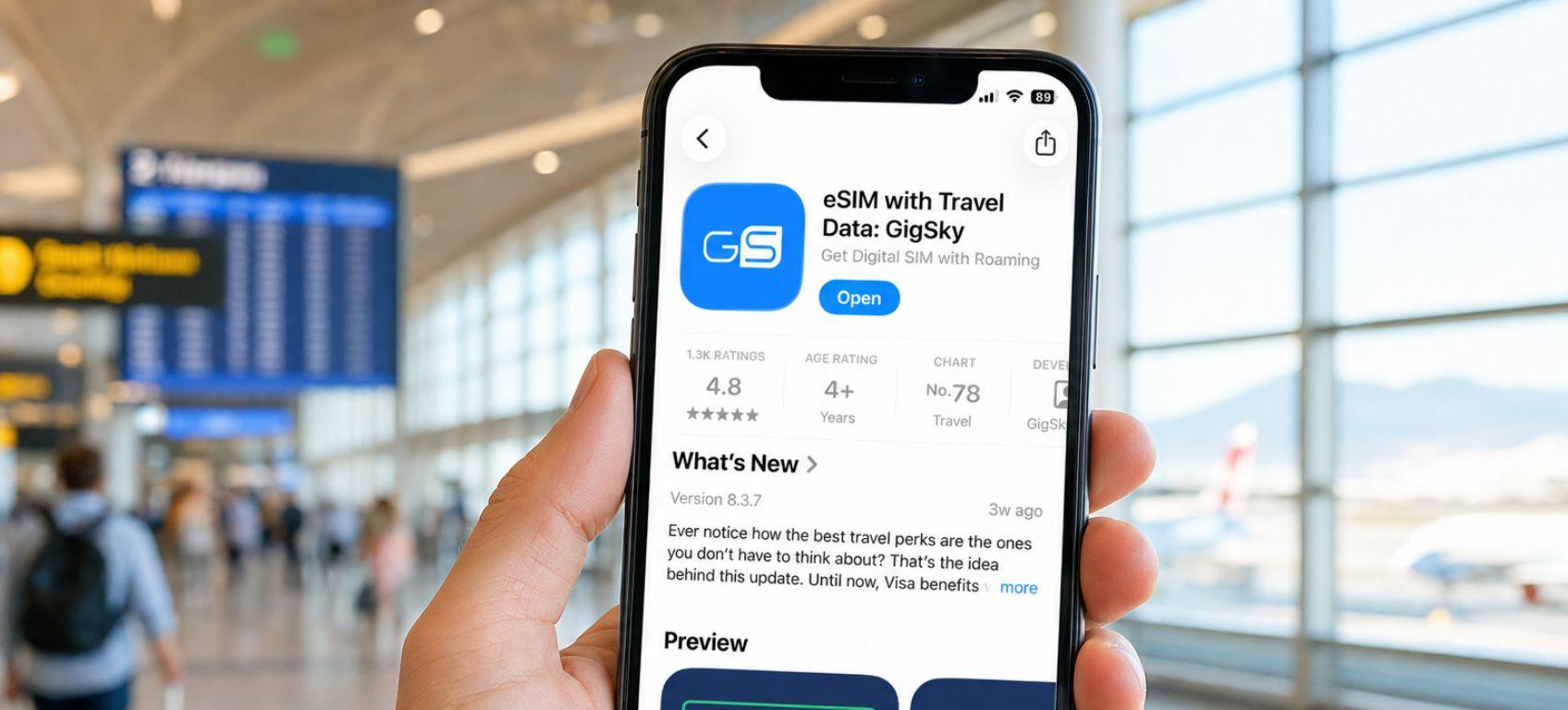
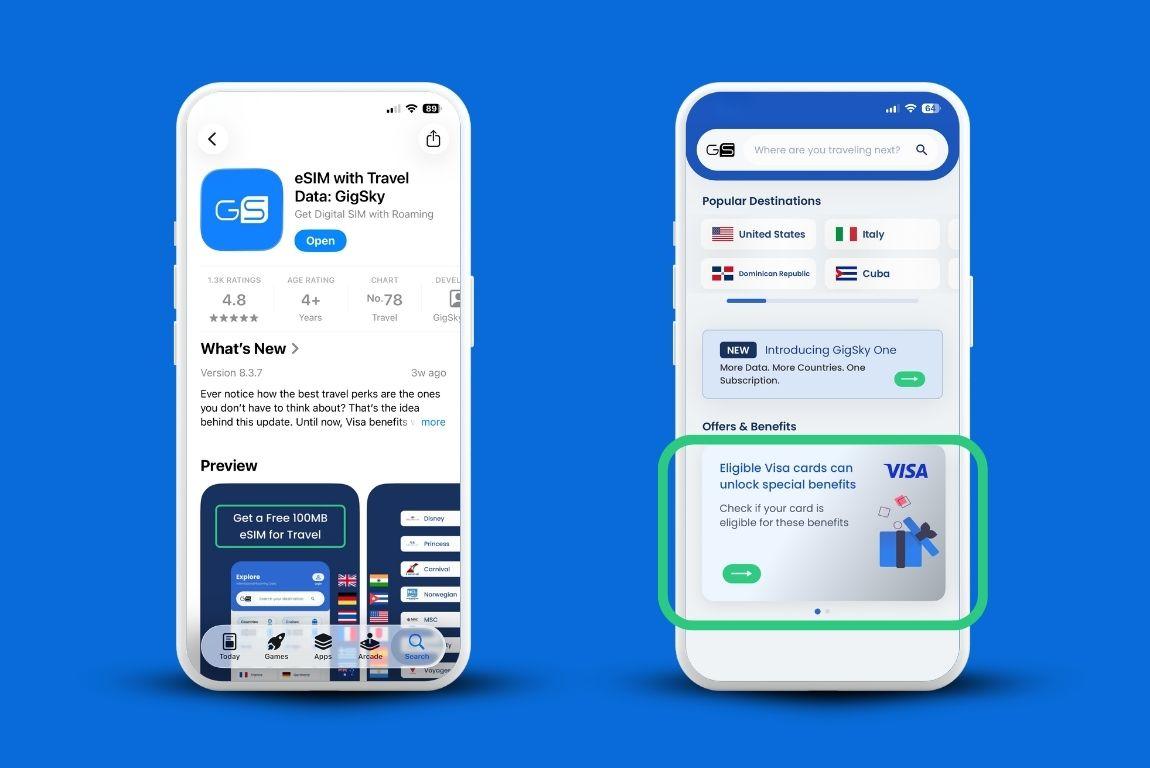
- Pobierz aplikację GigSky z App Store.
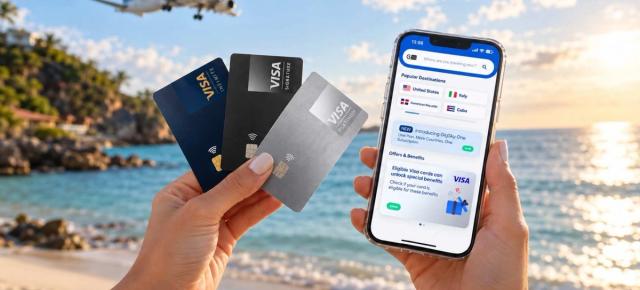
- Otwórz aplikację i dotknij banera Visa, jeśli masz kwalifikującą się kartę Visa, lub wpisz miejsce docelowe w pasku wyszukiwania.
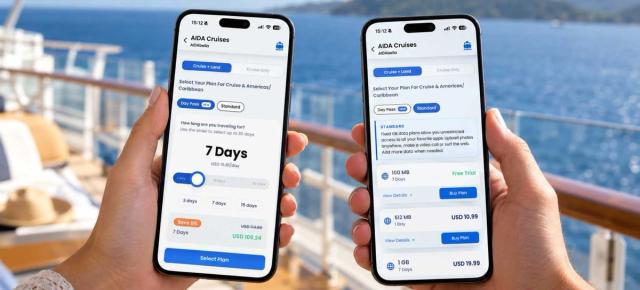
- Wybierz plan dla swojego miejsca docelowego — w zależności od potrzeb może on obejmować jeden kraj, region składający się z wielu krajów lub rejs.
- Wybierz standardowy lub nielimitowany pakiet danych, zależnie od przewidywanego zużycia.
- Stuknij „Kup plan” i zainstaluj kartę eSIM bezpośrednio w aplikacji.
- Pozostaw ją zainstalowaną. Gdy samolot wyląduje, iPhone wykryje lokalną sieć i połączy się z nią bez konieczności zmiany jakichkolwiek ustawień.
Jak wybrać odpowiedniego dostawcę eSIM?
Wybieraj przede wszystkim pod kątem sposobu, w jaki podróżujesz, a nie wyłącznie ceny. Gdy już zrozumiesz, czym jest technologia eSIM w iPhonie i jakie daje możliwości, kolejnym krokiem będzie wybór operatora odpowiedniego do Twojej podróży.
GigSky jest odpowiedni dla podróżnych, którzy chcą korzystać z jednej karty eSIM w wielu krajach przy minimalnej konfiguracji; Airalo sprawdzi się w przypadku podróży do jednego kraju i oferuje szeroki wybór planów; Holafly jest dobrym rozwiązaniem dla osób, które potrzebują nielimitowanego transferu danych.
Nie wszyscy dostawcy działają w ten sam sposób, a różnice między nimi mają znaczenie.
GigSky
GigSky korzysta z modelu jednorazowej instalacji. Instalujesz jedną kartę eSIM za pośrednictwem aplikacji i używasz jej w ponad 200 krajach — bez kodu QR i bez konieczności ponownej instalacji przed każdą podróżą.
Aplikacja wysyła również powiadomienie po wykorzystaniu 80% pakietu danych, dzięki czemu nic nie zaskoczy Cię w trakcie podróży. Dla osób odwiedzających kilka krajów podczas jednego wyjazdu trudno o lepsze rozwiązanie.
Dostępna jest również specjalna korzyść dla uprawnionych posiadaczy kart Visa. Dzięki współpracy z Visa uprawnieni posiadacze kart mogą otrzymać do 5 GB bezpłatnego transferu danych w ponad 175 krajach i regionach.
Dostępny jest bezpłatny okres próbny obejmujący od 100 MB do 500 MB, w zależności od miejsca docelowego, bez konieczności podawania danych karty kredytowej.
Plany podróżne GigSky obejmują wyłącznie transmisję danych, więc jeśli potrzebujesz lokalnego numeru do połączeń lub SMS-ów na linii eSIM, lepiej sprawdzi się inne rozwiązanie.
Airalo
Airalo to znany dostawca kart eSIM, jednak nie jest operatorem komórkowym, lecz pośrednikiem, co oznacza, że w przypadku problemów z łącznością ich rozwiązanie zajmuje mu więcej czasu.
Airalo nie oferuje już bezpłatnych okresów próbnych, a jeśli kupisz kartę eSIM dla jednego kraju, nie możesz ponownie użyć tej samej karty eSIM w innych krajach.
Holafly
Holafly słynie z planów bez limitu danych. Zasady ograniczania prędkości nie zawsze są jasno określone, dlatego przed wyborem oferty na dłuższą podróż warto zapoznać się ze szczegółowymi warunkami.
Co zrobić, jeśli po wylądowaniu karta eSIM nie łączy się z siecią?
Większość problemów z kartą eSIM wynika z dwóch rzeczy: instalowania jej bez stabilnego połączenia lub odkładania konfiguracji do czasu dotarcia na miejsce. Zainstaluj ją w domu, korzystając z dobrej sieci Wi-Fi, a ryzyko wystąpienia problemów znacznie się zmniejszy.
Jeśli po przyjeździe karta eSIM nie łączy się z siecią, sprawdź, czy dla linii eSIM włączono roaming danych. W niektórych telefonach jest on domyślnie wyłączony.
Przejdź do Ustawień, następnie wybierz Sieć komórkową lub Dane komórkowe, znajdź linię eSIM i włącz Roaming danych. To rozwiązuje większość problemów.
Twoja fizyczna karta SIM przez cały czas pozostaje w telefonie, więc jeśli coś rzeczywiście nie działa, możesz tymczasowo z niej skorzystać, dopóki nie rozwiążesz problemu. Ta możliwość nie znika tylko dlatego, że dodano kartę eSIM.
Najczęściej zadawane pytania
Krótkie odpowiedzi na najczęściej zadawane przez podróżnych pytania dotyczące tego, czym jest karta eSIM i jak działa na iPhonie za granicą.
Czy podczas korzystania z eSIM można zachować aktywny numer z USA?
Tak. Fizyczna karta SIM pozostaje w telefonie, a Twój dotychczasowy numer nadal jest dostępny. Wyłącz roaming danych dla linii swojego macierzystego operatora, aby uniknąć opłat roamingowych, i korzystaj z transmisji danych przez eSIM.
Czy każda osoba w Twojej grupie potrzebuje osobnej karty eSIM?
Tak, każdy telefon potrzebuje osobnej karty eSIM. W GigSky podczas finalizacji zakupu możesz kupić pakiety dla wszystkich osób w grupie w ramach jednego konta.
Co zrobić po powrocie do domu?
Przejdź do Ustawień, a następnie wybierz Sieć komórkowa lub Dane komórkowe i przełącz się z powrotem na główną linię. Karta eSIM pozostanie zainstalowana w telefonie. Przed kolejną podróżą wystarczy ją włączyć — nie trzeba instalować jej ponownie.
Czy karty eSIM do iPhone’a działają na obszarach wiejskich?
Zasięg zależy od miejsca docelowego, ale plan GigSky łączy się w każdym kraju z sieciami wielu operatorów, zamiast ograniczać się do jednej z nich. Prędkość połączenia waha się od 4G do 5G, w zależności od lokalnej dostępności.
Czy warto skorzystać z bezpłatnego okresu próbnego eSIM?
Warto rozważyć bezpłatny okres próbny, jeśli pozwala przetestować konfigurację i zasięg przed zakupem większego pakietu. GigSky oferuje bezpłatnie od 100 MB do 500 MB, w zależności od miejsca docelowego, bez konieczności podawania danych karty kredytowej, dzięki czemu możesz najpierw sprawdzić, czy usługa działa na Twoim telefonie. Wypróbuj GigSky za darmo.
Krótkie podsumowanie: czym jest eSIM w iPhonie?
- eSIM to cyfrowa karta SIM, którą instalujesz za pomocą aplikacji. Bez fizycznego chipa, bez tacki na kartę i bez ryzyka, że zgubisz ją w torbie.
- Możesz jednocześnie korzystać ze swojego numeru krajowego na fizycznej karcie SIM oraz z podróżnego pakietu danych na eSIM.
- Podróżne karty eSIM zazwyczaj oferują wyłącznie transmisję danych. Połączenia i SMS-y obsługiwane przez Twój numer domowy nadal działają normalnie.
- Skonfiguruj ją w domu, przed podróżą, korzystając ze stabilnego połączenia Wi-Fi.
- GigSky korzysta z jednej karty eSIM działającej w ponad 200 krajach, bez konieczności używania kodu QR, z automatycznym połączeniem po przyjeździe i powiadomieniem po wykorzystaniu 80% pakietu danych.
- Posiadacze kwalifikujących się kart Visa mogą uzyskać bezpłatny pakiet danych w wybranych miejscach docelowych za pośrednictwem aplikacji GigSky.
- Sprawdź zgodność urządzenia na stronie gigsky.com/device-compatibility przed dokonaniem zakupu.