Your Guide to Staying Connected on Disney Cruises—Without Paying a Fortune
July 24, 2025
|
Alexis Miller
Even when you're trying to "disconnect" on a magical Disney cruise, you'll probably want to share those amazing sunset photos or check in back home at some point.
The good news? Staying connected while sailing the high seas is way easier than it used to be.
Whether you're the type who needs to post every Mickey-shaped food item you find or you just want peace of mind for emergencies, We’ve got you covered.
Here are your 3 main options for getting online during your Disney cruise, plus the scoop on what each one will cost you.
Cruise Internet Options: Pros, Cons & Cost Comparison
Option
Pros
Cons
Best For & Estimated Cost (7 days)
GigSky Cruise + Land
- Works on ship + at ports
- Affordable fixed pricing
- App setup
- Requires eSIM support
- Some tech setup needed
Savvy, cost-conscious, tech-comfy users $34.99 for 1GB (7-day plan)
Phone Roaming
- No setup needed
- Works globally
- $2–$6 per MB
- Limited data
- Overage risk
Emergencies or ultra-light users ~$100+ (for a few hundred MBs)
Disney Cruise WiFi
- Easy to access via Navigator app
- Flexible tiered plans
- One device per plan
- Slower speeds during peak times
Families or medium-use travelers $112 (Social) $168 (Surf) $238 (Premium)
Option 1: GigSky Cruise + Land eSIM Plans
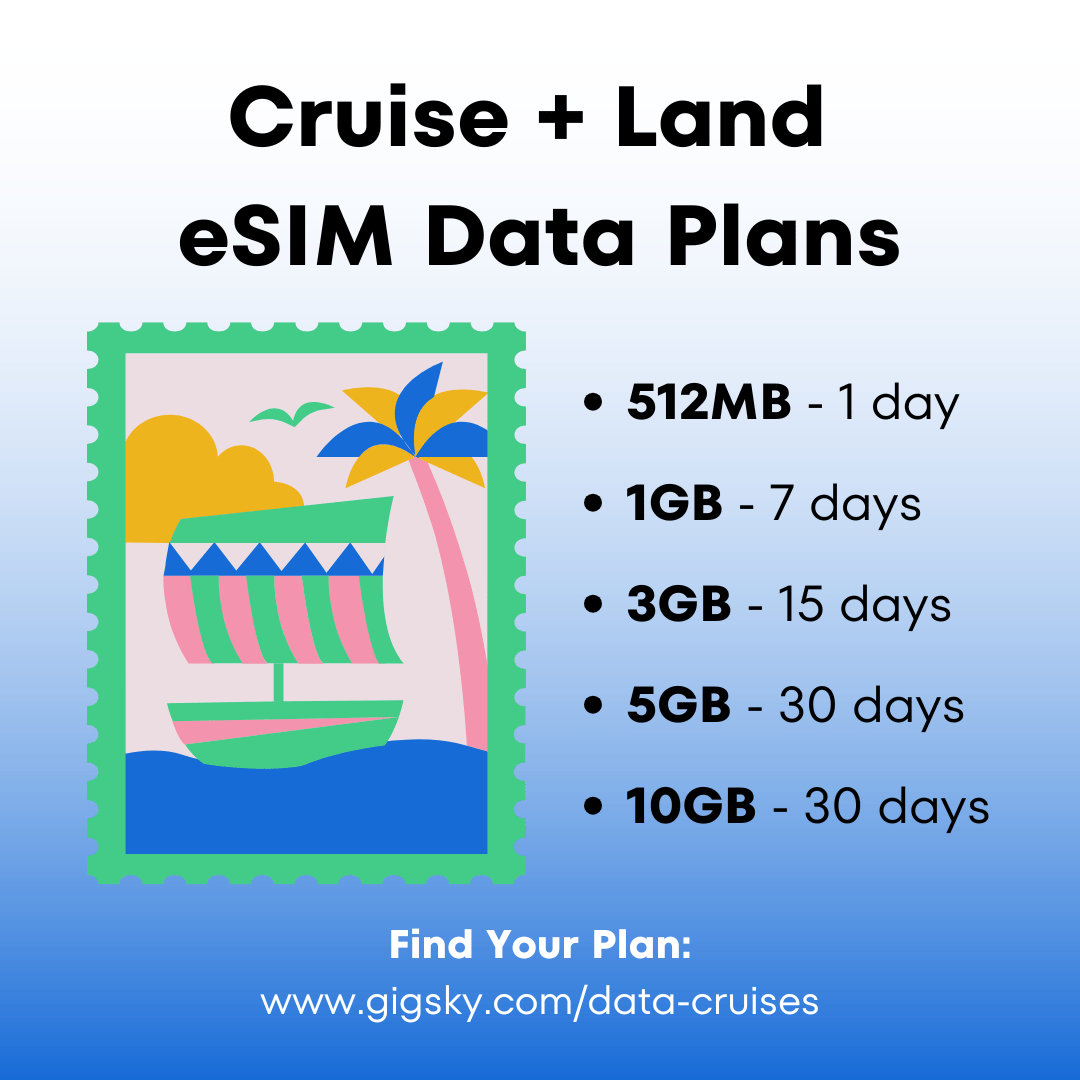
This is the newer kid on the block, and it's clever. With the GigSky Cruise + Land eSIM plan, you get an eSIM (a digital SIM card) that works both on the ship AND when you're exploring ports. If your phone supports eSIM technology, this could save you serious cash.
Why people love it:
Plans start at $19.99 (cheaper than the other options)
Works on the ship AND on land when you're exploring ports
No physical SIM card needed – it's all digital (you activate it through the GigSky app)
Make sure your phone can handle eSIM (most newer iPhones and Android phones can)
Download the GigSky app
Buy a Cruise + Land plan that matches your itinerary
Scan the QR code in the app to install your eSIM
Set GigSky as your data provider in your phone settings
The numbers: Plans start at $19.99, and for a 7-day cruise, you're looking at about $34.99 for 1GB of data.
This is perfect for: People who are comfortable with a little tech setup, want an alternative to cruise WiFi and save money. It's great if you're planning to explore ports and want internet access while you're off the ship.
Option 2: Your Phone's Roaming
This is the "set it and forget it" option, your phone keeps working like it normally does, thanks to satellite coverage over the ocean.
Here's what you need to know:
Your phone stays connected to your home network automatically
You pay for every bit of data you use (and it adds up fast)
Works anywhere Disney sails
The reality check on pricing: Most carriers charge between $2 to $6 per megabyte when you're out at sea. Some offer packages like $100 for a few hundred megabytes.
This works best if: You only need to send a few texts or check email occasionally. If you're planning to scroll Instagram for hours, this will get expensive quickly.
Option 3: Disney Cruise WiFi
You buy Disney Cruise WiFi through their Navigator app. They've made it pretty straightforward, and you get different tiers depending on how much internet you need.
Here's how the pricing breaks down:
Stay Connected Plan: $16 per day per device (just social media)
Basic Surf Plan: $24 per day per device (email, browsing, WiFi calling)
Premium Surf Plan: $34 per day per device (everything, including streaming)
For a week-long cruise, you're looking at:
Stay Connected: $112 total
Basic Surf: $168 total
Premium Surf: $238 total
You can also grab 24-hour passes if you don't want to commit to the whole cruise (they're a bit more per day at $18, $28, or $42 respectively).
One important thing: Only one device can connect at a time with each plan you buy.
Getting connected is pretty simple:
Download the Disney Cruise Line Navigator app before you leave home
Once you're on the ship, connect to the ship's WiFi (You can also purchase cruise ship WiFi before you sail through the app.)
Open the Navigator app and tap "Internet Plans"
Pick your plan and pay for it
Follow the prompts to get online
Fair warning: The internet can get pretty slow when everyone's trying to use it at the same time (think dinner time when everyone's posting their food pics). Also, if you're on the basic plans and try to stream videos, you'll burn through your high-speed data quickly.
So Which Option Should You Choose?
Here's our honest take on each:
Try GigSky if: You're comfortable with technology, want to save money, and especially if you're planning to explore ports where you'll want internet access too.
Go with roaming if: You just need it for emergencies or you're the type who checks email maybe once a day. Otherwise, you'll probably regret the bill.
Try Disney Cruise WiFi if: You want something that works without any tech setup, and you don't mind paying a bit more for convenience. It's also nice if you're traveling with family and want to manage everything through one app.
Money-Saving Tips That Work
Plan ahead: Figure out how much internet you need before you board. Are you a casual scroller or a heavy user? Be honest with yourself.
Bring a mobile hotspot: If you're traveling with multiple people, one person can buy the internet and share it with everyone else using a portable router.
Check your cruise loyalty perks: Some frequent cruisers get discounted or even free WiFi – worth checking if you qualify.
Hit up port WiFi: When you're exploring ports, duck into cafes or tourist areas with free WiFi to save your cruise data.
Mix and match: Use Disney's WiFi when you're on the ship, then switch to GigSky when you're exploring ports. You don't have to pick just one option.
How to Get the Internet on Disney Cruises [Quick Recap]
GigSky eSIM: Digital setup, works on ship and at ports, starts at $19.99; ~1GB for $34.99/week, ideal for tech-savvy, cost-conscious users.
Roaming: Easiest setup, but the most expensive option ($2–$6 per MB).
Disney WiFi: Pay-per-device plans via Navigator app, from $16–$34/day; only one device per plan, speeds may slow during peak times.
Best-use guidance:
Use GigSky to save money and stay connected both on land and at sea.
Use roaming for light, emergency use only.
Use Disney WiFi for convenience, no setup.
Pro tip: Mix and match options (GigSky on land + Disney WiFi at sea) to optimize coverage and cost.
.png)




.jpg)


%20(1)%201%20(1).webp)


.svg)
.svg)
.jpg)