

%2520(96).jpg&w=3840&q=75)


Best eSIM for World Cup 2026: Get Up to 7 Days of Free Unlimited Data Across the USA, Canada & Mexico
Eligible Visa cardholders can get up to 7 days of free unlimited data for 2026. Here’s how travelers are using it.
 by Amira Bula
You've probably spent more than you'd like to admit. Refreshed the ticket page more times than you can count. Felt the FOMO every time someone posted their ticket haul.
Now the trip is real, and after dropping anywhere from $500 to five figures, you're not leaving anything to chance.
Here's one detail that catches people off guard: connectivity. Because 2026 is a first in World Cup history, three host countries, one tournament. And if your team runs deep, you could be crossing between Mexico, the United States, and Canada within weeks.
So choosing the best eSIM for World Cup 2026 is one of the smartest pre-trip decisions you can make.
The good news? Eligible Visa cardholders get up to 7 days of free unlimited data across all three host countries with the GigSky eSIM, valid until July 31, 2026. No other eSIM is offering this right now.
And if you don't have an eligible Visa card, there's a free 100 MB trial available to anyone, no card required, so you can test the eSIM before you spend a thing.
This guide covers everything you need to land connected and stay that way.
If you're still deciding between eSIM options in general, our guide on how to choose a travel eSIM is a good place to start.
Why This World Cup Is Different
Every World Cup has its logistics. But 2026 is a first in the tournament's history: three host countries, one tournament.
Fans following their team through the group stage could find themselves moving between Mexico City, Dallas, and Vancouver in the span of a few weeks.
That's three countries, three mobile networks, and three separate sets of coverage concerns if you're not prepared.
The 2002 tournament in South Korea and Japan was the first co-hosted edition, but crossing between two countries with similar infrastructure was manageable. Moving between Mexico, the US, and Canada introduces a different level of complexity for your phone and your plan.
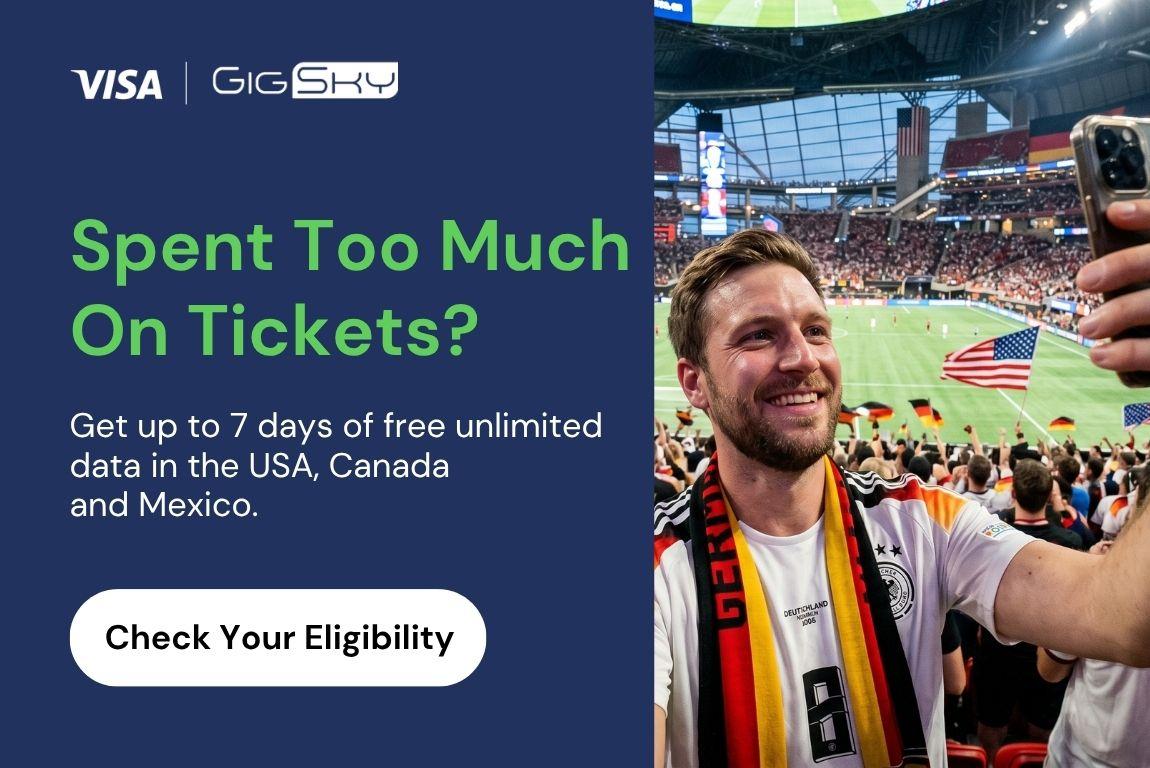
If You're Crossing More Than 1 Border…
If you buy a physical SIM in Mexico and cross into the US, there's a real chance it won't work. Coverage agreements vary between carriers and countries, and a plan bought for one destination often doesn't carry over to the next.
You'd need to buy again, track down a carrier store, hope the customer service queue is short, and figure out which plan actually covers where you're going next.
An eSIM North America plan removes that friction entirely. You install it once before you leave, and it handles all three countries automatically. No store visits. No swapping cards. When you cross a border, your phone just connects to the local network.
Digital Match Tickets
There are no paper tickets at 2026. Every ticket is digital, which means your phone needs to work the moment you walk up to the stadium gates.
If you haven't downloaded your ticket to your phone before arriving and you don't have a working data connection, that's a stressful situation you don't want to be in on match day.
Installing your eSIM before your flight takes care of this. You land connected, so when you pull up your ticket at the gate, it's already there.
For more on what to look for when choosing a travel eSIM, check out our guide on how to choose a travel eSIM.
The Host Cities (and the Networks Keeping Fans Connected)
The 2026 World Cup is spread across 16 cities: 11 in the United States, 2 in Canada, and 3 in Mexico. Here's the full list.
United States: Atlanta, Boston, Dallas, Houston, Kansas City, Los Angeles, Miami, New York/New Jersey, Philadelphia, San Francisco Bay Area, Seattle.
Canada: Toronto, Vancouver.
Mexico: Guadalajara, Mexico City, Monterrey.
Network performance varies quite a bit between these venues. US stadiums consistently deliver the strongest speeds, with stadium areas typically seeing download speeds between 240 and 410 Mbps.
Mercedes-Benz Stadium in Atlanta leads the group at around 414 Mbps, while MetLife in New York/New Jersey sits at roughly 283 Mbps. Even the lower end of US performance, Dallas at around 242 Mbps, is solid by any standard.
Canadian venues are reliable, with BMO Field in Toronto and BC Place in Vancouver both coming in around 140 to 143 Mbps.
Mexican cities run slower, with Estadio Akron in Guadalajara at around 53 Mbps and Mexico City and Monterrey a bit lower. You'll still be able to share posts and load your ticket, but you may notice the difference if you're trying to stream.
This is also where having a single North America plan pays off. If you're relying on a plan tied to one country, you lose that coverage the moment you cross a border.
We break this down more in our post on why local SIMs won't work in every country.
How Much Data Do You Need?
Think through the trip from start to finish. You land, and the first thing you do is message family to let them know you arrived. That happens before passport control, before baggage claim, before you've even stepped outside.
With an eSIM installed before your flight, your phone connects to the local network automatically the moment you land. No waiting.
From the airport, you'll be navigating to your hotel, looking up where to eat, checking the match schedule. Once you're settled, the data usage picks up: social media, video calls, sharing photos. On match days, you'll want connectivity from the moment you leave for the stadium.
Your digital ticket needs to load at the gate, and you'll want to share something from inside the ground. It's the World Cup, the memories are worth it.
As a rough guide: streaming a match at standard quality uses around 1 GB per hour. Navigation uses very little, maybe 10 to 20 MB per hour.
Sharing photos and short video clips will vary, but figure 50 to 150 MB for a typical match-day posting session. A week of active travel generally lands somewhere between 3 and 10 GB, depending on how much video you're sharing.
GigSky's travel eSIM North America plan covers all three host countries, so you don't need separate plans for each leg of the trip. Here's a quick look at the options:
| Plan Type | Data | Price | Validity | Notes |
|---|---|---|---|---|
| Free Trial | 100 MB | Free | 7 days | No card required |
| Visa Destinations Benefit | Unlimited | Free | 3–7 days | Eligible Visa cardholders only. Covers US, Canada & Mexico Apr 1–Jul 31, 2026 |
| Paid - Fixed | 1 GB – 100 GB | From $7.99 | 7–180 days | North America multi-country |
| Paid Unlimited | Unlimited* | From $7.99/day | 1–30 days | *Speeds reduced after 3.5 GB, reset every 24h. Save 15% on multi-day plans. |
The unlimited plans offer the most flexibility for longer trips or heavy usage. The 7-day unlimited plan is a natural fit for fans attending a full round of matches.
If you have an eligible Visa card, though, check your benefit first, you may not need to pay at all.
eSIM Comparison: Who's Ready for the World Cup
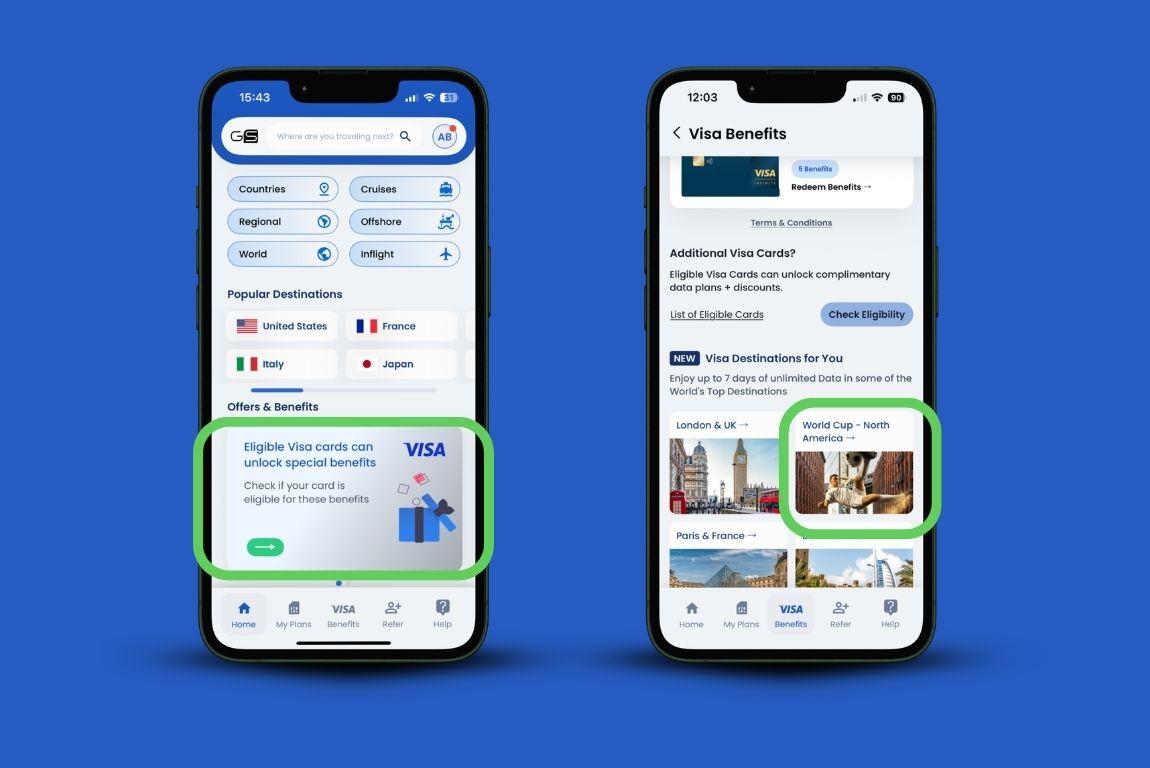
Finding the best eSIM for World Cup 2026 means checking three things before you commit: whether the plan covers all three host countries, how it activates when you arrive, and whether there are any free options available before you buy.
More travelers choose the GigSky eSIM because through the Visa Destinations benefit, eligible Visa cardholders get 3 to 7 days of free unlimited data covering the US, Canada, and Mexico, available from April 1 through July 31, 2026.
Visa Infinite cardholders (consumer or commercial, including Canadian Visa Infinite Privilege) receive 7 days of unlimited data plus 30% off any additional plans. All other eligible Visa consumer, commercial, debit, or prepaid cards receive 3 days of unlimited data plus 20% off.
This benefit is available to eligible cardholders from anywhere in the world, not just travelers from a specific region. No other eSIM provider is offering anything comparable for the World Cup right now.
Beyond the free data, GigSky works on a single reusable eSIM. You install it once, and it handles all three countries from the same profile. When you land or cross a border, it connects automatically without any manual steps.
Airalo offers multi-country options as well, with quick setup via app, QR code, or manual entry, though users need to open the app and activate the plan manually once they arrive.
Holafly covers the region too, though its hotspot is capped at 500 MB to 1 GB per day, which adds up if you're traveling with others or tethering a laptop.
Nomad requires a QR code for setup and offers support through tickets, email, and an AI bot.
Here's a comparison of the four eSIM providers:
| Feature | GigSky | Airalo | Holafly | Nomad |
|---|---|---|---|---|
| Coverage | 200+ countries, 290+ cruise ships, 100+ European ferries | 200+ countries | 200+ countries | 200+ countries |
| Free data (eligible Visa card) | ✅ 3–7 days unlimited across US, Canada & Mexico (World Cup period) | ❌ | ❌ | ❌ |
| Regional plan pricing | From $7.99 | From $6.50 | From $6.90 | From $8.00 |
| Free trial | ✅ 100 MB, no card required | ❌ | ❌ | ❌ |
| Data throttling | After 3.5 GB, resets every 24h | After 3 GB | Undisclosed | After 2 GB |
| Activation | In-app. Auto-connects on arrival, no manual steps | App, QR code, or manual entry. Must activate manually on arrival | App or QR code. Manual activation on arrival | QR code only |
| Hotspot | Unlimited | Unlimited | Limited (500 MB–1 GB/day) | Unlimited |
| Multi-country plan | ✅ | ✅ | ✅ | ✅ |
| Support | 24/7 chat and email | 24/7 in-app chat and email | 24/7 chat, WhatsApp, email | Tickets, email, AI bot |
For more context on how these providers stack up across different trip types, see our full breakdown of the best eSIM for international travel 2026.
The Stadium Connectivity Guide
Before you get to the stadium
There's really only one thing to prepare: install the GigSky eSIM before your flight. The app walks you through it in a few minutes, and once it's installed, there's nothing else to configure. You don't need to turn anything on when you land or activate anything at the border.
The night before a match, make sure your ticket is downloaded and your phone is fully charged. That's it. If you've already set up your eSIM, connectivity is not something you need to think about on match day.
At the stadium
Expect heavy network congestion once you're inside. Tens of thousands of people hitting the same cell towers at the same time will slow things down in most venues.
US stadiums, which have better infrastructure, handle this more gracefully than most, but you'll still notice the difference compared to being in your hotel.
A few habits that help: download your ticket and any maps you need before you arrive. If you want to share a video of a goal or a great moment in the stands, give it a few minutes after the play rather than posting right away when everyone else is doing the same.
Inside stadiums, coverage near the field and in open sections tends to be stronger than in tunnels and concourse areas. If you need to make a call or send something important, stepping toward an open area usually helps.
The Knockout Round Scenario
Group stage tickets are easy to plan for. You know the dates, you know the cities, you buy your eSIM to cover those weeks.
The knockout rounds are different. If your team makes it through, the trip extends. You follow them from the quarterfinals to the semis to the final, which could mean crossing back into a country you thought you'd left, or adding cities that weren't on your original itinerary.
Fans who went to Qatar in 2022 knowing their team would go deep budgeted for that. The ones who didn't were scrambling to extend plans and sort out coverage on the fly.
Flexibility, in practical terms, means a few things. It means choosing from eSIMs for North America that cover all three countries so you're not re-buying coverage every time you cross a border. It means being able to top up or extend from your phone without visiting a store.
And it means not being locked into a specific window of dates that doesn't account for your team winning.
GigSky's plan structure lets you add data from the app wherever you are. If the 7-day unlimited plan runs out and your team is in the semifinal, you extend. No store, no new SIM, no change to your phone settings.
The eSIM you installed before you left handles everything.
The Visa Destinations benefit is also more flexible than it might look at first. If you have multiple eligible Visa cards, each one carries its own benefit.
A Visa Infinite and a standard Visa card, for example, give you benefits you can redeem independently. And the 20% or 30% discount on additional plans doesn't expire, so it applies to every purchase you make going forward.
Your Pre-Travel World Cup Connectivity Checklist
Before you board, run through these steps. They take less than 15 minutes total, and you only do most of them once.
- Check if your phone is eSIM compatible. Go to your phone's settings and look for an EID number. If it's there, your phone supports eSIM. If you're unsure, check it here.
- Check that your phone is carrier-unlocked. You can usually confirm this in your phone's settings under carrier or network, or by contacting your home carrier.
- Download the GigSky app and check your Visa benefit eligibility. Open the app, tap the Visa banner, and enter your Visa card number. The check takes a minute, and you only need to do it once. Once confirmed, your benefit will show up in the app ready to redeem before your trip.
- Activate your plan before your flight. If you're using the Visa benefit, redeem it in the app. If you're purchasing a plan, buy it before you leave so it's ready the moment you land.
- Download your match tickets to your phone. Don't rely on loading them at the gate. Get them saved locally before you leave your accommodation on match day.
- Charge your phone the night before. You'll want a full battery for match day.
- Set GigSky as your preferred data line in your phone settings if you have multiple SIMs installed. This prevents your phone from switching to your home carrier and running up roaming charges.
Ready for the World Cup
You've already committed to the trip. At this point, connectivity shouldn't be another thing to worry about.
Whether you're researching the best eSIM for World Cup 2026 or ready to claim your benefit today, if you have an eligible Visa card, you can get between 3 and 7 days of free unlimited data covering all three host countries through the GigSky Visa Destinations benefit.
That window runs from April 1 through July 31, 2026, which covers the entire tournament.
Download the GigSky app, check your Visa eligibility, and claim what's yours. And if you want to try the eSIM North America before committing to any paid plan, the 100 MB free trial is available to anyone with no card required.
The World Cup comes around every four years. Make sure your phone is ready for it. Get your World Cup eSIM
Recap: Get Up to 7 Days of Unlimited Data for the 2026 World Cup
- 2026 spans 16 cities across Mexico, the US, and Canada, making multi-country coverage essential.
- All tickets are digital. You need a working data connection at the stadium gate.
- Eligible Visa cardholders get 3 to 7 days of free unlimited data for the World Cup period (April 1 – July 31, 2026) through the GigSky Visa Destinations benefit.
- A 100 MB free trial is available to anyone, no card required, to test the eSIM before buying.
- GigSky's North America plan covers all three host countries on one eSIM with auto-connect on arrival.
- Paid plans start at $7.99 for 1 GB and go up to unlimited at $7.99/day (save 15% on multi-day unlimited plans).
- Install your eSIM before your flight so you land already connected.