

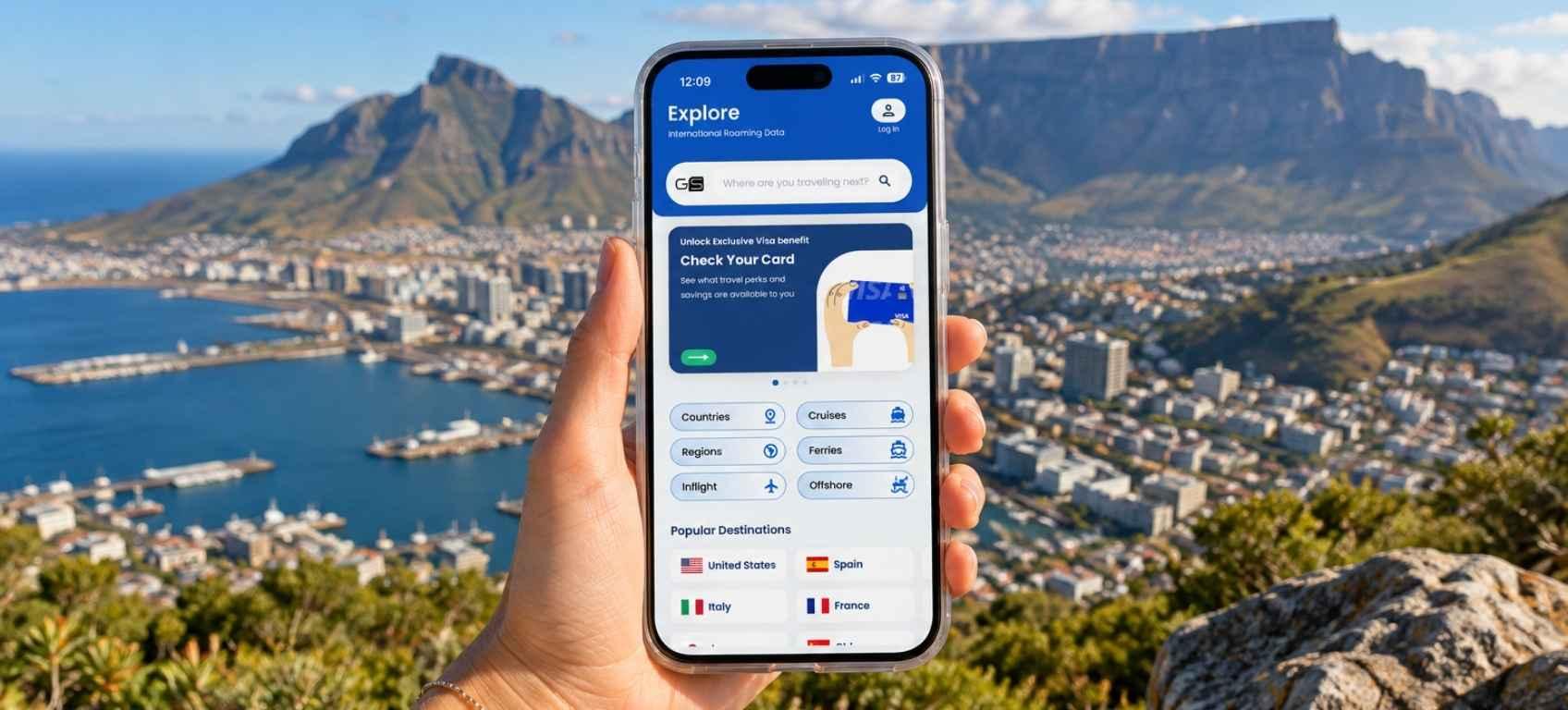


Best eSIM South Africa 2026: From $5.39 + Free Unlimited Data for Eligible Visa cardholders
Heading to South Africa? See which eSIM connects to MTN and Vodacom, what plans cost, and how eligible Visa cardholders get free data.
 by Amira Bula
GigSky's eSIM South Africa plans run on MTN and Vodacom, two of the country's largest mobile networks, and start at $5.39 for 1GB or $8.09 for one day of unlimited data.
You install it at home, and your phone connects on its own when you land anywhere in the Rainbow Nation.
South Africa also just joined the Visa Destinations benefit, so if you carry an eligible Visa card, your first 3 or 7 days of unlimited data could be free.
Download GigSky and check your free data
GigSky plans and prices in South Africa
Every plan below is bought and managed inside the GigSky app. Prices are in US dollars.
| Plan | Data | Price |
|---|---|---|
| Free trial | 100MB | $0.00 |
| Visa Destinations benefit | 3 or 7 days unlimited | Free for eligible Visa cardholders |
| 1GB | 1GB | $5.39 |
| 3GB | 3GB | $13.49 |
| 5GB | 5GB | $21.59 |
| 10GB | 10GB | $38.69 |
| 1 day | Unlimited | $8.09 |
| 3 days | Unlimited | $17.09 |
| 5 days | Unlimited | $26.09 |
| 7 days | Unlimited | $33.74 |
| 15 days | Unlimited | $53.99 |
Download GigSky and check your free data
How do you choose the best eSIM for South Africa?
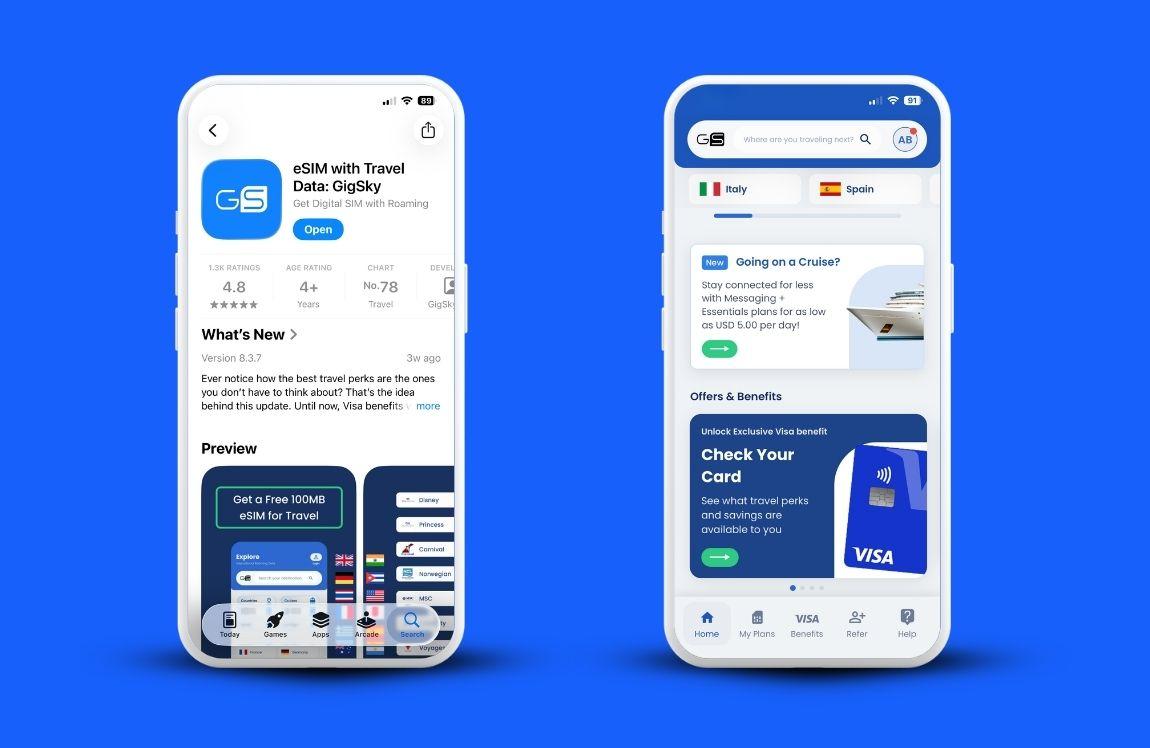
Four checks matter more than the price tag: your phone, the network behind the plan, the countries on your route and the length of your stay. The price only makes sense once those are clear.
Is your phone ready for an eSIM?
Your phone has to be carrier-unlocked and eSIM compatible. iPhones from the XS onward support eSIM, and so do most recent Samsung Galaxy and Google Pixel models.
If you got your phone through a contract, call your carrier before you travel and ask whether it's unlocked. A locked phone is one of the most common reasons an eSIM won't connect abroad, and it's a five-minute question to settle at home.
If your phone doesn't support eSIM at all, a physical SIM card from a kiosk at the airport is the way to go.
Which networks does the eSIM use?
GigSky connects to MTN and Vodacom in South Africa. Because GigSky is a mobile operator rather than a reseller, your phone can move between the two and pick up whichever signal is stronger where you're standing, with no manual network selection on your part.
Many eSIM brands resell access through a partner network, which tends to work well in cities. The difference shows up more on long drives between towns.
Are you only visiting South Africa?
A South Africa plan covers South Africa. Plenty of itineraries cross a border, though. Victoria Falls on the Zimbabwe or Zambia side, a few nights in Botswana's Okavango Delta.
If that sounds like your trip, search “Africa” in the GigSky app before you buy and choose a plan that covers every stop, so you're not juggling separate purchases at a border post.
Staying longer than three weeks? A monthly eSIM subscription, which covers 120+ countries, can work out better than stacking short plans back to back.
Will a South Africa eSIM work when you land?
Yes, as long as you install it before you leave home. Most eSIMs that fail on arrival were either installed on a locked phone or set up in a rush at the gate on weak airport Wi-Fi.
Do the install the day before your flight or that morning, on your home Wi-Fi. It takes a few minutes in the GigSky app. Then leave it alone.
When your plane lands at O.R. Tambo or Cape Town International, the eSIM connects to the local network by itself, and you can message your driver or pull up your hotel address while you're still walking to passport control.
What about Kruger and the more remote parts of the country?
Coverage is strong in cities and along the main highways, and it gets patchy deep inside national parks and on quiet rural roads.
That applies to every network in South Africa, local SIMs included. Before a safari, download offline Google Maps for the park and the drive in, and save your lodge confirmations as screenshots.
If your lodge has Wi-Fi at the main building, use it for photo backups and keep your data for the road.
How much data do you need in South Africa?
Light users who stick to maps, WhatsApp and some social media go through roughly 500MB a day. Add video calls, uploading Reels or streaming, and 1GB a day or more is a safer estimate.
On a 10-day trip, a light user is looking at around 5GB, which is the $21.59 plan. If you video-call home every night and post from every viewpoint on Chapman's Peak, unlimited will feel a lot more comfortable.
Pairing the 7-day and 3-day unlimited plans covers those 10 days for $50.83, and the 15-day plan at $53.99 gives you some slack if your dates shift.
Most eSIM South Africa plans are priced either by gigabytes or by days, and running out halfway along the Garden Route is the bigger worry for most people.
The GigSky app handles that with alerts. On a fixed plan, you'll get a notification once you've used 80% of your data, and tapping Top Up adds more to the same eSIM with no reinstall.
On an unlimited plan, the app lets you know when you're on your last day. For a full breakdown, see our guide on how much data you need when traveling.
Is unlimited data in South Africa really unlimited?
On GigSky, unlimited means you won't be cut off, but speeds slow down once you've used 3.5GB of high-speed data. That limit is part of the plan, and GigSky publishes it.
It's fair to be skeptical when you see the word unlimited. Every provider offering unlimited eSIM data applies a fair-use policy. Some list the number. Others leave it out of the plan description, and the slowdown is the first you hear of it.
If you're comparing eSIM South Africa options, look for the throttling threshold before you look at the price.
Can you keep your number and WhatsApp?
Yes. WhatsApp stays linked to your usual number, so your chats, groups and contacts don't change, and WhatsApp calls and video calls run over your eSIM data.
The GigSky eSIM is data only. Regular calls and texts on your home number still go through your carrier and get billed at its roaming rates.
To avoid surprises, turn off your primary line in your phone's cellular settings while you're away.
You don't need to remove your physical SIM. If you need to reach a guesthouse or a tour operator, try WhatsApp first, since plenty of them in South Africa take bookings and questions there.
Why get an eSIM for South Africa instead of roaming or a local SIM?
An eSIM gives you a fixed price upfront and a working connection the moment you land. With GigSky, you see the cost in the app, pay once, and that's what your data costs for the trip.
Roaming needs no setup, which is its appeal. Most carriers charge it as a daily fee, though, so the total depends on how many days you used it, and you see the full number when the bill arrives.
A local SIM gets you a South African phone number, which a South Africa eSIM doesn't. That's useful if you're staying for months.
The tradeoff is timing. You can only buy one after you land, at a kiosk in arrivals or a store in town, and South Africa's RICA rules require you to register it with your passport. After a long-haul flight, that's one more line to stand in.
How do eligible Visa cardholders get free data in South Africa?
South Africa is part of the Visa Destinations benefit, so eligible Visa cardholders get free unlimited data there, no matter which country issued their card.
Credit, and debit cards with the Visa logo all qualify. How much you get depends on your card.
| Card type | Free data in South Africa | Discount on extra plans |
|---|---|---|
| Visa Infinite (consumer or commercial, including Canadian Visa Infinite Privilege) | 7 days unlimited | 30% off |
| All other eligible Visa cards, including debit and prepaid | 3 days unlimited | 20% off |
The discount sticks around. Once you're verified, it applies at checkout on every future plan for as long as you hold an eligible card.
To claim your free South Africa eSIM:
- Download the GigSky app.
- Tap the Visa banner in the app.
- Enter your Visa card number.
- Redeem the South Africa benefit from your list of available benefits.
GigSky uses your card number to confirm eligibility, and you won't be charged. The same check unlocks free data in the UK, France, the UAE, Mexico, Thailand and the US too.
If you don't have an eligible Visa card, the 100MB free trial needs no card at all, which is enough to confirm the eSIM installs and connects on your phone.
FAQs
Is there a free eSIM trial for South Africa?
Yes. GigSky has a 100MB free trial for South Africa, and you don't need a credit card to get it. It's a simple way to test the setup before you buy more data.
Can I make regular phone calls with the GigSky eSIM?
No. The GigSky eSIM is data only, so use WhatsApp, FaceTime or another calling app over data.
When should I install my eSIM?
Install it the day before your flight or the morning you leave, on your home Wi-Fi. It connects on its own when you land.
Does checking my Visa eligibility cost anything?
No. GigSky only uses your card number to confirm eligibility and doesn't charge it.
Can I use the same eSIM in Botswana or Zimbabwe?
Yes, you keep the same GigSky eSIM, but you'll need a plan that covers those countries. Search each one in the app to see what's available.
Download GigSky and check your free data
Recap: eSIM South Africa From $5.39
- GigSky connects to MTN and Vodacom in South Africa, with plans from $5.39 for 1GB or $8.09 for one day of unlimited data.
- Install at home on Wi-Fi the day before or the day of your flight, and it connects on its own when you land.
- Light users need about 500MB a day. Heavier users will be happier on unlimited, which slows down after 3.5GB of high-speed data.
- WhatsApp keeps working on your usual number, and the eSIM is data only.
- The best eSIM for South Africa is one that covers every country on your route and tells you its throttling limit before you pay.
- Eligible Visa cardholders from anywhere in the world get 3 or 7 days of free unlimited data. Download the GigSky app, tap the Visa banner and check yours before you go.
%2520(84).jpg&w=3840&q=75)
%2520-%25202026-07-01T150219.190.jpg&w=3840&q=75)
%2520(52).jpg&w=3840&q=75)