



How to Get the Internet on Princess Cruises
Stay connected at sea with flexible internet options from Princess Cruises, including MedallionNet, GigSky eSIM, and carrier roaming. Reliable access for every need!
 by Alexis Miller
Staying connected while cruising on a Princess ship doesn’t have to be a challenge.
Whether you want to share your scenic photos, stay in touch with family, or access important information, you have several options to choose from.
This guide outlines the three primary ways you can get the internet on a Princess Cruise: roaming with your home carrier, Princess cruise WiFi and GigSky’s Cruise + Land eSIM plan.
We’ll also look at pricing details, features, and connection instructions, so you can find the best fit for your needs.
Each option has its benefits, but understanding the specifics—like pricing and connectivity features—can help you make a more informed choice.
Option 1: Roaming with Your Home Carrier
Using your mobile carrier’s roaming services can be a convenient way to stay connected during your cruise. However, it’s also the priciest option for most travelers, especially on the high seas.
Features
- Seamless Setup: Your phone remains connected to your home cellular network using satellite coverage — no new apps or hardware required.
- Usage-based Billing: You’ll likely pay per megabyte or gigabyte, depending on your carrier’s roaming agreement and the actions you want to take (calls, texts, data use).
- Global Reach: Most major carriers offer roaming services wherever Carnival ships sail.
Estimated Pricing
- Rates often vary, but many carriers charge $2 to $6 per megabyte while at sea or when roaming internationally.
- Some offer packages, such as $100 for a few hundred megabytes. Always check with your carrier to avoid unexpected charges.
Best For
This option works well if you prioritize convenience and only need minimal data (e.g., for occasional texts or emails). Heavy internet users might want to avoid roaming entirely due to its high costs.
Option 2: Princess Cruise WiFi
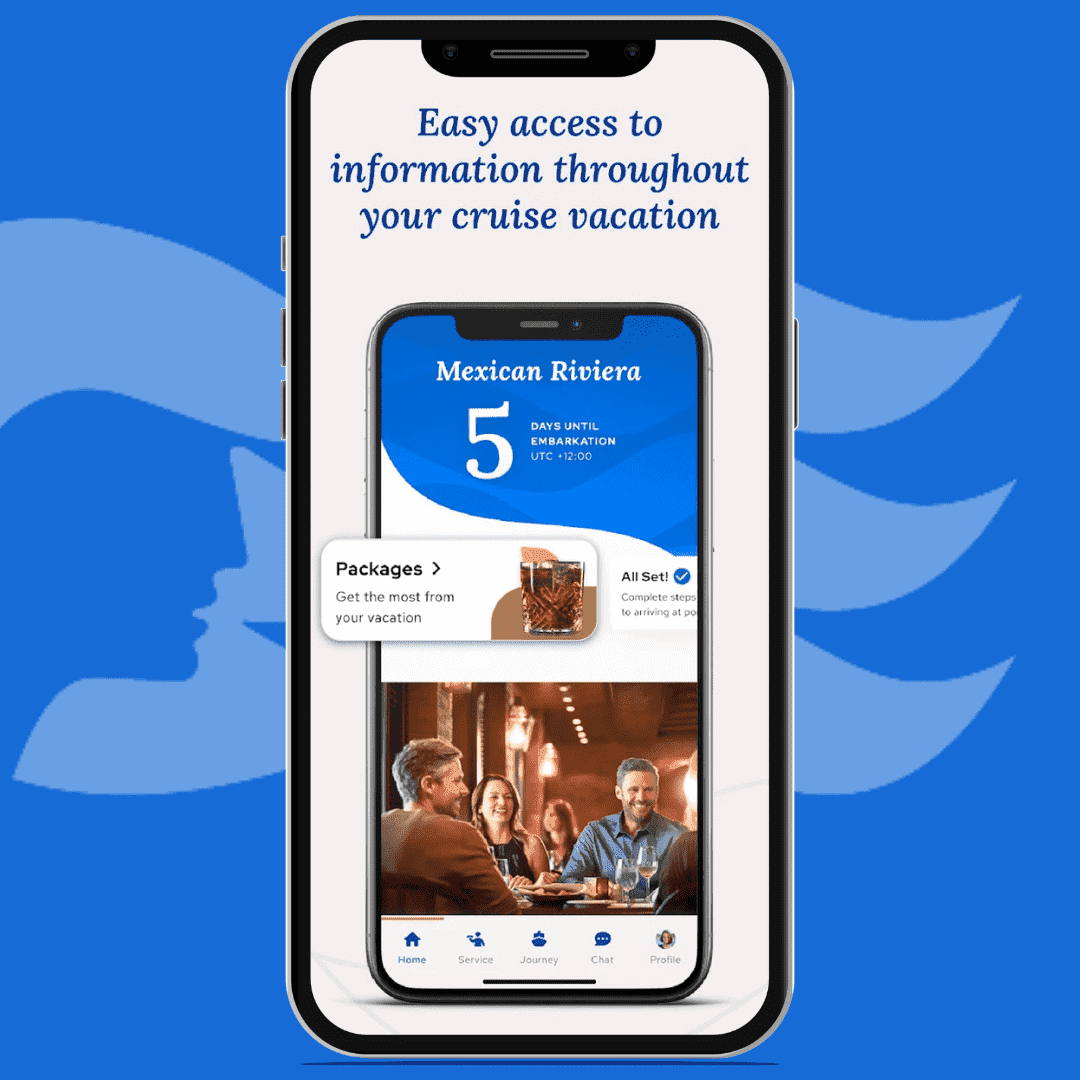
Princess Cruise WiFi is available via their MedallionNetⓇ and MedallionNet MaxⓇ services, both of which are often touted as the "best WiFi at sea." This option is great for anyone who needs consistent connectivity throughout their cruise.
Princess pushes customers to pair their WiFi plan in one large amenities package – to include offerings like unlimited drinks.
There are certain discounts on the cruise ship WiFi for select customers. (It’s unclear if there are discounts for purchasing in advance.)
Plan Options & Pricing
Plans are broken down into four options: single device, four devices and 24-hour passes for each.
- Single Device Cost: $25 per day per deviceFeatures: Access to social media apps, emails, video streaming, and general internet browsing.
- Single Device 24-Hour Access Cost: $30 per day per deviceFeatures: Access to social media apps, emails, video streaming, and general internet browsing.
- Four Devices 24-Hour Access Cost: $45 per day per deviceFeatures: Access to social media apps, emails, video streaming, and general internet browsing.
- Four Devices 24-Hour Access Cost: $55 per day per deviceFeatures: Access to social media apps, emails, video streaming, and general internet browsing.
How to Get Connected:
- Step 1 - Open the "MedallionClass App" on your smartphone once onboard.
- Step 2 - Follow the prompts to purchase a WiFi package. Pricing options will appear based on your needs.
- Step 3 - Complete the payment process.
- Step 4 - Connect your device to the "MedallionNet WiFi" network.
- Step 5 - Log in using the credentials provided during sign-up to start browsing.
Best for
Travelers who rely on internet connectivity for work or want to stay active on social media during the cruise.
Option 3: GigSky Cruise + Land eSIM Plans
The GigSky Cruise + Land eSIM plan is a modern option that works seamlessly both onboard Carnival ships and when docked at port destinations. All you need is an eSIM-compatible smartphone.
Features
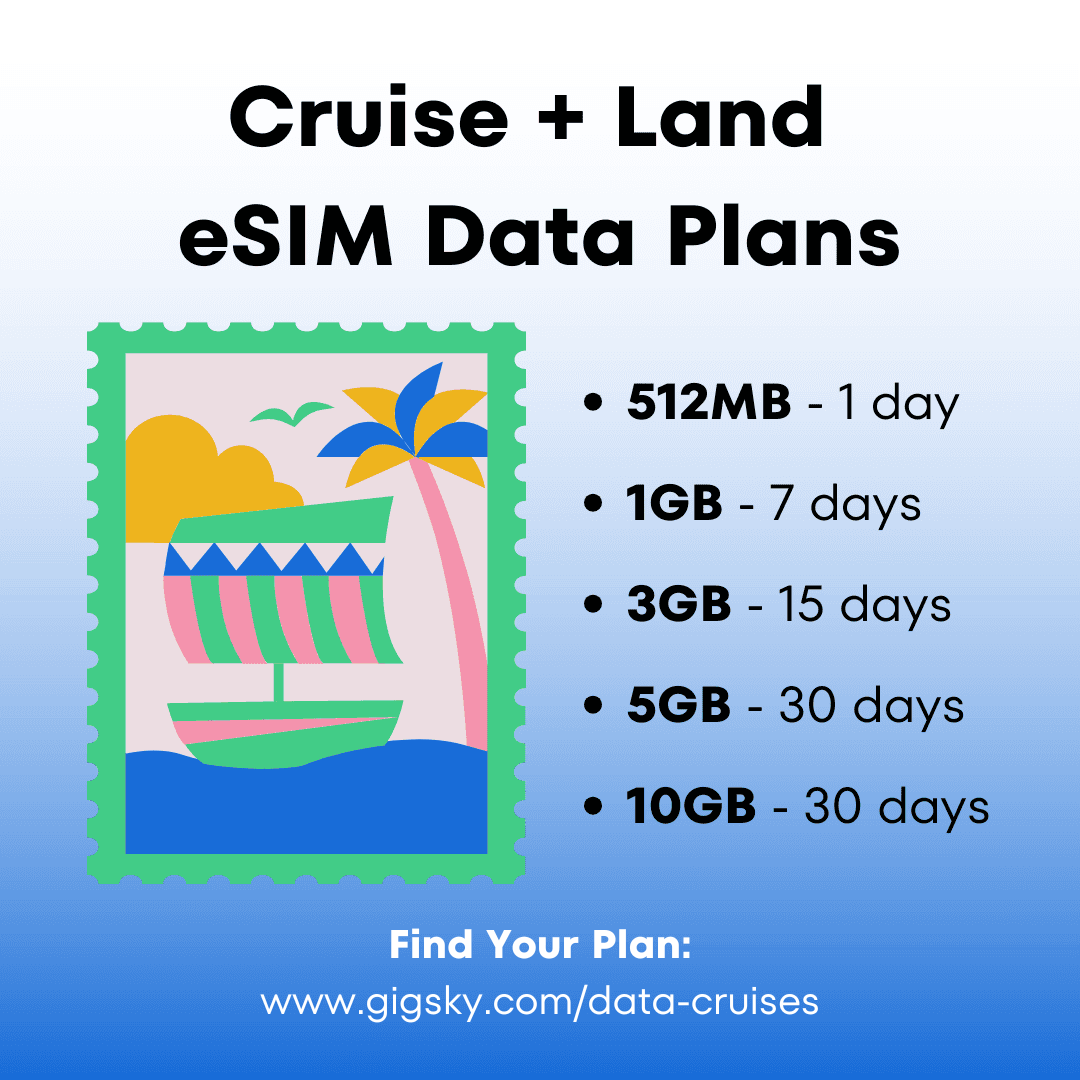
- Affordable Rates: Plans start at just $19.99, significantly cheaper than cruise-specific WiFi for most users.
- On & Off-Ship: Get uninterrupted coverage on and off the ship.
- User-Friendly Setup: No physical SIM required — just activate through the GigSky app.
- Data-Use Monitoring: GigSky’s app lets you track your real-time data usage so you never run out.
- No Hidden Fees: Never pay data roaming charges; you only pay for the data you need.
How to Connect Using GigSky
When you are ready to start your trip, use the following instructions to set up your GigSky Cruise + Land eSIM!
- Check eSIM Compatibility:
Ensure your smartphone supports eSIM technology.
- Download the GigSky App:
Install the GigSky app on your device from your app store.
- Purchase a Cruise + Land Plan:
Open the app and browse the available plans. Pick the Cruise + Land plan that corresponds with your cruise itinerary.
- Activate by Scanning the QR Code:
Follow the activation instructions in the app. Sometimes, you’ll scan a QR code to install the eSIM profile.
- Set Default Data Provider:
Once installed, configure GigSky as your active data provider under your phone’s settings.
Pricing Breakdown
- Plans start at $19.99. For a 7-day cruise, travelers can expect to pay $34.99 for 1GB of data.
- No hidden fees — track every megabyte with straightforward, transparent pricing.
Best For
Frequent travelers and budget-conscious cruisers will find GigSky’s eSIM plans a cost-effective, hassle-free alternative to cruise ship WiFi. It’s an especially good option if you plan to explore ports and need connectivity off the ship.
How to Choose the Best Option?
When deciding on the best internet connectivity option for your Princess Cruise, here are a few factors to weigh:
- Budget: If cost control is your priority, GigSky offers the most affordable choice with per-day pricing lower than Princess cruise WiFi rates.Roaming can quickly become expensive for heavy data users, so consider this for occasional use only.
- Usage Needs: For activities like video streaming or large uploads, cruise ship WiFi premium plans or GigSky’s high-data packages are ideal.For basic tasks like emails and social media updates, all three options can work depending on your comfort level with pricing.
- Travel Style: GigSky is great for travelers who will explore ports extensively and value flexibility.Princess cruise WiFi is perfect for those staying onboard for most of the trip and needing reliable connectivity.Roaming fits those who rarely use the internet but want it as a backup.
Tips for Staying Connected on Your Cruise
1. Pre-book your WiFi plan:
Princess offers discounts of up to 50% for Platinum and Elite guests.
Other discounts may be available for all cruise customers, though this is not specified on the website.
GigSky routinely runs sales and offers rewards to returning customers. Take advantage of these offers to save even more!
2. Track usage:
Monitor data consumption to avoid surprises, especially on pay-as-you-go plans like roaming. (Avoid asking What is data roaming? On your trip. You may come home to a very expensive cell phone bill!)
3. Limit usage during peak times:
Cruise ship WiFi tends to slow down when demand is high, such as evenings. Also, keep in mind that some cruise lines throttle data in order to meet the needs of all of their customers.
Final Thoughts
You’re no longer stuck choosing between overpriced, low-quality internet options when cruising with Princess Cruises.
Whether you prefer traditional cruise WiFi with Princess’ MedallionNet, want the cost-effective freedom of a GigSky Cruise + Land eSIM, or choose your carrier’s roaming features, staying connected at sea is possible—and increasingly flexible.
Select your preferred option, plan ahead, and cruise knowing you’ve got seamless internet access that fits your needs and budget!
How to Get the Internet on Princess Cruises [Quick Recap]
- Roaming: Easiest but most expensive ($2–$6/MB); best for light, backup use.
- Princess WiFi: $25–$55/day; reliable onboard; ideal for bundled cruise packages.
- GigSky eSIM: Starts at $19.99; works on ship + ports; best value for flexible travelers.
Key Takeaways:
- Cost: GigSky is cheapest. Roaming is priciest.
- Coverage: Only GigSky spans sea and land.
Pro Tip: Princess offers WiFi discounts for some guests. GigSky runs promos too.