

%2520-%25202026-07-07T152051.463.jpg&w=3840&q=75)


LTE vs 5G: What the Difference Means for Your Trip
Your phone says LTE instead of 5G abroad? Learn what LTE vs 5G really means for your trip and what affects speed.
 by Amira Bula
You're standing outside your hotel, phone showing LTE instead of 5G, and some part of your brain says this trip is about to have bad connectivity. It isn't.
LTE is still fast enough for Netflix, WhatsApp video calls, Instagram, and pretty much everything you'll do while traveling. The 5G vs LTE question gets treated like a pass or fail test online, and it shouldn't be.
Here's the actual difference between 5G vs LTE: LTE typically runs 20 to 100 Mbps with higher latency, while 5G can hit 100 to 1,000+ Mbps with a much faster response time. Both get you connected. One is just newer.
Is 5G Better Than LTE?
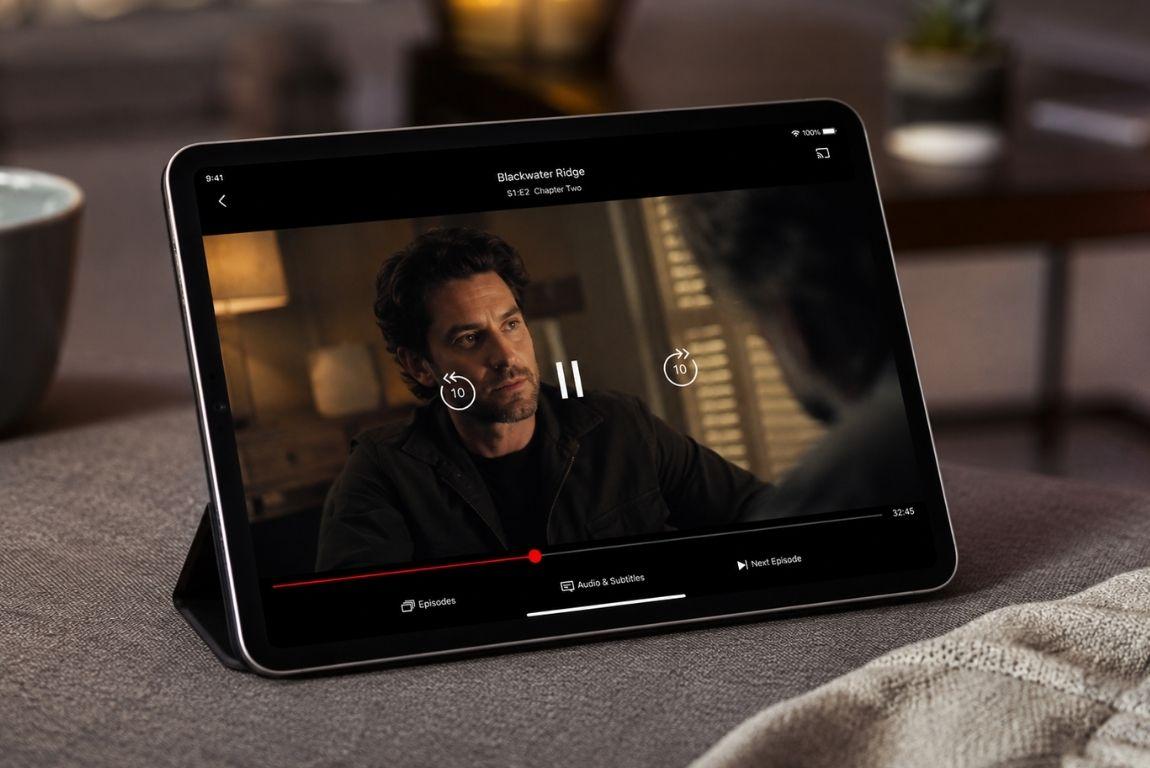
In raw numbers, yes. 5G moves data faster and with less delay, which matters most for large downloads, high-resolution video calls, and gaming.
But "better" and "necessary" aren't the same word. If you're checking flight status, sending a few photos to the group chat, or watching a show on the plane's WiFi handoff at the gate, LTE handles it without you noticing a thing.
Get connected before you land. Try GigSky free →
Why Your Phone Shows LTE Instead of 5G
This is the part that trips people up, so let's walk through it properly.
- Weak or no 5G signal where you are. This is the most common reason, and there's not much to do about it at the moment.
Rural stretches of Portugal, older neighborhoods in parts of Southeast Asia, even certain indoor spaces in major cities can fall back to LTE simply because the tower coverage isn't there yet.
Global 5G population coverage sits around 60% as of late 2025, so plenty of places still run primarily on LTE.
- Your eSIM provider matters more than people assume. Mobile operators like GigSky connect directly to the strongest local network the moment you land, no manual switching required.
Resellers that lease capacity from a single carrier don't have that flexibility, so if that one carrier's 5G is weak in your area, you're stuck with it.
- Phone settings forced to LTE. Sometimes 5G gets turned off to save battery and nobody remembers flipping it back. Worth a quick check before you assume it's a coverage problem.
- Problems during eSIM installation. If your connection was spotty the moment you installed the eSIM, the profile itself might not have been configured correctly, which can cap you at LTE even in strong coverage zones.
- Network congestion. Stadiums, airports, and packed city centers during peak hours can throttle everyone down to LTE regardless of provider, simply because too many devices are competing for the same 5G capacity.
LTE vs 5G at a Glance
| LTE (4G) | 5G | |
|---|---|---|
| Typical speed | 20-100 Mbps | 100-1,000+ Mbps |
| Latency | Higher | Lower |
| Battery use | More per GB | Can be more efficient in strong coverage |
| Good for | Streaming, messaging, calls, social media | Large downloads, HD video calls, gaming |
| Availability | Nearly everywhere | Expanding, strongest in cities |
Neither one leaves you disconnected. That's the part worth sitting with before you panic over a signal icon.
Get connected before you land. Try GigSky free →
Checking and Changing Your 5G Settings
If you want to rule out a settings issue before blaming coverage, here's how to check on both major platforms.
On iPhone:
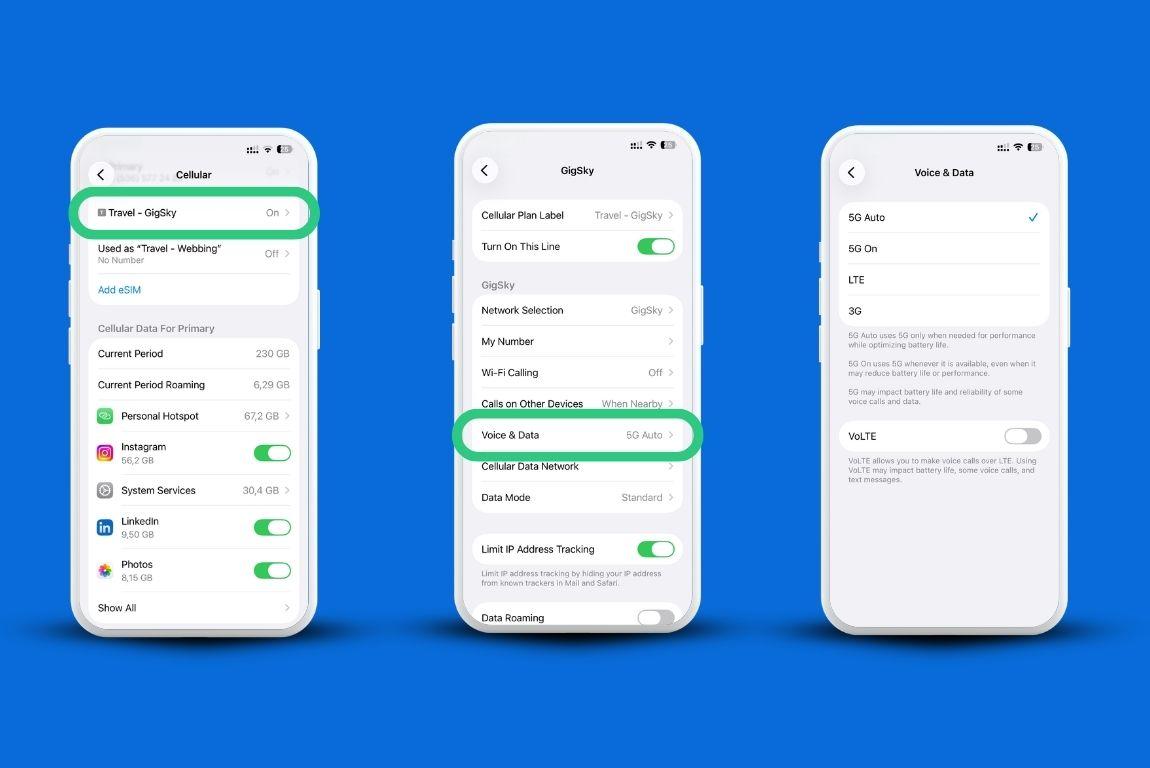
- Open Settings.
- Tap Cellular.
- Scroll to SIMs and tap eSIM. Then tap Voice & Data.
- Choose 5G Auto, 5G On, or LTE.
On Android:
- Open Settings.
- Go to Network & Internet (or Connections).
- Tap Mobile Network, then Preferred Network Type.
- Select the 5G option available for your device.
Only phones with 5G-capable hardware can connect to 5G at all. iPhone 12 and later support it.
Most Galaxy S24/S25 and Pixel 9 series phones do too. Older models, including anything before the iPhone 12, don't have the hardware regardless of settings.
What This Means for Your Trip
None of this should change how you plan your trip. LTE handles the overwhelming majority of what travelers actually do abroad: navigation, messaging, social posting, mobile payments, ride-hailing apps.
If you're someone who edits and uploads 4K video daily or you're on back-to-back video calls for work, the 5G vs LTE gap will be more noticeable, and it's worth checking 5G coverage maps for your destination ahead of time.
Want to test your connection before committing to a full plan? Download the GigSky app and you can get up to 500MB free without adding a card, or if you carry an eligible Visa, redeem the Visa Destinations benefit for up to 7 days of unlimited data (Visa Infinite) or 3 days (standard Visa cards) in eligible destinations.
Because GigSky operates as a mobile network operator rather than a reseller, your device connects automatically to the strongest local signal available, LTE or 5G, without you touching a setting.
FAQ
Is 5G better than LTE for streaming video?
Yes, technically, but LTE streams standard and even most HD content without buffering in normal coverage conditions. You'd need to be doing 4K downloads or large file transfers to feel a meaningful gap.
Will LTE vs 5G speed affect my GigSky connection specifically?
No. GigSky's speed depends on local network strength and your device's hardware, not on which provider issued your eSIM. What GigSky controls is which local network you connect to, and it picks the strongest one automatically.
Has my eSIM ever shown 5G, or has it always been LTE?
If you've never seen 5G on this device, check first whether your phone model supports it. If it does and you're still seeing LTE consistently, it's likely a coverage gap in the areas you frequent rather than a device or eSIM problem.
Do I need to do anything before my trip to get 5G?
No action guarantees 5G, since it depends on your destination's coverage. What you can do is confirm your phone supports it and set your network preference to 5G Auto so it connects whenever it's available.
Try your first eSIM free with GigSky, no card required. Try GigSky free →
Recap: LTE vs 5G
- LTE is reliable and handles nearly everything travelers need: streaming, messaging, calls, social media
- 5G is faster with lower latency, best for large downloads and HD video calls
- Seeing LTE instead of 5G usually means weak local coverage, not a broken eSIM
- Mobile operators like GigSky auto-connect to the strongest available network, LTE or 5G
- Test any connection risk-free: up to 500MB free with no card, or up to 7 days unlimited through Visa Destinations for eligible Visa cardholders