

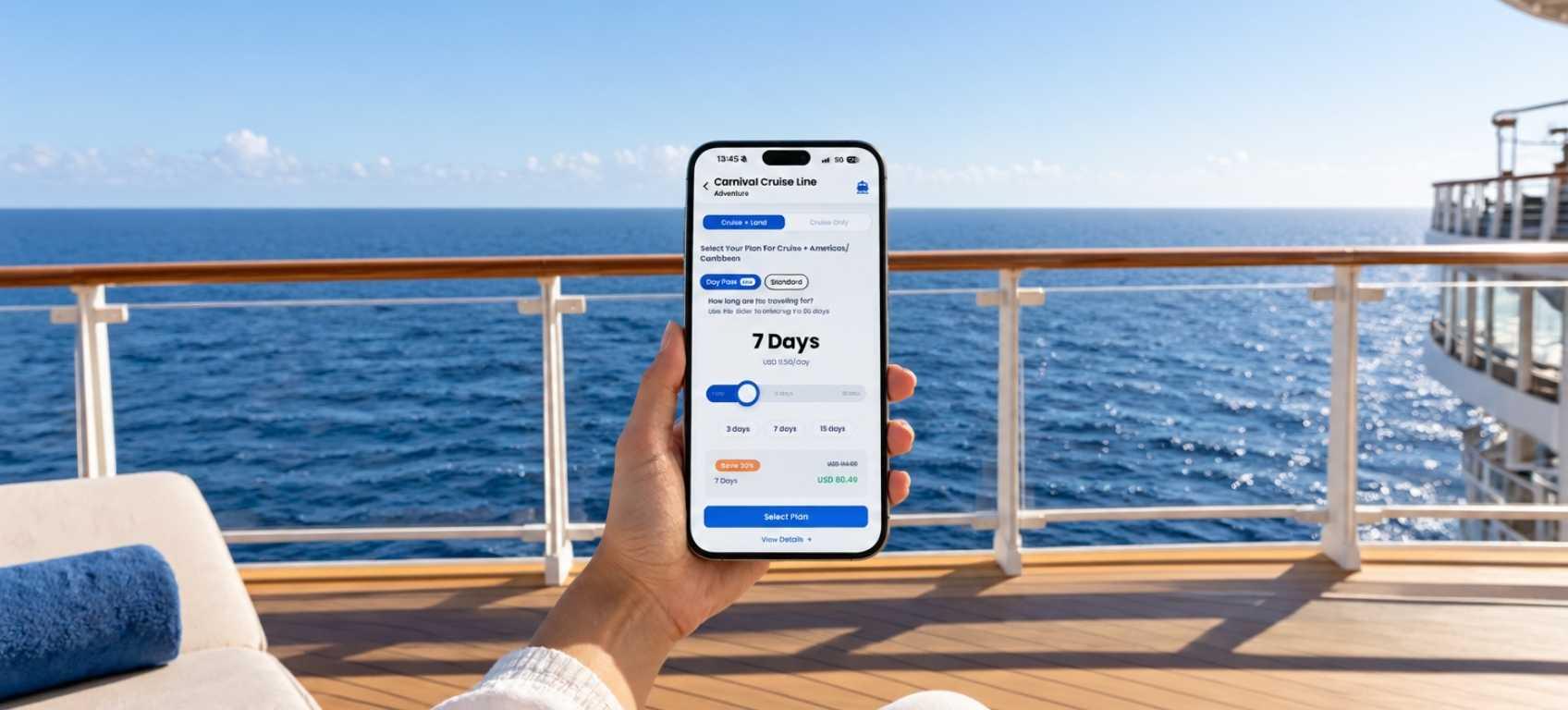


The New Way to Get Internet on Cruise Ships Without Losing Touch Mid-Ocean
Worried you’ll lose signal at sea? The new GigSky Cruise Day Pass gives you 500 MB a day, then keeps your essential apps running.
 by Amira Bula
You want to unplug on your cruise, but someone still needs to be able to reach you, and you’d rather not spend the week wondering if a message went through.
So, is there internet on cruise ships? Yes, and the new GigSky Cruise eSIM Day Pass is built so you never get cut off.
Pick 1 to 30 days, get 500 MB of high-speed data every 24 hours, and keep iMessage, WhatsApp and your map apps running after it’s used.
It works onboard 290+ ships and at every port in 200+ countries, starting at $17.09 for one day.
What is a cruise eSIM?
A cruise eSIM is a digital SIM card that lives inside your phone and connects through maritime networks at sea, then switches to local networks in port.
The GigSky Day Pass is the newest plan under GigSky’s Cruise data plans, and you choose how many days you need, anywhere from 1 to 30.
An eSIM replaces the little plastic card. You download an app, choose a plan, and your phone connects to a data network the way it would with a local SIM, with no card to swap out.
Your regular phone plan, and most travel eSIMs, rely on land-based cell towers, and those drop out of range once the ship is on open water.
A maritime network is what keeps you connected between ports. GigSky is the only eSIM provider that operates on both major maritime networks, with coverage on 290+ cruise ships worldwide.
Near a port, the eSIM switches to the local land network on its own. You walk off the ship already connected.
Here is what sets the Day Pass apart from other cruise eSIMs: 500 MB of high-speed data every day, resetting every 24 hours.
Use all of it and you still have iMessage, WhatsApp, Instagram DMs, Uber and a longer list of essential apps, which you’ll find below and inside the GigSky app.
Most people go on a cruise to relax. But sometimes you can’t disappear, because someone depends on you.
With the Day Pass you’re never truly cut off, so a message doesn’t stall in the middle of the ocean. That is the idea behind this approach to cruise internet.
How does it sit next to your ship’s Wi-Fi package? The Day Pass covers the ship and every port on one plan, and you buy data for one device, then hotspot it to a laptop or tablet and share it with travel companions.
Ship Wi-Fi packages are designed around onboard use, with a plan for each day and usually a plan for each device, and some cover the ship only. Pick whichever fits the way you travel, or use both.
Will the Day Pass actually work at sea?
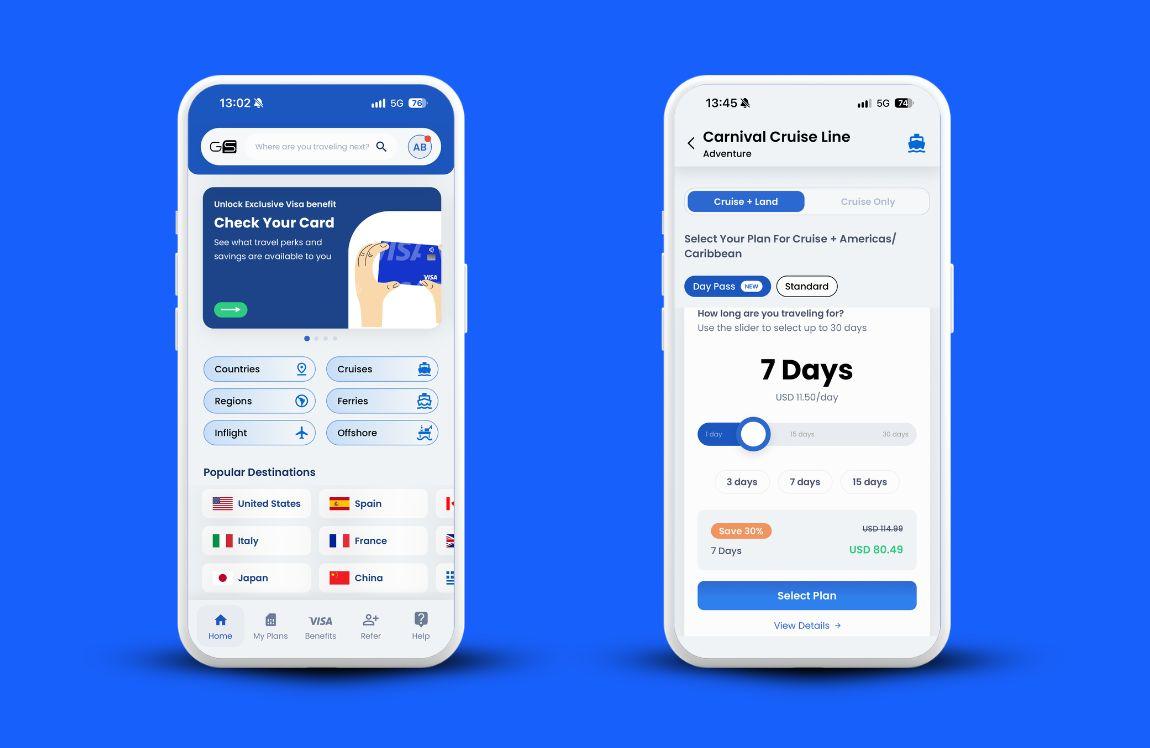
Yes. The Cruise + Land Day Pass works in the middle of the ocean and at every port you visit. A Cruise only version is available too, for coverage on the ship alone.
At sea, the eSIM rides a maritime network, which is what brings internet on cruise ships to your phone between ports.
Close to land, it hands over to the local network without you touching a setting.
Because the Land version also works onshore, take a minute to check which countries your plan covers.
Regions include the Middle East, Americas/Caribbean, Europe, Asia Pacific and World, and each one covers several countries.
Open the GigSky app, tap your plan and tap View Details to see the full list before you buy.
How much is the Day Pass?
The Day Pass is one of the most affordable ways to stay connected on a cruise, and the daily rate drops as you add days.
Whether it comes out lower than your ship’s package depends on how many days and how many devices you want covered, so it helps to line the numbers up.
One day costs $17.09. Choose 30 and the price works out to about $9.40 a day. With this kind of cruise internet the math is simple: you pick the number of days in the app or on the website, and the price you see is the price you pay.
| Day Pass length | Standard price | With 20% off (eligible Visa card) | With 30% off (eligible Visa card) |
|---|---|---|---|
| 1 day | $17.09 | $13.67 | $11.96 |
| 5 days | $80.27 | $64.22 | $56.19 |
| 7 days | $109.24 | $87.39 | $76.47 |
| 15 days | $202.82 | $162.26 | $141.97 |
| 30 days | $282.14 | $225.71 | $197.50 |
To unlock your Visa discount, download the GigSky app, tap the Visa banner and enter your card number.
You aren’t charged at this step, because it only checks whether your card is eligible. If it is, the app shows which discount you get, anywhere from 20% to 30% off cruise data plans.
Cards with the Visa logo have a good chance of qualifying, and the final price appears in the app once yours is confirmed.
If you only need data now and then, you don’t have to commit to the whole sailing. Pick the days that matter to you, even a single sea day.
You pay for the days you choose upfront, so a 7-day pass used for 5 days has no adjustment afterward.
Will I get surprise roaming charges?
No. The Day Pass has no hidden fees or roaming charges, and the price you see in the app is the final price. The worry usually sounds like saving a little on data and then opening a very different phone bill later.
Your regular line is the one to watch. The eSIM sits alongside your regular SIM and won’t change your phone number, so the card can stay in your phone.
Turn your current number off once you board, though: go to Settings, then Cellular, and switch your primary line off. A physical SIM left on can trigger roaming charges, and turning it off is how you avoid the surprise.
And if you use more than 500 MB in a day? Your access narrows to a set of essential apps instead of continuing at full speed. They’re listed further down.
Will it work on my ship?
GigSky’s Cruise eSIM works on 290+ cruise ships, so there’s a strong chance yours is covered.
Royal Caribbean, Carnival, MSC, Norwegian, Celebrity and Princess are all on the list, along with many more cruise lines.
You can check in two ways. On the GigSky website, the full list of covered ships is at gigsky.com/data-cruises. In the app, download GigSky from the App Store or Play Store, tap Cruises, choose your ship, and the app shows whether it offers connectivity.
Because the internet in cruise ships travels over maritime networks, the check goes down to your ship by name, not just your cruise line.
Is the connection reliable?
Reliability depends mostly on where you are on the ship and what you’re doing with your data.
The Day Pass is built for light to medium use: messaging, scrolling social media, calls, email and maps in port.
What about your cabin? It varies. Ships are built from metal, and metal hulls change how internet in cruise ships reaches your phone, so the best connection tends to be in open areas. If your cabin signal weakens, head out to a deck or another open space.
At sea, expect full connectivity about an hour after the ship leaves port.
The Day Pass suits staying in touch with family and friends, and posting vacation updates.
Heavier use, like long video calls or streaming, draws down the 500 MB faster, which the next section covers.
Is my phone compatible?
Most recent phones are eSIM compatible, and it takes a few minutes to confirm yours. Your phone also needs to be unlocked.
- Open your phone’s dialer and enter *#06#.
- Look for an eID number on the screen. If one appears, your phone is eSIM compatible and ready to use the Day Pass.
- On an iPhone, open Settings, then General, then About.
- Scroll down to Carrier Lock.
- Confirm it reads “No SIM restrictions,” which means your phone is unlocked.
If it reads differently, contact your carrier to unlock the phone. Using another kind of phone? GigSky has a complete guide to checking if your phone is unlocked.
You don’t need to remove your regular SIM, because the eSIM installs digitally and the two can sit side by side.
Is the setup complicated?
No. Setup takes about 5 minutes, and you only install the eSIM once. After that you can reuse it on every future trip without changing settings.
You’re on vacation, and a technical setup isn’t what you signed up for. Even if you’re not very tech-savvy, an eSIM installs fast.
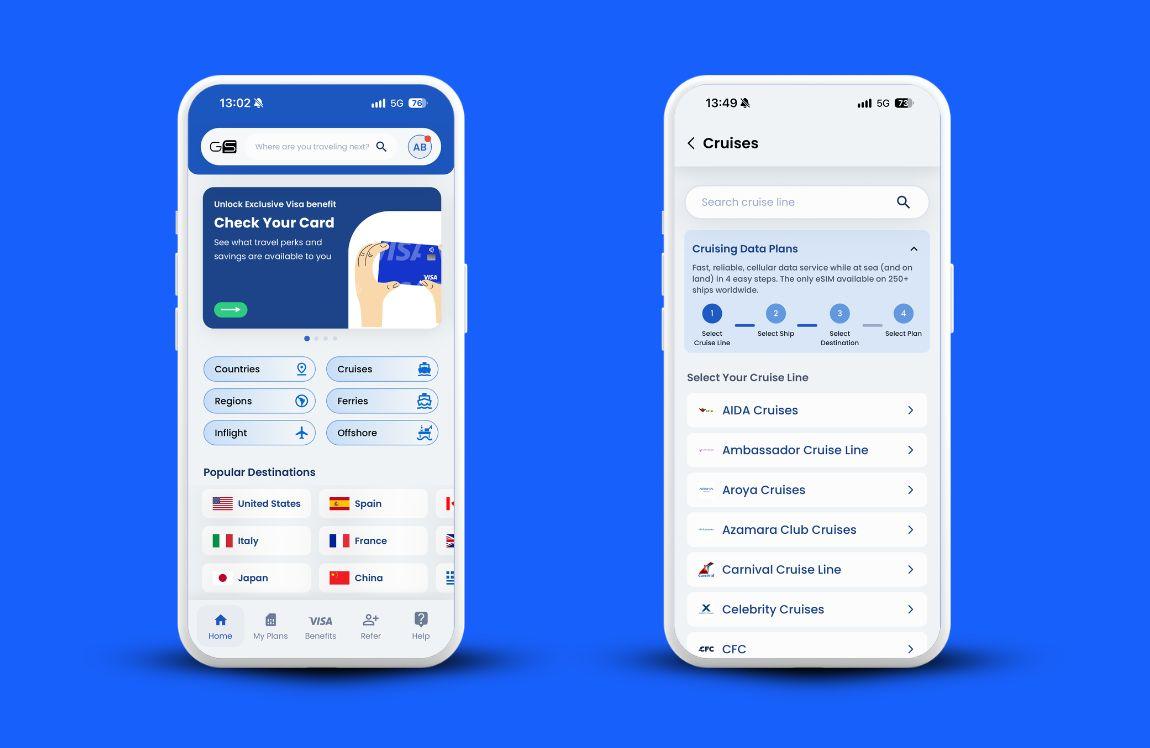
- Download the GigSky app from the App Store or Play Store.
- Tap Cruises.
- Select your cruise line, or type its name in the search bar.
- Select your ship.
- Select your region: Cruise + Land, Middle East, Americas/Caribbean, Europe or Asia Pacific. Choose World if you’re visiting different parts of the world.
- Tap Day Pass.
- Choose the number of days.
Setting up cruise internet takes a strong connection, so buy the pass before you board and install the eSIM before you head to the port.
A few hours before departure works well. Free Wi-Fi at the terminal or onboard can make a proper install harder.
Keep the eSIM turned off until you board, then switch it on. Your 24 hours start when you activate it.
Can I use all my apps?
WhatsApp, social media and video calls all work on the Day Pass, within the 500 MB of high-speed data you get each day.
FaceTime, Instagram, TikTok and Facebook work fine. WhatsApp video calls work too, though video draws data faster, so voice calls are the better everyday choice.
You can stream Netflix or YouTube as well, but streaming uses data quickly. Download your shows before the cruise instead, which you can do with Netflix and YouTube Premium.
Sharing is built in. Buy data for one device, hotspot it to your laptop or tablet, or share it with your spouse and children. Sharing uses your data faster and drains your battery faster, so plan around that.
After 500 MB, these apps keep working: iMessage, WhatsApp, Facebook Messenger, Telegram, Instagram, Uber, Lyft, Bolt, Didi, Apple Maps, Google Maps, Gmail, Microsoft Outlook and iTranslate. The 500 MB resets every 24 hours, so full speed returns when your next day begins.
What if it doesn’t work?
Most problems come from an eSIM that wasn’t installed properly, so check that first.
Start with the phone: confirm it’s unlocked and eSIM compatible using the checks above. Then make sure the install happens on a strong connection, since the eSIM needs one to complete properly.
Next, check coverage. In the app, tap your plan and tap View Details to see every destination it covers, and do this before you buy so you know the pass reaches where you’re going.
If you’re still stuck, the GigSky help center is the fastest route to answers for common issues.
Worried you’ll pay for a pass and get a signal for only two hours? Test first. Download the GigSky app, tap Cruises, choose your cruise line, and under Fixed Data Plans redeem 100 MB free.
You don’t need to add a card. You’ll get a notification when you’ve used 80% of that data.
Why should I trust this company?
GigSky is a mobile operator that worked with Apple when the first eSIM-compatible iPhone was created.
It designed data plans around cruise ships, which makes it a natural place to look for the internet on cruise ships.
If you haven’t heard of the Day Pass before, that’s because it’s new, released under GigSky’s Cruise + Land data plans.
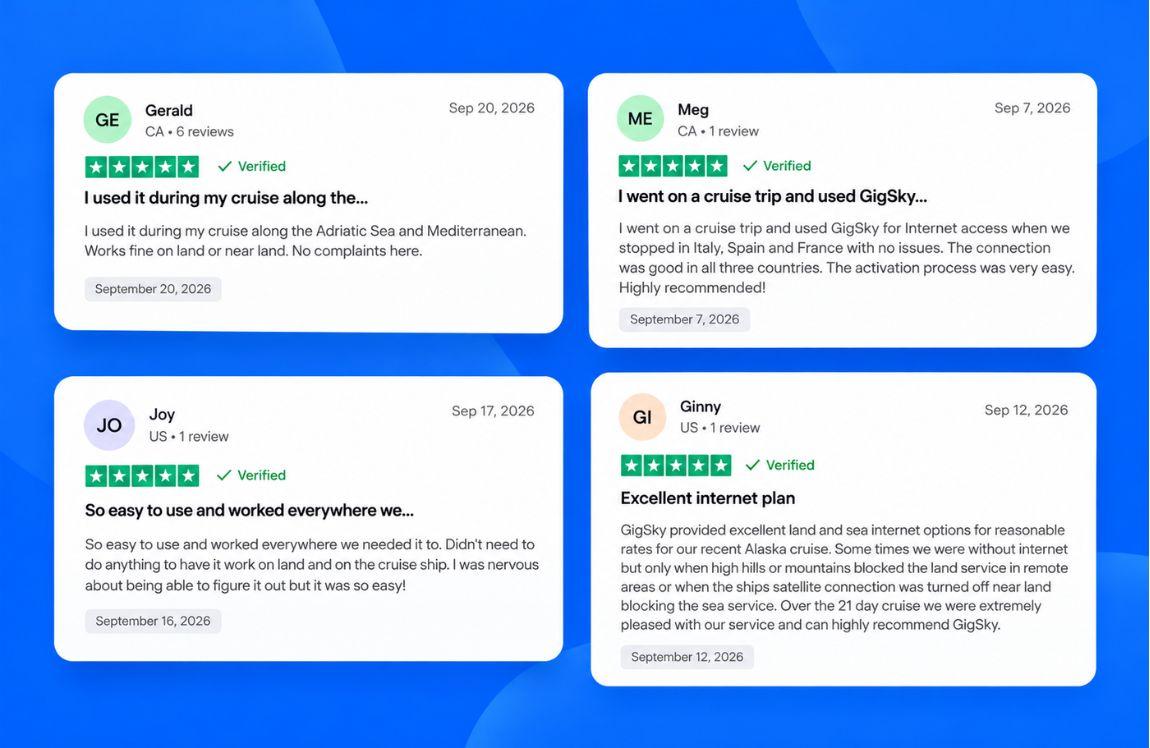
As a mobile operator, GigSky works directly with networks instead of reselling someone else’s, and a common line in GigSky reviews is that it’s easy to install and works between land and sea.
FAQs
When does the 24-hour pass start?
It starts when you activate it, not at midnight.
Do I pay only for the days I use?
No. You pay for the days you choose upfront, so a 7-day pass used for 5 days has no adjustment afterward.
Can I buy a pass for just one sea day?
Yes. The Day Pass comes in Cruise + Land and Cruise only versions, so you can choose a single sea day.
Is there a discount for buying more days?
Yes. The daily rate drops as you add days, and an eligible Visa card adds 20% to 30% off.
Can I buy it once I’m already on the ship?
It’s best to buy before boarding. Installing the eSIM takes a strong connection, and onboard you may have to rely on free Wi-Fi, which makes a proper install harder.
Can I install it before I leave home?
Yes. Install it on a strong connection a few hours before departure and keep it turned off until you board.
Do I need to change settings every time I travel?
No. Install the eSIM once and reuse it on every trip.
Recap: The Day Pass: A New Way to Get Internet on Cruise Ships
- The Day Pass brings internet on cruise ships to your phone at sea and in port, with 500 MB of high-speed data every 24 hours and essential apps still running after that.
- One eSIM covers the ship and every port, and works alongside your ship’s Wi-Fi package.
- Prices start at $17.09 for one day, with 20% to 30% off for an eligible Visa card.
- Check your ship in the app or at gigsky.com/data-cruises, and check your phone with *#06#.
- Turn off your regular line when you board to avoid roaming charges.
- Setup takes about 5 minutes, so install before you board.
Ready to test it? Download the GigSky app, tap Cruises, choose your cruise line and redeem the free 100 MB before you sail. If it works on your ship, pick the number of days you want.
%2520(88).jpg&w=3840&q=75)
%2520(84).jpg&w=3840&q=75)
%2520(71).jpg&w=3840&q=75)