

%20(1)%201%20(1).webp)


Как пользоваться хотспотом во время зарубежной поездки, чтобы избежать неожиданных расходов
%20(4).jpg)
Когда вы путешествуете с другими людьми, оставаться на связи становится сложнее. У вас есть свой телефон, у вашего спутника — его, а может быть, в компании ещё и планшет. Всем нужен мобильный интернет для карт, сообщений, заказа такси и бронирования.
Вопрос не в том, будут ли передаваться данные. Вопрос в том, как эффективно использовать точку доступа, или есть ли более удобный способ обмена данными с попутчиками, чтобы не исчерпать лимит слишком быстро и не переплатить.
Большинство путешественников пользуются одним из трёх вариантов: международным роумингом, общедоступным Wi-Fi или использованием одного из телефонов в качестве точки доступа. Каждый из них работает, но ни один не является идеальным.
Включить роуминг несложно, но расходы быстро растут, когда несколько устройств используют мобильный интернет.
Общественный Wi-Fi бесплатен, но это означает, что в аэропортах, отелях и кафе приходится постоянно подключаться заново, причём зачастую на каждом устройстве.
Идея совместного использования точки доступа кажется удобной, пока не разрядятся батареи, не пропадет связь или пока один из пользователей не исчерпает лимит трафика.
Есть ещё один вариант, который многие путешественники по-прежнему упускают из виду. Он называется eSIM и работает иначе, чем обычные SIM-карты.
Для чего нужна eSIM
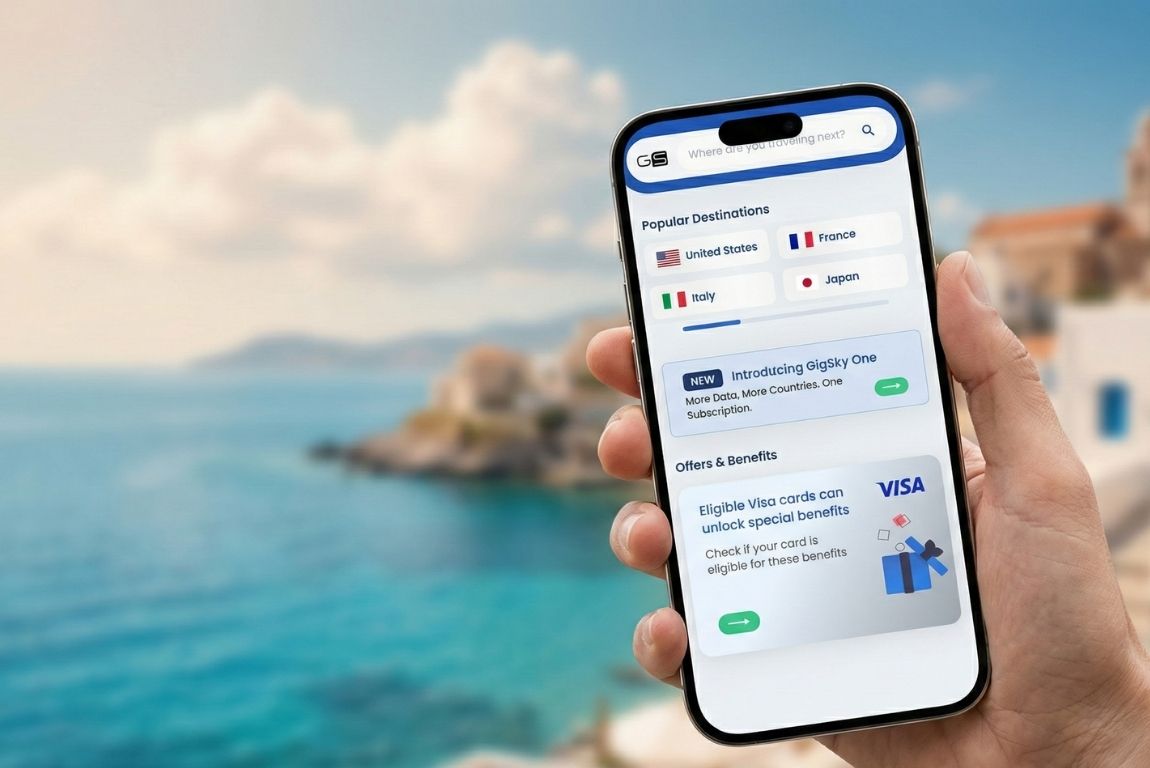
eSIM — это цифровая SIM-карта, которая находится внутри вашего телефона. Вам не нужно ничего менять физически. Достаточно скачать приложение, приобрести тарифный план для страны назначения, установить eSIM — и ваш телефон подключится к местным сетям сразу после приземления.
Это имеет значение для обмена данными, поскольку eSIM изначально разработаны для работы в международном масштабе.
Вы не платите за роуминг сверх стоимости своего домашнего тарифного плана. Вы приобретаете трафик, предназначенный для использования за границей, в той стране, которую вы посещаете.
Если вы отправляетесь в Европу, приобретите тарифный план «Европа». Если вы отправляетесь в круиз, приобретите тарифный план «Круиз».
Трафик действует в том регионе, за который вы заплатили. Никаких неожиданных сборов, никаких «мягких» ограничений, о которых вам сообщают только после того, как вы их достигнете, никаких мелких букв, гласящих, что использование в качестве точки доступа технически разрешено, но скорость будет ограничена после первого гигабайта.
Большинство провайдеров eSIM включают в тарифный план функцию «точка доступа». GigSky также предлагает эту функцию, а это значит, что вы можете делиться мобильным интернетом со своими спутниками — с ноутбука, телефона партнера, планшета или любого другого устройства, которое вы взяли с собой в путешествие.
Разница заключается в том, что вы не исчерпываете тарифный план, который изначально не был предназначен для использования за рубежом. Вы используете тарифный план, разработанный именно для такой ситуации.
Почему у Hotspot по-прежнему есть ограничения, даже с eSIM
Использование точек доступа для путешествий — это удобно, но у этого есть свои минусы, о которых нужно знать, прежде чем полагаться на них на протяжении всего путешествия.
Если вы раньше никогда не настраивали личный хотспот, процесс этот довольно прост:
- На телефоне перейдите в «Настройки», затем в «Персональный хотспот» и включите функцию «Разрешить подключение другим пользователям».
- На другом устройстве откройте «Настройки», а затем «Wi-Fi».
- Нажмите на название своей сети.
- Введите пароль точки доступа — и вы подключены.
Главная проблема заключается не в настройке, а в том, что происходит после. Когда ваш телефон используется в качестве мобильного хотспота во время путешествия, он работает с большей нагрузкой, чем при обычном использовании.
За несколько часов заряд батареи уменьшится на 30–40 %, в зависимости от того, сколько устройств подключено и чем они занимаются. Если вы весь день гуляете по городу, заряда телефона может не хватить до самого ужина.
Второй вопрос — это близость. Мобильный хотспот во время путешествия работает только тогда, когда устройства находятся рядом друг с другом. Если вы сидите вместе в кафе, то всё в порядке.
Но если ваш спутник уходит, чтобы заглянуть в магазин на другой стороне улицы, соединение обрывается. Нельзя расходиться днём и рассчитывать, что точки доступа обеспечат всем постоянный доступ к сети.
Третьим вопросом является использование мобильного хотспота. Когда к одному хотспоту подключено несколько человек, трафик расходуется быстрее. Теоретически это очевидно, но на практике это легко недооценить.
Если один человек просматривает Instagram, другой смотрит видео на YouTube, а третий скачивает подкаст, гигабайт исчезнет быстрее, чем кто-либо из вас может себе представить.
Если кто-то забудет отключить автоматическое обновление приложений, ваш тарифный план может исчезнуть, прежде чем вы это заметите.
Все это не означает, что точки доступа бесполезны. Просто для путешествий они больше подходят для кратковременного использования, чем для работы в течение всего дня.
Если вам нужно быстро что-то проверить или на несколько минут поделиться картой, точка доступа отлично подойдет. Но если вы планируете пользоваться ею в течение нескольких дней подряд, то у вас возникнут проблемы.
Как группы поддерживают связь
У GigSky есть функция, о которой большинство путешественников не знают.
Вы можете приобретать отдельные тарифные планы для других людей прямо через приложение GigSky, при этом вашим попутчикам не нужно создавать собственные учетные записи или выполнять какие-либо действия со своей стороны. Вот как использовать альтернативы точкам доступа, которые лучше подходят для групп:
- Откройте приложение GigSky.
- Выберите пункт назначения.
- Выберите необходимый объем данных.
- Когда вы перейдете к сводке заказа, вы увидите поле под названием «Целевое устройство».
- Вместо того чтобы выбрать свой телефон, выберите «Новое устройство с eSIM».
- Вы даёте устройству имя, например «iPhone Анны» или «Телефон партнёра».
После завершения покупки приложение генерирует QR-код. Другой пользователь сканирует этот код своим телефоном, eSIM устанавливается на его устройство, и он подключается к сети.
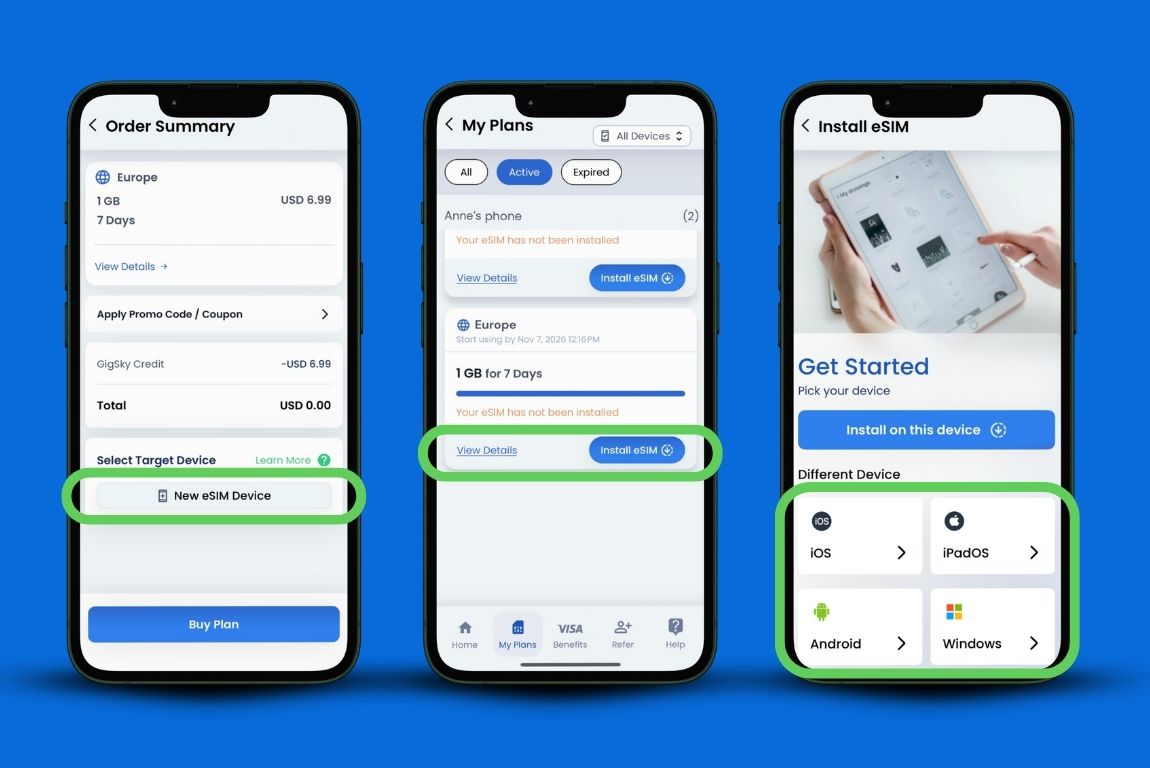
Им не нужно скачивать приложение. Им не нужно настраивать оплату. Вы всё оформляете со своего аккаунта, а они просто сканируют и уходят.
Это решает проблему связи на расстоянии. У вас обоих есть собственные тарифные планы, поэтому вы можете разделиться на день, не теряя связи.
Это также решает проблему с зарядом аккумулятора, поскольку ни один из телефонов не используется в качестве точки доступа. Кроме того, это избавляет от беспокойства по поводу трафика, ведь можно точно увидеть, сколько данных использовал каждый пользователь.
Когда кто-то использует 80 % своего тарифного плана, вы получаете уведомление в приложении. При необходимости вы можете пополнить его счет прямо там.
Стоимость не вдвое превышает ту, которую вы заплатили бы за один тарифный план. Вы приобретаете два небольших тарифных плана вместо одного большого, и зачастую это обходится примерно столько же или даже дешевле, в зависимости от того, какой объем трафика вам нужен.
Если вы планировали приобрести тарифный план на 10 ГБ, чтобы поделиться мобильным интернетом с попутчиками через точку доступа, то, возможно, вы обнаружите, что два тарифных плана по 5 ГБ обойдутся примерно в ту же сумму и на практике окажутся более удобными.
Когда использование точки доступа по-прежнему целесообразно

Бывают ситуации, когда умение пользоваться «горячей точкой» вполне оправдано, и нет нужды усложнять дело.
Если вы путешествуете в одиночку и просто хотите подключить ноутбук на часок, чтобы поработать, то «хотспот» вполне подойдет. Аккумулятора телефона хватит на короткий сеанс, да и вам не придется сталкиваться с ситуацией, когда несколько человек одновременно борются за пропускную способность сети.
Если вы проводите с кем-то всего день или два и все это время будете вместе, то использование точки доступа вполне подойдет. Ограничение по расстоянию не имеет значения, если вы и так сидите рядом друг с другом.
Если телефон вашего собеседника не поддерживает технологию eSIM, единственным выходом может стать использование точки доступа на iPhone или Android. Пока не все устройства поддерживают eSIM, и если у вашего попутчика старая модель телефона, он не сможет установить eSIM.
Однако в случае поездок продолжительностью более нескольких дней или в ситуациях, когда требуется гибкость для самостоятельного передвижения, использование точки доступа становится скорее обузой, чем решением. Именно в таких случаях целесообразно иметь отдельные тарифные планы.
Что происходит, когда вы подключаетесь к общественному Wi-Fi
Общественные сети Wi-Fi не так безопасны, как полагает большинство путешественников. Когда вы подключаетесь к сети в аэропорту или кафе, ваша деятельность не является конфиденциальной. Любой другой пользователь этой сети потенциально может видеть, чем вы занимаетесь, особенно если соединение не зашифровано.
Для некоторых путешественников это имеет большее значение, чем для других. Если вы проверяете расписание рейсов и отзывы о ресторанах, риск невелик.
Если вы проверяете рабочую почту, входите в банковские аккаунты или совершаете покупки, вы подвергаете риску утечки информацию, которую, скорее всего, не хотели бы раскрывать.
Точка доступа более безопасна, чем общедоступный Wi-Fi, поскольку соединение между вашим телефоном и другим устройством является прямым. В этой сети больше никого нет. Однако точка доступа по-прежнему быстро разряжает аккумулятор и ограничивает вашу свободу передвижения.
Использование eSIM на каждом устройстве — это самый безопасный вариант, поскольку каждый телефон подключается к сотовой сети напрямую, а не через общее соединение.
Ваши данные не проходят через общедоступную точку доступа, где их можно было бы перехватить. Это тот же уровень безопасности, что и при использовании обычного телефонного тарифа дома.
Для удаленных сотрудников или всех, кто работает с конфиденциальной информацией во время поездок, это различие имеет большое значение.
Просто нужно понять, как работает эта технология, и сделать выбор, соответствующий тому уровню риска, с которым вы готовы смириться.
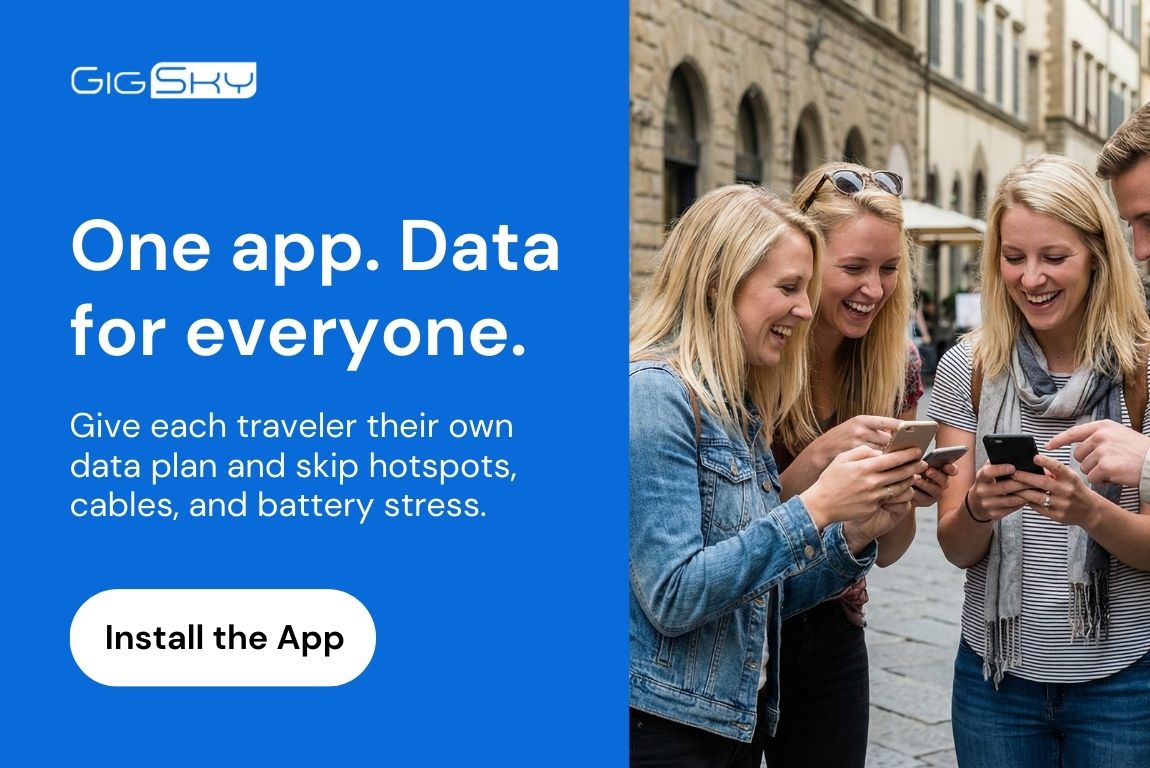
Что обходится дороже в долгосрочной перспективе
Легко предположить, что покупка двух тарифных планов с eSIM обойдется дороже, чем покупка одного и его совместное использование через точку доступа. Однако это не всегда так, если учесть скрытые расходы.
Если батарея вашего телефона разряжается уже к середине дня из-за того, что вы весь день использовали мобильный хотспот во время путешествия, вам приходится либо везде носить с собой портативное зарядное устройство, либо сокращать свой день, чтобы успеть вернуться к розетке.
Портативные зарядные устройства увеличивают вес вашей сумки и добавляют ещё одну вещь, о зарядке которой нужно помнить на ночь.
Если вам приходится постоянно подключать устройства заново из-за того, что при перемещении между местами связь с точкой доступа обрывается, вы теряете время. Несколько минут тут и там в сумме дают значительную потерю времени за неделю путешествия.
Если кто-то случайно израсходует весь ваш общий трафик из-за того, что на его телефоне в фоновом режиме обновлялись приложения, вам придётся либо доплачивать за трафик по более высокой цене прямо во время поездки, либо остаться без интернета до самого конца путешествия. Доплата за трафик в экстренных случаях никогда не бывает дешёвой. Понимание того, как расходуется трафик при использовании мобильного хотспота, поможет избежать подобных ситуаций.
Если сравнить эти затраты, скрытые усилия и разочарования с первоначальными затратами на два отдельных тарифных плана, то в итоге часто оказывается, что отдельные тарифные планы выгоднее.
Вы платите чуть больше, но зато избавляетесь от лишних хлопот, а во многих случаях даже не платите больше. Вы просто платите за то, чем действительно пользуетесь, вместо того чтобы покупать один большой тарифный план в надежде, что его хватит.
Незаметное улучшение, которое упускают из виду большинство путешественников
Большинство путешественников не знают о существовании такой возможности. Технология eSIM по-прежнему относительно нова, и даже те, кто слышал о ней, полагают, что она работает так же, как и традиционные SIM-карты: один тарифный план на один телефон, который управляется отдельно.
Представление о том, что с одного аккаунта можно приобретать тарифные планы для других людей, при этом им не нужно скачивать приложение или создавать учетную запись, не вписывается в представления большинства людей о том, как делиться доступом в Интернет во время путешествий.
Это звучит сложнее, чем есть на самом деле, поэтому путешественники по привычке прибегают к тому, что им уже знакомо: точкам доступа, роумингу или поиску Wi-Fi.
Научиться делиться мобильным интернетом во время путешествий с помощью индивидуальных тарифных планов eSIM проще, чем кажется. Как только вы сделаете это один раз, весь процесс станет понятным. Но чтобы люди решились попробовать это в первый раз, нужно развеять их предубеждение о том, что это будет сложно, требует технических знаний или обойдется дороже, чем это стоит.
Это не так. Чтобы настроить совместный доступ к интернету во время путешествия, вам нужно скачать приложение GigSky, выбрать тарифный план и отсканировать QR-код. Если вы умеете бронировать авиабилеты или заказывать еду с доставкой, то с этим у вас не возникнет никаких проблем.
После первой поездки, организованной таким образом, вы уже не захотите возвращаться к прежним методам. Не потому, что это кардинально изменит вашу жизнь, а потому, что это устранит те препятствия, о которых вы даже не подозревали, но которые мешали вам двигаться вперед.
Вы перестаете думать о подключении к сети. Вы перестаете беспокоиться о том, кто и сколько тратит трафика. Вы перестаете носить с собой дополнительные аккумуляторы или планировать свой день в зависимости от того, где можно найти Wi-Fi. Вы просто путешествуете.
Независимо от того, решите ли вы делиться мобильным интернетом с другими через точку доступа или подключите индивидуальные тарифные планы, понимание основ работы точки доступа и существующих альтернатив поможет вам сделать правильный выбор.
Решение о том, когда лучше использовать настройку личного хотспота, а когда — делиться мобильным интернетом с другими участниками по отдельным тарифным планам, зависит от продолжительности поездки, стиля путешествия и того, насколько ваша группа нуждается в независимости.
Наконец, понимание особенностей использования точек доступа в условиях ограничений на поездки, а также требований к настройке личного хотспота позволит вам быть готовым к любой ситуации, независимо от того, какой вариант вы выберете.


Подпишитесь на наш блог


