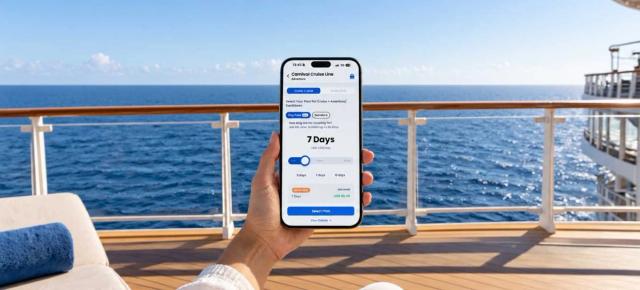

%2520(3).jpg&w=3840&q=75)


How to Avoid Roaming Charges on AIDA Cruises
Before you board AIDA, learn how cruisers avoid roaming charges without overpaying. This guide compares both options, and exposes the budget winner.
 by Amira Bula
If you’re getting ready to sail with AIDA and you're a traveler who loves smart savings, the first thing to understand is how to avoid surprise roaming charges.
You’ll generally have two options: using an eSIM or relying on AIDA’s onboard internet plans.
Both can keep you connected, but they work in different ways, and many travelers overlook the option that stretches their budget the furthest.
This guide walks you through how each solution works, where it saves you money, and which one gives you the most flexibility once you're at sea.
The eSIM Solution: What You Need to Know
Unlike traditional SIM cards, which require you to swap a tiny physical chip, look for something to open the SIM tray, and keep track of your home SIM, an eSIM is completely digital.
You install it by downloading an app, activate it in seconds, and avoid all the usual fumbling with hardware before your trip.
It’s a clean, modern approach that keeps your primary number safe while giving you affordable data wherever your itinerary takes you.
What makes this especially effective for cruises is that once you install the eSIM, it connects seamlessly, both at sea and when you dock in port.
You're not juggling different solutions for AIDA cruise ship versus land. The connectivity transitions seamlessly as you move from one to the other.
Before you use an eSIM, check two quick things. Your phone needs to be eSIM compatible, and it needs to be unlocked.
You can verify compatibility at gigsky.com/device-compatibility in under five minutes.
If you need to check whether your phone is unlocked, call your carrier. Most newer phones come unlocked, but it's worth confirming before you're standing on the gangway wondering why it doesn't.
What an eSIM Does for You

eSIMs provide data only. That means you can use WhatsApp, FaceTime, or any other app that makes calls over the internet.
You just can't make traditional phone calls through your regular phone app.
For most cruise travelers, this isn't a limitation. When's the last time you actually dialed someone internationally instead of using WhatsApp or FaceTime? The apps work just as well, and you're not paying per-minute rates.
GigSky covers both AIDA cruises and over 200 other cruise ships, plus connectivity in more than 200 countries.
Install the eSIM once, and you can reuse it for future cruises or land-based trips. It stays in your phone, dormant until you need it again.
Coverage Across the AIDA Fleet
GigSky works across the entire AIDA fleet. Here's the breakdown of which ships offer coverage and where they typically sail:
| Ship | Type | Route | Services |
|---|---|---|---|
| AIDAbella | Cruise | Europe, Caribbean | 3G, 4G |
| AIDAblu | Cruise | Europe | 3G, 4G |
| AIDAcosma | Cruise | Europe, Canary Islands | 3G, 4G |
| AIDAdiva | Cruise | Europe | 3G, 4G |
| AIDAluna | Cruise | Europe, Caribbean | 3G, 4G |
| AIDAmar | Cruise | Europe | 3G, 4G |
| AIDAnova | Cruise | Europe | 3G, 4G |
| AIDAperla | Cruise | Europe, Caribbean | 3G, 4G |
| AIDAprima | Cruise | Europe, Arabian Peninsula | 3G, 4G |
| AIDAsol | Cruise | Europe, Americas | 3G, 4G |
| AIDAstella | Cruise | Worldwide cruises | 3G, 4G |
No matter which AIDA ship you're sailing on, you'll find coverage available.
Choosing the Right Plan for Your AIDA Cruise Ship
GigSky offers regional plans that match where your AIDA cruise takes you.
You can pick from five Cruise + Land plans covering different regions, or select the cruise-only option if you only need data while you're on the ship.
The regional breakdown looks like this:
| Region | Number of Destinations Covered |
|---|---|
| Americas & Caribbean | 48 |
| Asia Pacific | 25 |
| Europe | 44 |
| Middle East | 9 |
| World Plan | 128 |
Pick based on where your AIDA cruises routes take you. If you're sailing around Europe with a few Caribbean stops, the Americas & Caribbean or Europe plan might work.
For a more complex itinerary, the World Plan covers you everywhere.
The pricing for Americas/Caribbean, Europe, and Asia stays consistent:
| Data Allowance | Validity Period | Price (USD) |
|---|---|---|
| 512 MB | 1 day | $19.99 |
| 1 GB | 7 days | $34.99 |
| 3 GB | 15 days | $69.99 |
| 5 GB | 30 days | $98.99 |
| 10 GB | 30 days | $153.99 |
Middle East plans run slightly higher, and the World Plan offers extended coverage for longer AIDA cruises or travelers visiting multiple regions.
Match your data needs to how you actually use your phone. If you're checking messages, pulling up maps in port, and scrolling social media, 3GB for a 15-day cruise gives you comfortable breathing room.
If you plan to upload photos regularly or use Google Maps heavily in every port, consider bumping up to 5GB.
Understanding Cruise Ship Connectivity

Let me set realistic expectations about connectivity at sea. The ship's metal frame blocks signals in certain areas.
You'll find your connection works better on deck or in common areas near the antennas. Your cabin might give you spotty coverage depending on where it sits in relation to those antennas.
This isn't unique to GigSky. Any connectivity option on a cruise ship faces the same physical limitations. Metal blocks signals, and cruise ships contain a lot of metal.
Also worth knowing: your eSIM starts working about an hour after the ship departs from port.
Don't expect to post your embarkation day photos the second you step on board. Plan accordingly and save those first shots for later.
The Timing Mistake That Costs People Money
Pay close attention to this part, because it trips up travelers constantly.
You want to install your eSIM as close to your travel date as possible.
Here's why: when you download the eSIM, it activates automatically once it finds a network from the destination you bought your plan for. Your phone turns it on and starts looking for networks immediately.
If you bought a cruise plan that covers the Americas and Caribbean, and you live in the United States, your plan might activate the moment you install it because it detects a U.S. network.
Imagine you bought your plan weeks in advance because you found a great promotion.
You install the eSIM, it activates, and by the time you actually board your cruise, your 15-day plan has already expired. Now you're contacting support wondering why nothing works.
Skip this headache entirely. Buy your plan at least one day before your cruise, but ideally just a few minutes before your ship departs.
If you do buy early because of a discount, turn off the mobile data for that eSIM in your phone settings. Keep it turned off until you're actually on the ship and ready to use it.
For cruise eSIMs, wait until you're about to board. The advice changes because cruise plans often include coverage in multiple countries, including possibly your home country, which creates that auto-activation problem.
GigSky eSIM: Pros and Cons
Most travelers use GigSky because they need light to medium connectivity. Checking WhatsApp messages, pulling up maps when they're in port, scrolling through social media, responding to a few emails. That's the sweet spot for GigSky.
The service handles these tasks without burning through your data or draining your wallet.
But if you need to stream Netflix, hop on video calls for work meetings, or upload hours of video to YouTube, GigSky probably won't cut it as your only option.
Heavy internet users often combine solutions. They use bandwidth-intensive options for streaming and video calls, and rely on GigSky for everything else, especially when they're in port and want reliable connectivity without coverage limits.
If working remotely on your cruise is the plan, download your shows and movies before you board, use alternative solutions for heavy work tasks, and save GigSky for WhatsApp, maps, social media, and light work like email.
AIDA's Onboard Internet Plans: Your Other Option
The AIDA Cruise line offers several connectivity plans that work through their app and onboard portal.
You can send messages, make calls, share pictures, and browse the web.
The onboard chat feature connects you with other passengers, which comes in handy for making dinner plans or coordinating shore excursions.
You need to download the AIDA app and book the onboard chat through your myAIDA account up to three days before departure. You can also book once you're onboard.
The AIDA cruise line offers five main internet plan types:
Onboard Chat gives you the easiest way to connect with fellow travelers on the ship and make arrangements. The chat feature comes free with all other plans if you book for the entire trip.
Social Media Flat lets you share vacation excitement on social media and chat with friends and family at home. This plan includes text, photo, and video uploads and downloads, plus full social media access.
Internet Flat adds email capability and general web browsing to everything in the Social Media Flat. You can read and send emails, use social media, and chat with people back home.
Premium Internet Flat gives you prioritized access at the fastest possible speed. This plan includes VPN support, which matters if you need to access work systems or banking apps that require secure connections. It supports two devices simultaneously.
Family Flat covers up to four guests with the same booking number. You get fast internet, social media, and chat access across all four devices with prioritized speed.
Here's the feature breakdown:
| Feature | Onboard Chat | Social Media Flat | Internet Flat | Premium Internet Flat | Family Flat |
|---|---|---|---|---|---|
| Data Volume | Unlimited | Unlimited | Unlimited | Unlimited | Unlimited |
| Onboard Chat via AIDA App | ✓ | Included when booking plan for entire trip | Included when booking plan for entire trip | Included when booking plan for entire trip | Included when booking plan for entire trip |
| Text, photo, video upload/download | – | ✓ | ✓ | ✓ | ✓ |
| Social Media | – | ✓ | ✓ | ✓ | ✓ |
| Receive and send emails | – | – | ✓ | ✓ | ✓ |
| Internet | – | – | ✓ | ✓ prioritized | ✓ prioritized |
| Video calls | – | – | ✓ | ✓ prioritized | ✓ prioritized |
| VPN | – | – | – | ✓ | ✓ |
| Number of devices | 1 | 1 | 1 | 2 | 4 |
Credit: Aida Cruises
You can book these plans before your trip starts through myAIDA, or onboard through the AIDA App and onboard portal.
The Internet Flat and Premium Internet Flat also offer day-by-day booking if you only need connectivity for specific days.
Pricing varies based on your booked travel plan and AIDA Club level. Some travel packages include internet plans automatically.
Check Aida’s app for current pricing and to see what's already included in your booking.
Making the Right Choice for Your Trip
Think about how you actually use the internet when you travel. If you're someone who checks in occasionally, posts a few photos, and uses maps to navigate new ports, an eSIM solution like GigSky gives you flexibility at a predictable cost.
If you need consistent connectivity for work, or plan to stream entertainment, AIDA's onboard plans might serve you better, particularly the Premium or Family options with prioritized speeds.
Some travelers use both. They rely on AIDA's onboard internet for heavy tasks and switch to their eSIM when they're in port and want to avoid any coverage limitations.
The important thing is choosing before you board, not scrambling to figure it out once you're already at sea.
Download any apps you need, verify your phone compatibility, and install your eSIM (if that's your choice) right before departure.
Recap: Avoiding Roaming Charges on Your AIDA Cruise
Here's what matters most when avoiding roaming charges on your AIDA cruise:
- eSIMs provide data-only connectivity that works both at sea and in port without physical SIM card swapping, requiring only that your phone is eSIM-compatible and unlocked
- GigSky covers all 11 AIDA ships with 3G and 4G service across routes in Europe, the Caribbean, Americas, Arabian Peninsula, and worldwide itineraries
- Regional plans cover 9 to 128 countries depending on your route, with pricing starting at $19.99 for 512MB and ranging up to $153.99 for 10GB over 30 days
- Install your eSIM within minutes of boarding to prevent premature activation in your home country, or turn off mobile data for that eSIM until you're ready to use it
- Cruise ship metal frames block signals in certain areas, making deck and common areas more reliable than cabins, and connectivity activates about one hour after departure
- GigSky works best for light to medium use like messaging, maps, social media, and email rather than streaming or heavy video calls
- AIDA offers five onboard plans through their app ranging from basic chat to Premium Internet Flat with VPN support and prioritized speeds across multiple devices
- You can book AIDA plans before departure through myAIDA or onboard through the app, with some plans available for day-by-day purchase
- Match your connectivity choice to your actual usage patterns rather than overbuying or underestimating what you'll need for your specific itinerary