

%2520(37).jpg&w=3840&q=75)


How to Stay Connected on Cruise Costa Cruises: What Works at Sea and in Port
Costa cruise WiFi, roaming, or eSIM? Compare costs and coverage for staying connected at sea and in port, with zero bill surprises.
 by Amira Bula
You've booked your Cruise Costa Cruises. The itinerary is set, the cabin is confirmed, and now you're dealing with the practical stuff, like staying connected during the trip.
Most first-time cruisers don't realize this until later: cruise connectivity works differently than land travel. Your regular phone plan doesn't automatically follow you onto the ship.
Some carriers offer cruise packages, some charge per-use rates, and the ship itself has WiFi, but they all work in different ways.
You've got three options: a cruise eSIM that works on sea days and port days, Costa's satellite WiFi on the ship, or your carrier's cruise roaming package.
For most people doing a week-long Cruise Costa Cruises who want messaging, maps, and email without thinking about it constantly, a cruise eSIM tends to be the simplest choice.
But it depends on what you're doing online. Let's walk through what each option handles well.
The 3 Ways to Stay Connected on Cruise Costa Cruises
Option 1: GigSky Cruise eSIM (Best Overall for Most Travelers)
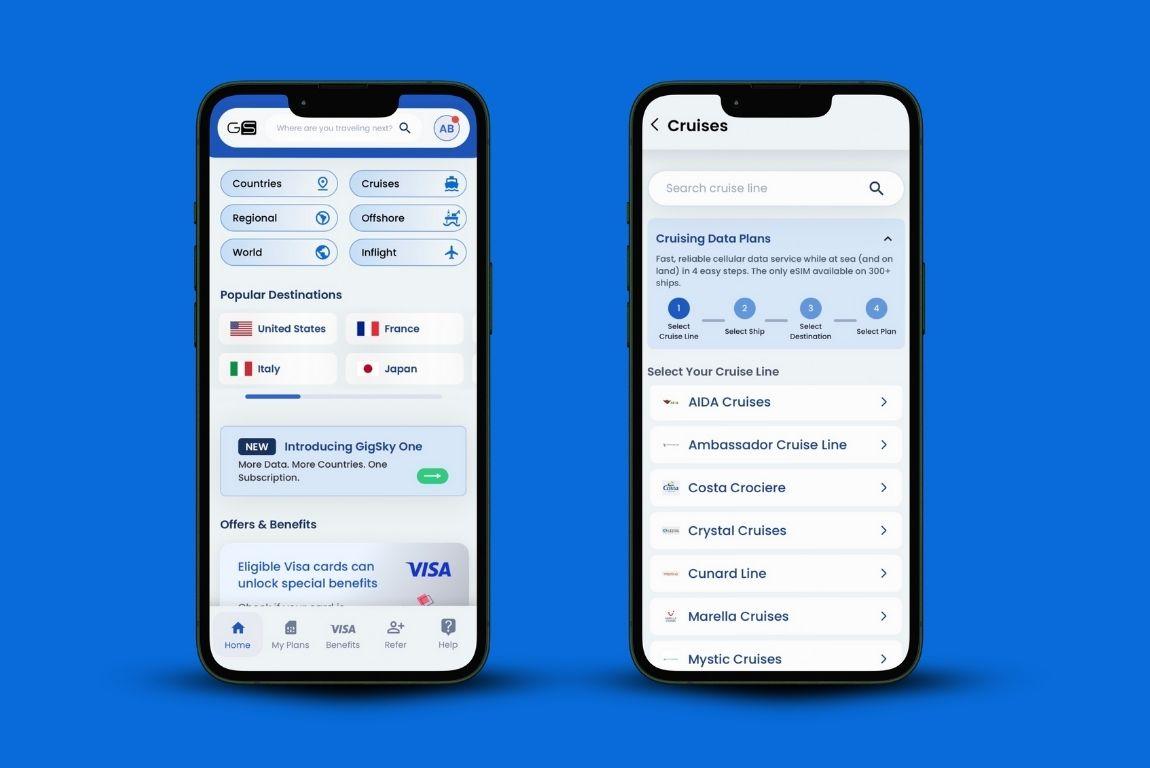
An eSIM is a digital version of the plastic SIM card your phone normally uses.
You download the GigSky app, install the eSIM profile, and you're connected. Your main SIM keeps handling calls and texts. The eSIM handles data. Both run at the same time.
No swapping cards around. No worrying about losing your phone number. You install it once, and you can reuse the same eSIM for future trips by adding new data when needed.
GigSky is designed to work both while the ship is sailing and when it's docked in port. That's why cruise travelers choose it, coverage doesn't change when locations do.
The eSIM is approved for Costa cruise ships, including Costa Deliziosa, Costa Diadema, Costa Fascinosa, Costa Favolosa, Costa Fortuna, Costa Pacifica, Costa Serena, Costa Smeralda, and Costa Toscana.
That means you're covered whether you're cruising through Europe, the Americas, the Arabian Peninsula, or Asia on your Cruise Costa Cruises.
What it's best for:
- Messaging apps (WhatsApp, iMessage)
- Maps and navigation in port
- Email and light browsing
- Social media updates
Challenge: Heavy streaming or frequent video calls. If that's what you need, you're better off combining GigSky with the ship's WiFi and choosing the best tool for each activity.
One underrated feature: hotspot sharing. If you're traveling as a couple or with family, one plan can keep multiple devices connected.
That makes coordinating meetups in port or sharing travel moments easier without buying separate plans for everyone.
Pricing snapshot:
For Europe, Americas/Caribbean, and Asia Pacific (same pricing across all three):
| Data | Validity | Price |
|---|---|---|
| 512 MB | 1 day | $19.99 |
| 1 GB | 7 days | $34.99 |
| 3 GB | 15 days | $55.99 |
| 5 GB | 30 days | $79.19 |
| 10 GB | 30 days | $123.19 |
Middle East itineraries have slightly different pricing due to regional network costs:
| Data | Validity | Price |
|---|---|---|
| 512 MB | 1 day | $23.99 |
| 1 GB | 7 days | $41.99 |
| 3 GB | 15 days | $61.59 |
| 5 GB | 30 days | $95.19 |
| 10 GB | 30 days | $165.59 |
For multi-region itineraries, GigSky offers a Worldwide plan (128 countries):
| Data | Validity | Price |
|---|---|---|
| 512 MB | 1 day | $26.99 |
| 1 GB | 7 days | $44.99 |
| 3 GB | 15 days | $71.99 |
| 5 GB | 30 days | $118.79 |
| 10 GB | 30 days | $175.99 |
| 20 GB | 120 days | $239.99 |
Plans start at $19.99 for shorter trips, and validity stretches up to 120 days depending on which plan you select.
Option 2: Costa Onboard WiFi on Your Costa Crociere Cruise Ship
Costa's WiFi runs on satellite. That's a different cost structure than land-based internet, satellite bandwidth is limited and expensive to operate in the middle of the ocean.
Packages vary by cruise length and how much you'll use it. Pricing reflects the technical constraints of connecting hundreds of passengers at sea.
Where this works well: video calls, streaming, bandwidth-heavy tasks while you're on the ship. It's built for that environment.
Where it doesn't: onboard WiFi typically stops working in port. If you're exploring independently and need maps or ride-sharing apps, you'd be offline unless you have another option running.
Option 3: Carrier Cruise Packages
Most major carriers offer cruise-specific packages or per-use rates. The costs and coverage depend on your specific carrier and plan.
Here's what the main US carriers currently offer:
- AT&T International Day Pass: $20/day for unlimited talk, text, and 500MB data on 400+ ships. Works on participating Costa cruise ships.
- Verizon Cruise Daily Pass: $20/day for 0.5GB high-speed data, then unlimited at 3G speeds.
- T-Mobile: $5.99/minute for calls, $0.50/text. Data not included—GigSky eSIM or ship WiFi recommended for data needs.
The $20/day rate is per line, per day used. A 7-day cruise with two people would run $280 for the week. That's predictable if you activate the package intentionally.
Where people run into unexpected charges: maritime networks charge different rates than standard international roaming.
These are specialized satellite networks that cost more to operate. If your phone connects to one of these networks without a cruise package active, the per-use rates are higher than typical international roaming.
Calls can run $1.99–$5.99/minute. Texts are often $0.50 each. Data charges vary by carrier.
One thing to watch: phones sometimes connect to maritime networks even when you're docked in port.
The phone can't always tell the difference between "we've stopped" and "we're actually on land." That's when people accidentally trigger charges they weren't expecting.
Ports vs. Sea Days: What Works Where on Cruise Costa Cruises
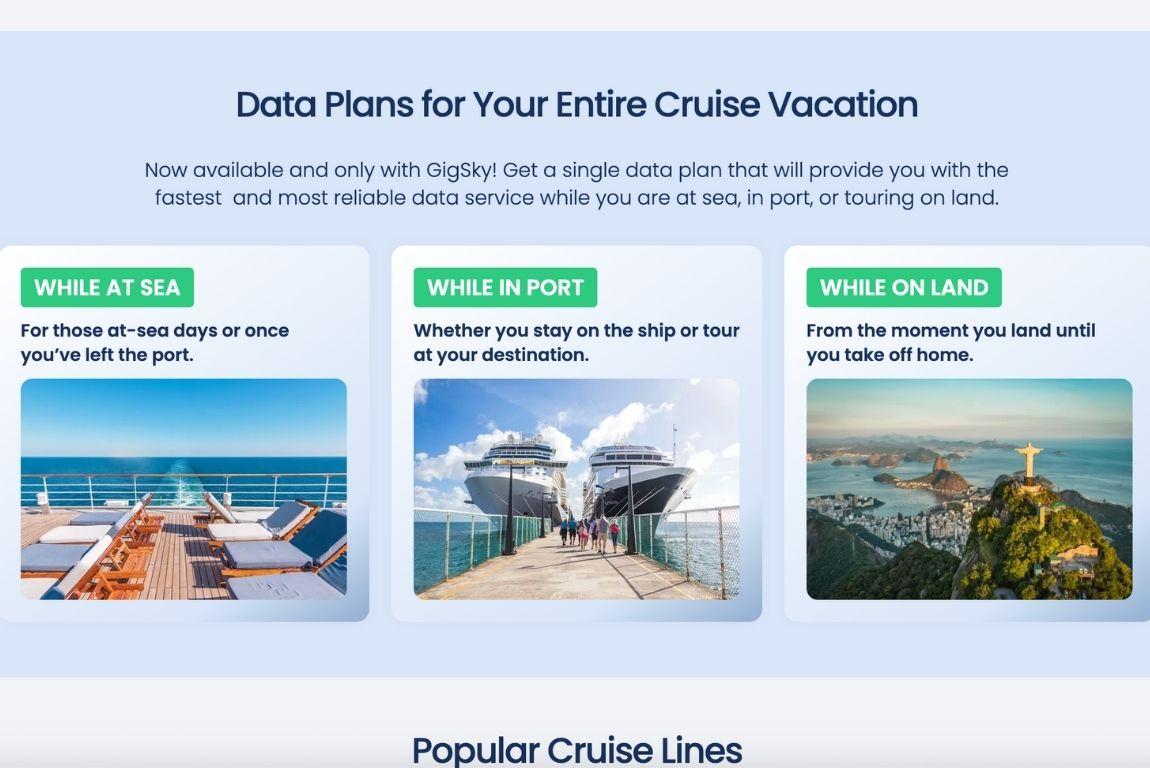
At sea, you need either a cruise eSIM or the ship's WiFi. Regular cell coverage doesn't reach that far from shore.
In port, cruise eSIMs keep working. Ship WiFi on your Costa Crociere cruise ship usually doesn't (though some ships maintain limited connectivity).
Carrier packages work in port if your plan includes port coverage. Port WiFi exists in some locations.
To keep things predictable on Cruise Costa Cruises:
With a GigSky cruise eSIM, it works at sea and in port. Nothing changes.
With a carrier package, make sure you understand when it's active and what it covers.
If you're managing connectivity manually on Costa cruise ships:
- Airplane mode when you board helps you control when things connect
- Turn WiFi back on to choose networks manually
- Check your cellular data settings so the right SIM is handling data
- Disable data roaming if you're not using a cruise package
Ships are built with metal. Signals work better on open decks and in common areas.
Inside cabins and lower decks can be less consistent. That's just how cruise connectivity works, applies to eSIMs and ship WiFi equally.
What You Can Do Online
Cruise eSIMs handle messaging, maps, email, and social browsing. For most people, that's what they're using anyway. When's the last time you called someone internationally instead of using WhatsApp?
That covers coordinating with travel companions, checking reservations, sharing photos, staying reachable.
Challenges: heavy streaming or constant video calls. Bandwidth at sea on a Costa Crociere cruise ship makes that impractical regardless of which connectivity option you're using. If you need those features regularly, download your favorite shows before boarding or try the ship's WiFi.
Most people land somewhere in the middle. You're reachable when needed, but you're not constantly connected. Peace of mind without being glued to your phone.
Setup That Works
Timing matters with cruise eSIMs. Install too early and your plan might activate before your Cruise Costa Cruises starts.
Let's say you bought a plan three weeks out because you were organized. You install the eSIM right away. It activates.
By the time you board, your 15-day plan has been counting down while you were still at home.
Now you're boarding with an expiring plan wondering why you're not getting the coverage you paid for.
Here's the sequence that avoids that:
- Download the GigSky app a few days before departure
- Search "Costa cruise"
- Pick your plan: Cruise-Only if you're staying onboard or doing organized excursionsCruise + Land if you're exploring ports independently with maps and transport apps
- Install the eSIM the day you're leaving or just before boarding
- Keep mobile data off for that eSIM until you're ready to use it
The eSIM connects after the ship leaves port on your Cruise Costa Cruises. Short delay after departure is normal. Don't worry if it's not instant during boarding on Costa cruise ships.
Quick Decision Guide
You mainly need WhatsApp, maps, occasional browsing: GigSky Cruise eSIM. The 1GB / 7-day plan ($34.99 for most regions) covers that for a typical week-long Cruise Costa Cruises.
You need Zoom calls or streaming regularly: Costa WiFi, maybe combined with a cruise eSIM for when you're in port.
You want fixed costs and no manual management: GigSky Cruise eSIM. One price, works everywhere on Costa cruise ships, nothing to activate or monitor.
Traveling with family: One GigSky plan with hotspot can cover multiple devices.
You're Set
Connectivity on a Cruise Costa Cruises doesn't have to be complicated.
For most people, a cruise eSIM removes the variables. Fixed cost. Works at sea and in port. Install once, done.
Control without constant management. Predictable without surprises. One less thing to handle when you're supposed to be on vacation.
Download the GigSky app and search "Costa cruise" to start planning connectivity for your Cruise Costa Cruises.