

%2520-%25202026-06-18T155903.527.jpg&w=3840&q=75)


Best Phone Plan for International Travel in 2026 (Don't Buy Until You Read This)
The best phone plan for international travel depends on where you're going and how you travel. Avoid costly mistakes before takeoff.
 by Amira Bula
You're about to have an amazing trip, and the last thing you want to think about is your phone plan.
You don't want surprise charges showing up after you land back home, you don't want to overpay for data you'll never use, and you want something simple enough that it doesn't take up mental space while you're actually traveling.
The good news: finding the best phone plan for international travel has gotten a lot easier.
eSIMs, physical SIMs, carrier add-ons, even free data through card benefits. Each one works differently, and some will suit your trip better than others. Here's how to figure out which one that is.
What Kind of Traveler Are You?
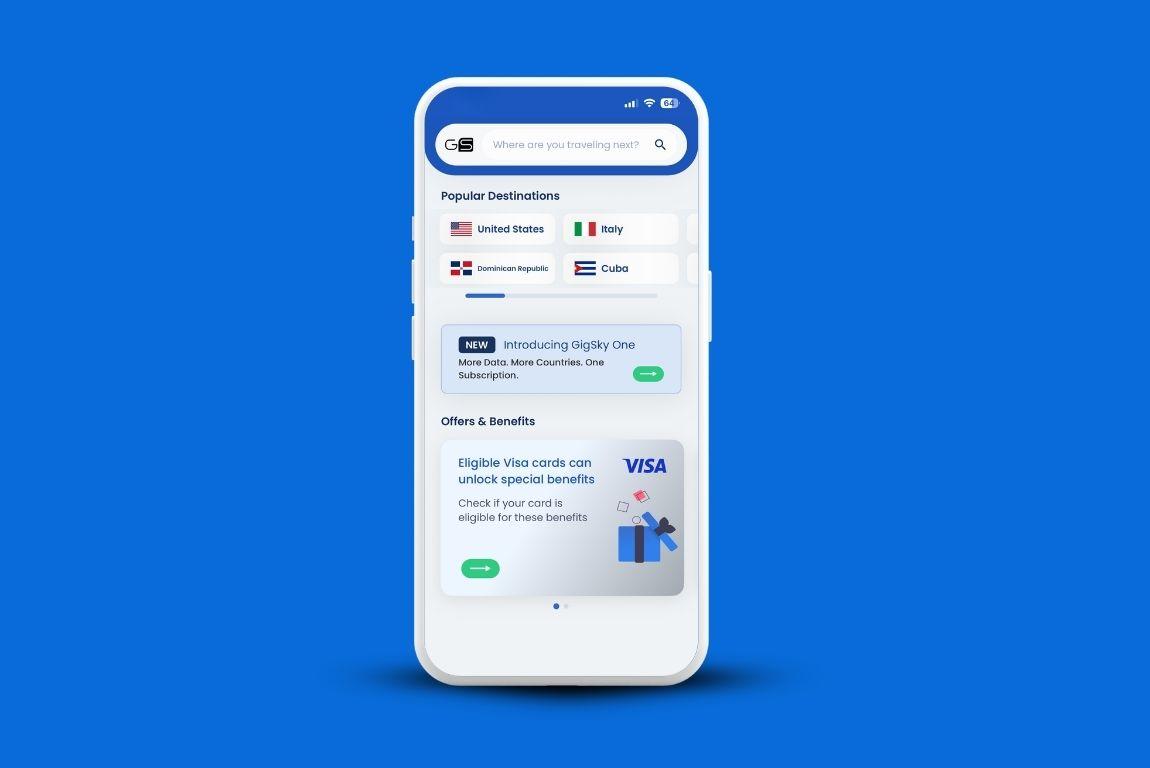
Before comparing anything, two questions matter more than the rest: where are you going, and how much will you use your phone while you're there?
Heading to one country for a week or two? A single-country eSIM or a carrier travel day pass can work fine.
But if your trip covers multiple countries, that same approach gets complicated fast.
You'd be buying a new plan at every border, or paying fees you didn't plan for.
That's exactly the scenario where choosing the best phone plan for international travel upfront saves you real money and real frustration.
Multi-country trips are where a regional or global eSIM starts to make sense. GigSky covers 200+ destinations on a single eSIM you install once and never swap out.
You land somewhere new and it connects automatically, nothing to activate, nothing to configure.
For longer trips, there are also monthly eSIM subscriptions covering 120+ countries at a flat rate, which tends to cost far less than daily fees stacked over several weeks.
Trip length matters too. A two-week vacation and a two-month work trip are completely different problems, and the right answer for one isn't always the right answer for the other.
Data-Only or Do You Need Calls?
International travel phone plans generally split into two categories: data-only, and plans that keep your existing number active abroad.
Most travelers rely on WhatsApp, FaceTime, or iMessage when they're abroad.
If that covers your needs, a data-only eSIM handles everything: navigation, messaging, social media, looking things up. All of it runs through apps over data.
If you need your actual US number reachable, that's a different situation.
Two-factor authentication texts, work calls, or family members who won't use apps.
In that case, you have two realistic options: keep your carrier plan active with an international add-on, or pick up a local SIM at your destination with a local number.
The tradeoff with a local SIM is timing. You can't get one until you land, which means arriving without a connection.
With an eSIM, you set it up before you leave and you're connected the moment you step off the plane. For most leisure trips, data-only is enough, and it tends to be the simpler, more affordable path.
Comparing Your Options (and What the Numbers Look Like)
When you're weighing international travel phone plans, the best option depends on your trip length, how many countries you're covering, and whether a plan that costs more per day actually saves you money over the full trip.
| Option | Cost range | Works best for | One thing to know |
|---|---|---|---|
| GigSky eSIM | Free trials available | International trips, frequent travelers, cruises | One eSIM, installed once, works in 200+ countries. Auto-connects on arrival. The only eSIM that also covers cruise ships at sea. |
| Carrier day pass | $5–$12/day | Short trips using your existing carrier plan | Daily fees. Easy to forget to disable when you're back. |
| Local SIM | Varies by country | Long stays, anyone who needs a local number | You have to buy it after you land, which means arriving without a connection. |
| Default roaming | Variable | Short trips, backup option | Billing is hard to predict. Fine as a fallback, but not something to plan around. |
Check Your Phone First
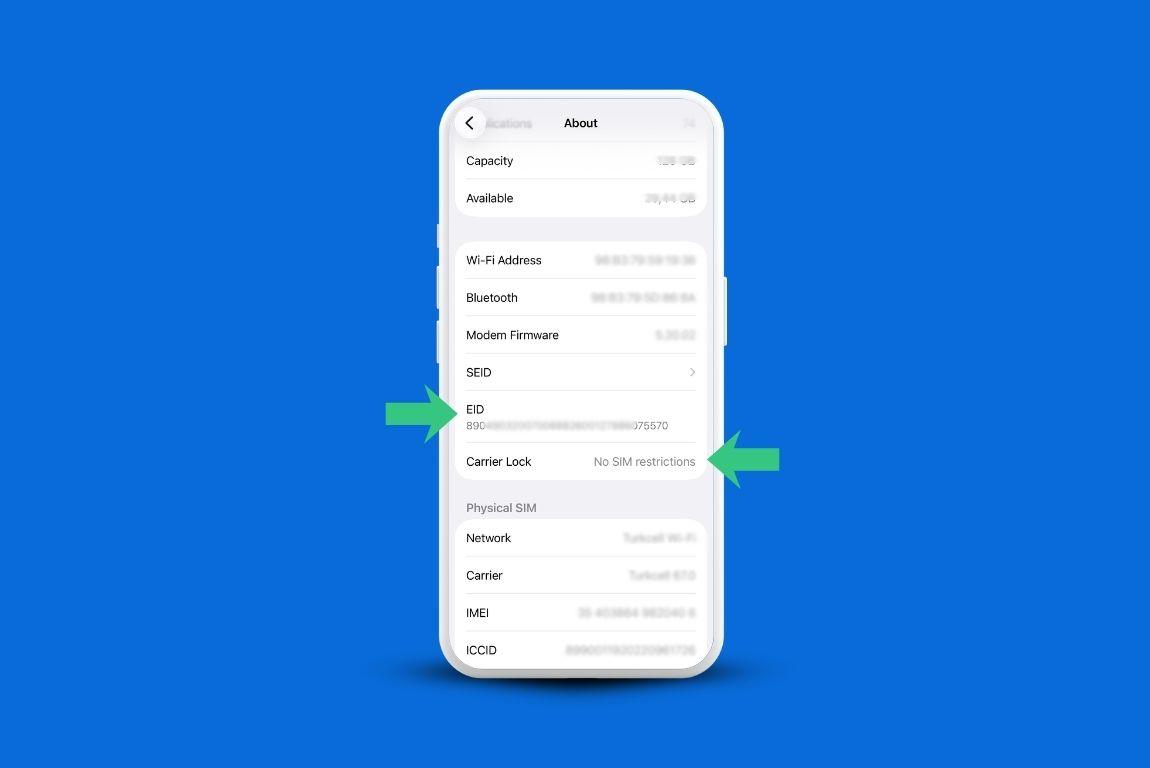
This step is easy to skip and worth five minutes of your time. Most smartphones released in the last three or four years support eSIM, but your phone also needs to be unlocked to use a third-party plan.
If you bought your phone directly from the manufacturer, or finished paying it off through your carrier, you're likely already set.
Having an unlocked phone for international travel means you can use any carrier's SIM or eSIM without restrictions.
If you're not sure of your status, on iPhone go to Settings, then General, then About, and look for the carrier lock status.
Some carriers unlock automatically after twelve months on the plan; others require you to contact them.
Physical SIMs need an unlocked phone for travel too, plus a compatible SIM tray.
If you want to get an eSIM, you download an app, install the eSIM digitally, and you're done before you've packed your bag.
Before your next trip, it's worth confirming you have an unlocked phone for international travel so you're not scrambling at the airport.
How Much Data Do You Need?
This is the question people usually get wrong in both directions. Some buy more than they'll ever use. Others run out on day three because they forgot about Google Maps.
A rough guide: messaging, checking email, and light browsing typically comes in under 500MB per day.
Add GPS navigation and you're looking at closer to 1GB. Start video calling or using your phone as a hotspot for a laptop, and 3 to 5GB per day is realistic without you noticing.
Before you leave, check your phone's actual usage. On iPhone: Settings > Cellular. On Android: Settings > Network & Internet > Data Usage. That number is your real baseline, not a guess.
If you'd rather not track it at all, unlimited plans exist. Just read the fine print on speed throttling.
Most unlimited eSIM plans slow down after a certain threshold. GigSky's unlimited plans include 3.5GB of full-speed data before throttling, with a reset every 24 hours. For most travelers, that's more than enough.
The Free Data Option Most Travelers Don't Know About
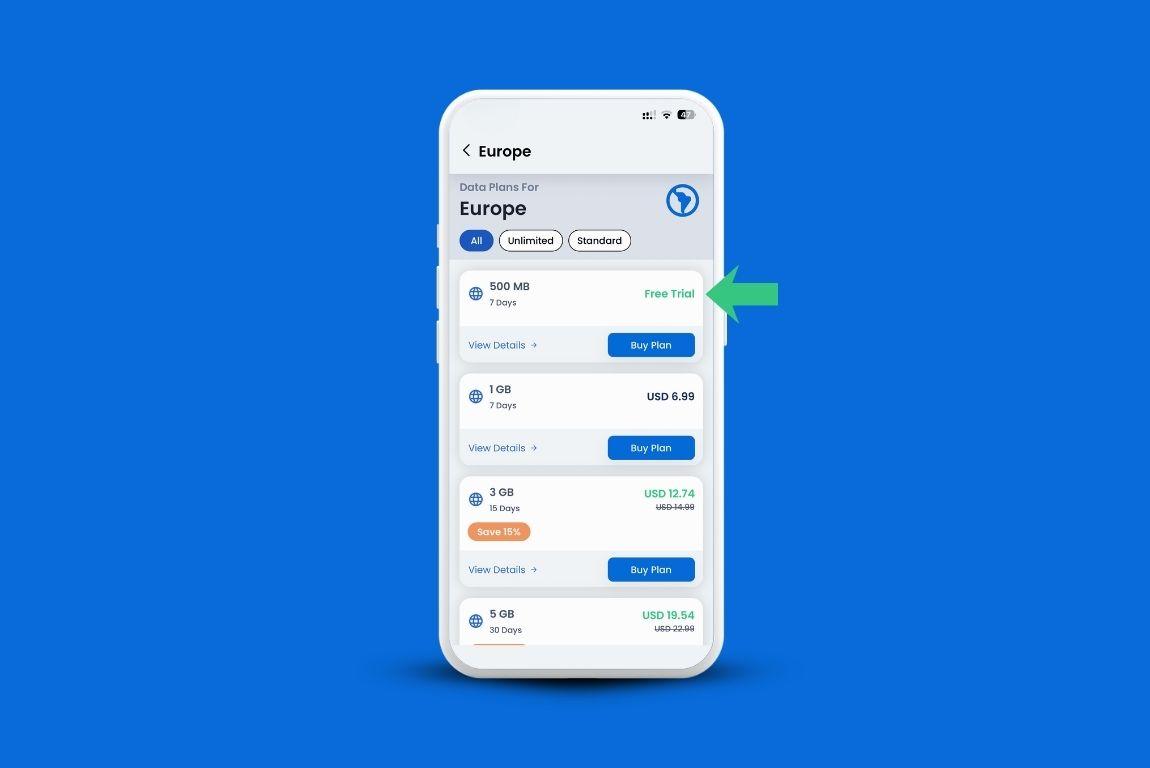
There's a good chance you're eligible for free high-speed data and haven't checked yet.
GigSky offers free trials in 175+ destinations, anywhere from 100MB to 500MB depending on where you're going, with no credit card required.
You search your destination in the GigSky app and if a trial's available, it shows up right there.
If you have an eligible Visa card issued in the Americas, that's the US, Canada, Latin America, or the Caribbean, you're likely eligible for more.
Most participating countries get 3GB free for 15 days. Canadian Visa Infinite cardholders get 1GB free for 15 days.
The card check in the app only confirms eligibility, you don't get charged. It doesn't matter which bank issued the card.
Chase, Bank of America, Bancolombia, Caixa, any institution from the Americas. If the card carries the Visa Infinite logo, you qualify.
There's also a newer benefit. If you have an eligible Visa card from anywhere in the world, you get complimentary data when traveling to the UK, France, the UAE, or Thailand.
Visa Infinite cardholders get 7 days of unlimited data plus 30% off additional plans. All other eligible Visa cardholders get 3 days of unlimited data plus 20% off.
And through July 31, 2026, the US benefit expands to cover all of North America, including Canada and Mexico, as a benefit for the matches.
To see what you qualify for, download the GigSky app and tap the Visa banner. Your discount stays active on every future plan purchase without needing to re-verify.
What About Cruises?
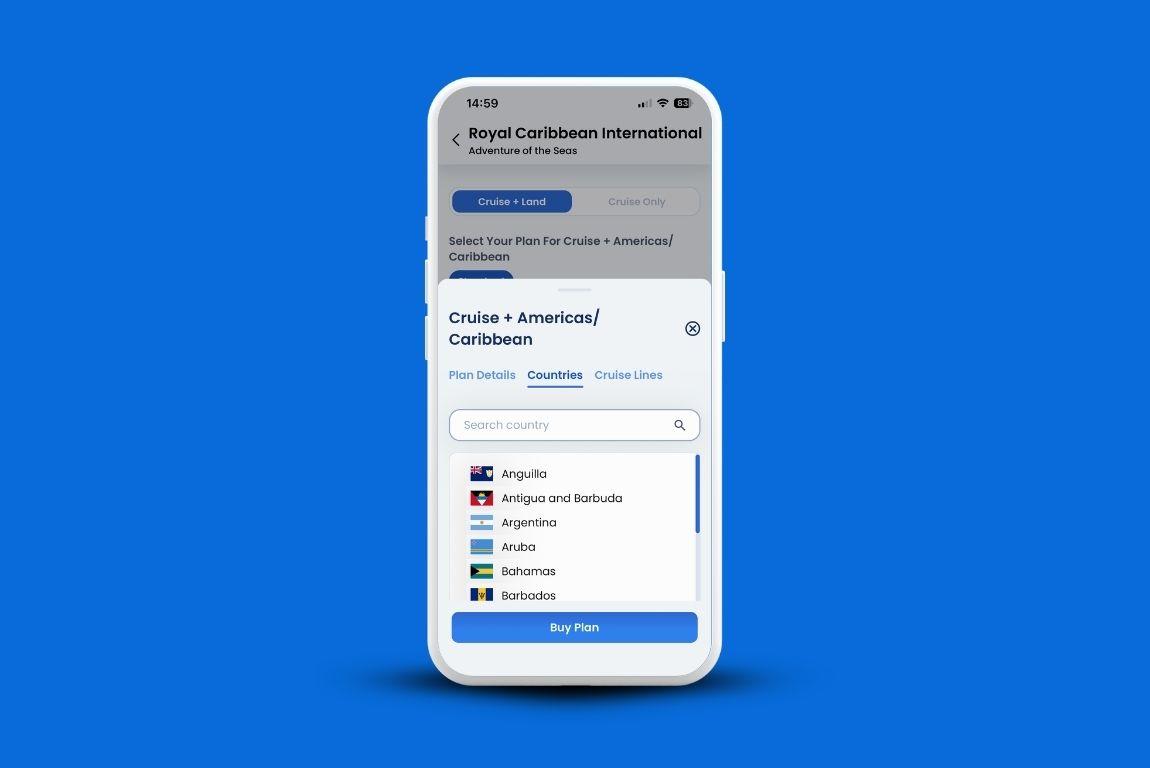
Connectivity on a cruise ship is its own problem, and most eSIM products aren't built for it.
At sea, you're outside the range of land-based networks. Standard eSIMs from most providers simply stop working once the ship leaves port.
If you were counting on using a regular eSIM throughout your cruise, that's important to know before you board.
GigSky is the only eSIM built specifically for maritime coverage, across 290+ ships.
You buy a regional plan, the Caribbean plan covers 48 destinations, for example, and that same plan covers you both at sea and at every port stop. No buying a separate plan for each island. No manual switching when you disembark.
There's also a free 100MB cruise trial, which is useful for testing whether the service works on your specific ship before committing to a larger plan.
Install it a few hours before boarding, leave it off until you're on the ship, then turn on once you're settled.
What to Do Before Your Trip
[ADD VIDEO https://vimeo.com/1180852133]
This doesn't need more than 15 minutes. Confirming you have the best phone plan for international travel before you fly is worth more than any last-minute fix at the airport.
Confirm your phone is unlocked and eSIM-compatible. Check your destination count, one country or several, because that changes which plan type makes sense.
Estimate your daily data use so you're not guessing when you pick a plan.
Then download the GigSky app and search your destination. If a free trial's available, it'll show up.
If you have an eligible Visa card, tap the Visa banner and run the eligibility check. It takes a few minutes and could mean you don't need to buy a plan at all.
Install your eSIM before you leave, not at the airport. You want to land connected, not troubleshoot at baggage claim.
Best Phone Plan for International Travel: Quick Recap
- One country, short trip: a single-country eSIM or carrier day pass usually covers it.
- Multiple countries or longer travel: a global eSIM like GigSky saves you from re-buying at every border. One install, works everywhere.
- Data needs: 500MB to 1GB per day for typical use. More if you navigate constantly or take video calls.
- Free data: GigSky offers free trials in 175+ destinations with no credit card required.
- Eligible Visa cardholders in the Americas get up to 3GB free for 15 days. Eligible Visa cardholders worldwide get complimentary data in the UK, France, UAE, and Thailand, with a North America extension through July 31, 2026.
- Cruise travel: standard eSIMs stop working at sea. GigSky is built for maritime coverage on 290+ ships, with one regional plan covering you both at sea and in port.
- Setup: do it before you fly. Download the GigSky app, check your destination, verify your Visa card if you have one, and install your eSIM while you're still at home.
Download the GigSky app to check what's available for your destination before you leave.