



How to Get the Internet on Carnival Cruises
Not sure how to stay online on your Carnival cruise? Discover 3 smart options that won’t wreck your budget, or your vacation vibe.
 by Alexis Miller
Picture this: you're lounging on deck, watching the sunset over the ocean, and you want to share that perfect vacation moment with friends back home.
Or maybe you need to send a quick work email (we've all been there).
Staying connected while cruising on a Carnival ship doesn't have to be a headache – but let's be honest, the options can feel overwhelming staring at confusing internet packages and wondering if you’re about to accidentally rack up a massive phone bill.
The good news? You've got three ways to get online during your cruise, and we’re going to walk you through each one so you can pick what works best for your situation and budget.
[INSERT YOUTUBE LINK: https://youtu.be/NSotKZI8vmI?si=XYQZ8qUPsSeVf6Bj]
Option 1: Roaming with Your Home Carrier
This is probably what you're thinking of first – just use your regular phone plan like you would anywhere else.
It's the simplest option, but also the priciest one.
What You Get:
- Zero setup required – your phone works like normal
- You pay based on how much data you use
- Works pretty much everywhere Carnival ships go
The Reality Check on Pricing: Most carriers will charge you anywhere from $2 to $6 per megabyte when you're out at sea.
To put that in perspective, scrolling through Instagram for just a few minutes could easily cost you $20 or more.
Some carriers offer cruise packages (like $100 for a few hundred megabytes), but you'll want to call them before you sail to avoid any nasty surprises on your next bill.
When This Makes Sense: If you're the type who barely uses their phone and just wants to send the occasional text or check email once in a while, this could work.
But if you're a heavy internet user who loves posting stories and staying connected, you might want to look for other options.
Option 2: Carnival's Onboard WiFi
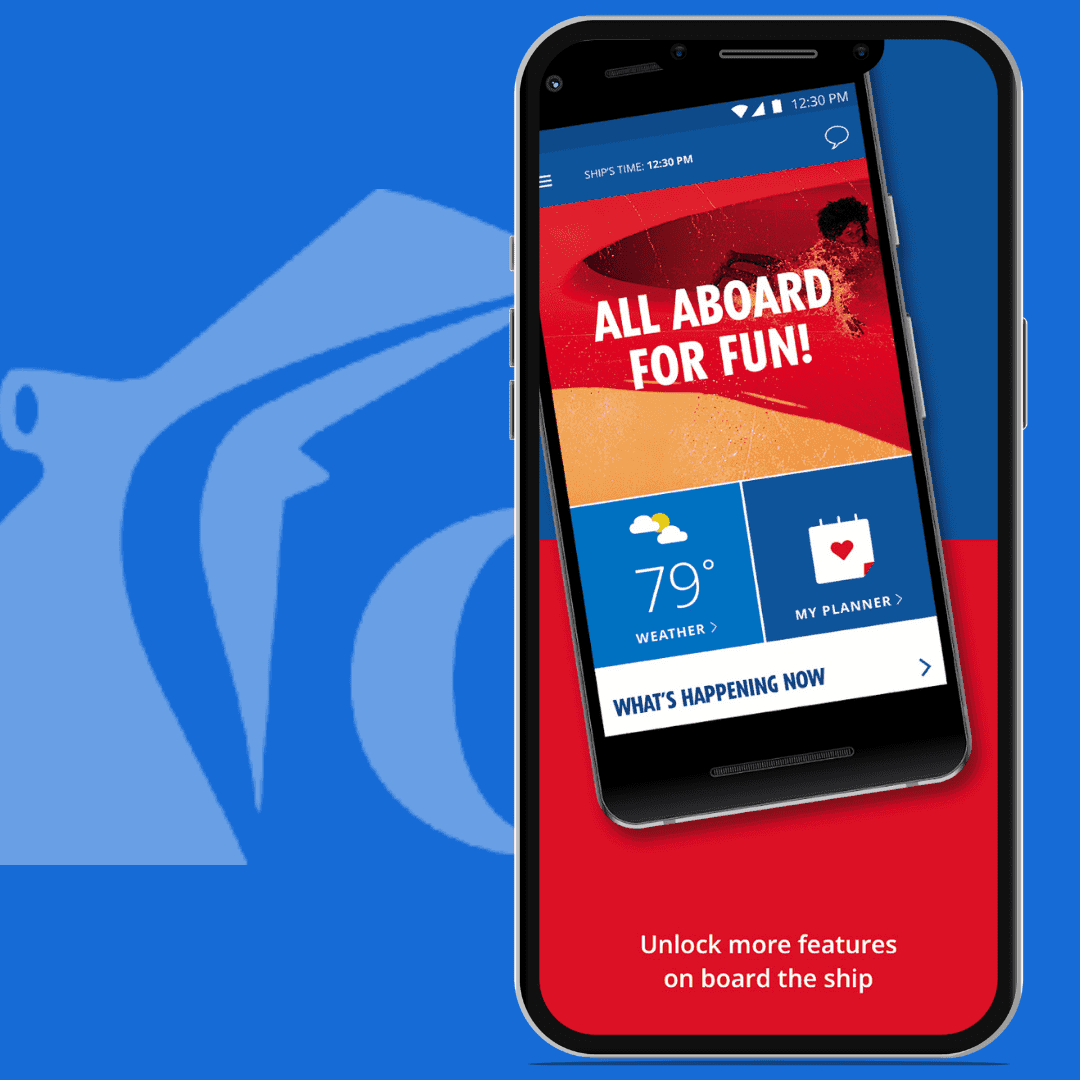
Carnival cruise WiFi is designed to work well on the ship, though keep in mind you're still relying on satellites, so don't expect your home internet speeds.
Here's How Their Plans Break Down:
Social Plan - $18.70 per day per device (about $131 for a week-long cruise) Perfect if you mainly want to stay active on Instagram, Facebook, and Twitter. No regular browsing, email, or watching videos.
Value Plan - $22.10 per day per device (roughly $155 for seven days) This gives you social media plus email and general web browsing. No streaming Netflix or YouTube.
Premium Plan - $23.80 per day per device (around $167 for a week) this gets you everything, including streaming. The speeds are supposedly up to 3x faster than the Value plan too.
Premium Multi-Device Plan - $84 per day for up to 4 devices (about $588 for a week) Great for families or if you're traveling with friends who want to split the cost.
Getting Connected: The process is straightforward.
- Download the Carnival Hub App before you cruise (you'll want this anyway for other ship info)
- Choose your Cruise WiFi plan
- Follow the setup prompts once you're onboard.
Pro tip: you can save some money by buying your plan before you sail rather than waiting until you're on the ship.
Best For: Carnival cruise ship WiFi is your go-to if you want reliable internet access throughout your cruise and don't mind paying a premium for the convenience.
Option 3: GigSky Cruise + Land eSIM
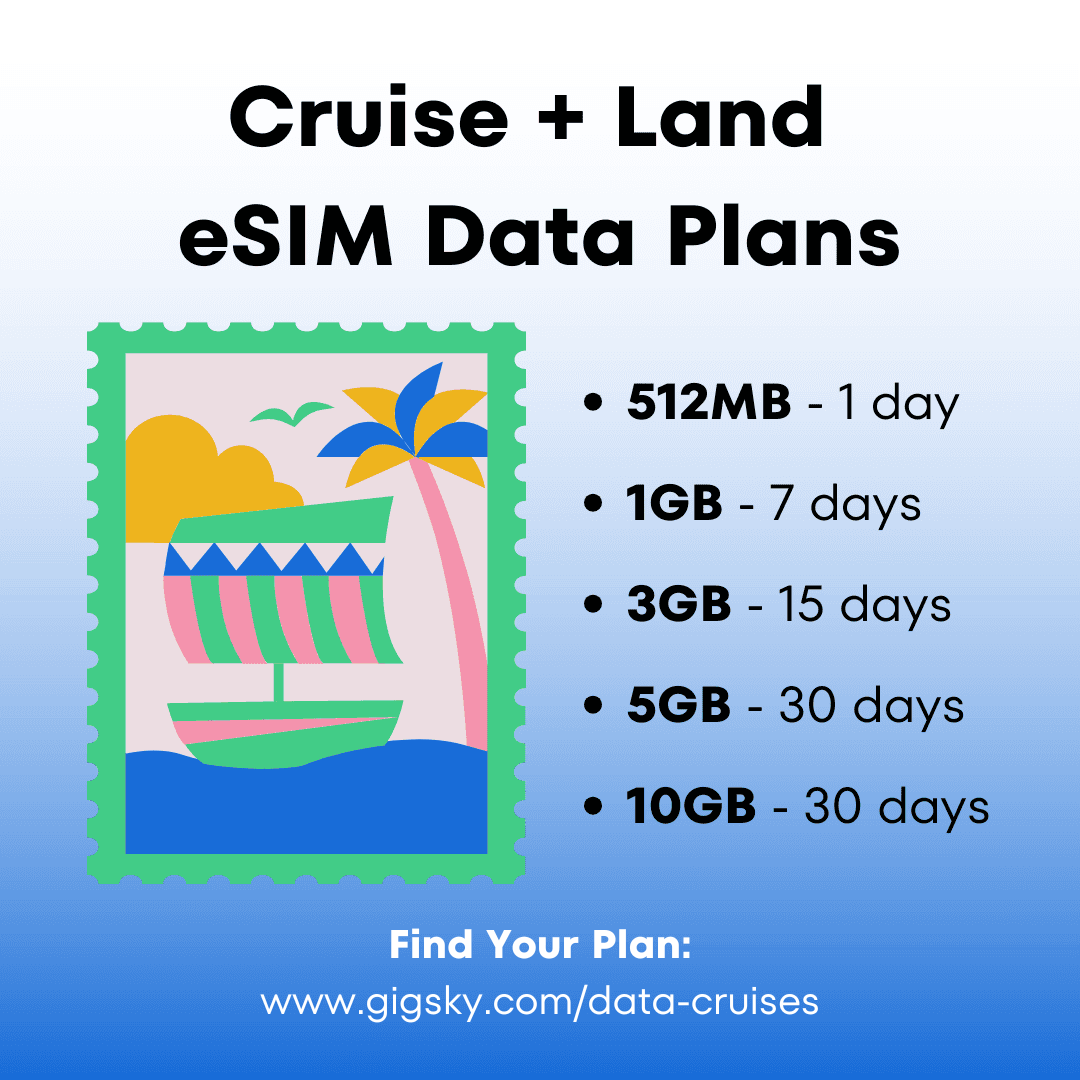
This is where things get interesting. The GigSky Cruise + Land eSIM works both on the ship and when you're exploring ports – and they're cheaper than most options.
Why People Love This Option:
- Plans start at $19.99 (cheaper than cruise WiFi for most people)
- Works everywhere – on the ship and on land when you're exploring ports
- Easy setup if you have a newer phone that supports eSIM
- You can track how much data you're using in real-time
- No surprise data roaming charges or hidden fees
Getting Set Up:
- Make sure your phone supports eSIM technology (most newer smartphones can).
- Download the GigSky app, browse their cruise plans, and pick the one that matches your itinerary.
- You'll usually scan a QR code to get everything set up.
- Once installed, configure GigSky as your active data provider under your phone’s settings.
Pricing Breakdown: For a 7-day cruise, you're looking at about $35 for 1GB of data. That's a fraction of what you'd pay with the most options, and you get the bonus of staying connected when you're exploring ports too.
Perfect For: Budget-conscious travelers and anyone who plans to spend time off the ship exploring destinations. It's also great if you're someone who likes having control over exactly what you're spending and a hassle-free alternative to cruise ship WiFi.
Quick Comparison to Help You Decide
| Cruise Connectivity Options Comparison | ||
|---|---|---|
| Option | Cost (7-day cruise) | Best For |
| Home Carrier Roaming | $2–6 per MB (can add up fast) | Very light usage |
| Carnival WiFi | $131–$588 depending on plan | Staying connected on the ship |
| GigSky eSIM | Around $35 | Budget-friendly flexibility |
Pro Tips to Know Before Your Cruise
Book Early and Save: Carnival gives you up to 30% off WiFi if you buy before boarding. GigSky also runs sales pretty regularly, so it's worth checking for deals.
Keep an Eye on Your Usage: Especially with pay-per-use plans, data can disappear faster than you think. Both Carnival's app and GigSky let you monitor this.
Timing Matters: Just like your home internet can slow down during peak hours, cruise ship WiFi gets sluggish when everyone's trying to use it at once – usually in the evenings. Plan accordingly if you need to upload those sunset photos.
How to Get the Internet on Carnival Cruises [Quick Recap]
- Home carrier roaming: Simple, but pricey ($2–$6/MB); best for rare use
- Carnival WiFi: $131–$588/week; 4 plans for onboard access only
- GigSky eSIM: ~$35/week; works at sea & in ports; eSIM-based
Best use cases:
- Roaming: very light users
- Carnival WiFi: need all-day ship access
- GigSky: cost-conscious travelers exploring on land too
Tips:
- Buy data plans before sailing (save up to 30%)
- Monitor usage to avoid surprises